B21, China Town Mall, Midrand

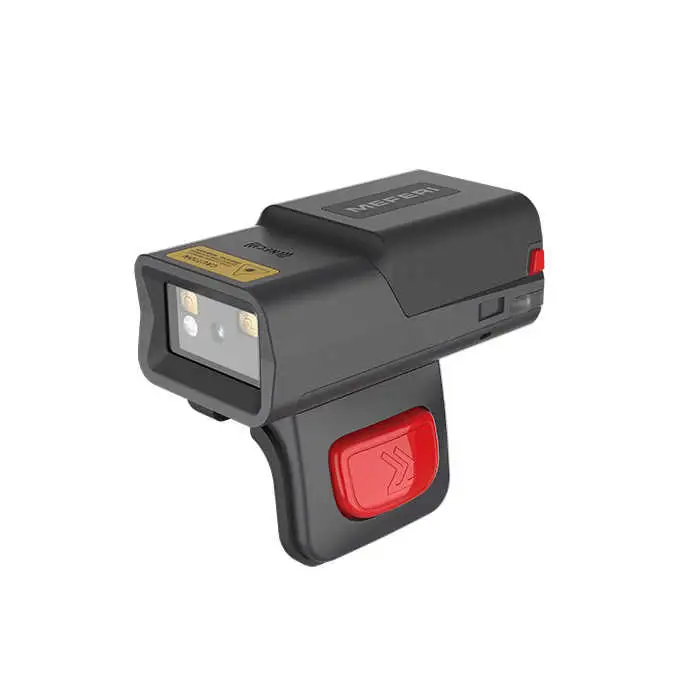

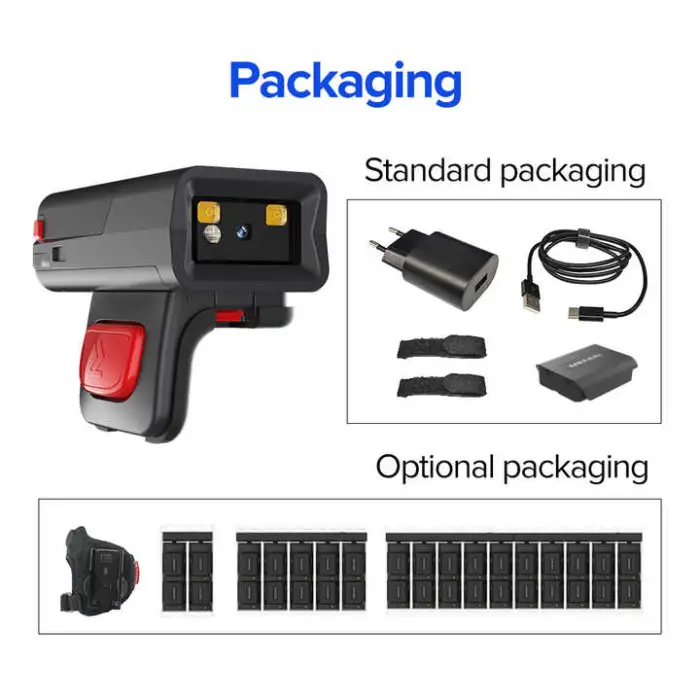
MS300R BT5.0 Wireless Hands Free NFC Wearable Scanner Portable Finger Scanner Mini Ring Barcode Scanners for Warehouse

- Section : Consumer Electronics
- Category : Computer Hardware & Software
- SKU : 1600374182040

MS300R BT5.0 Wireless Hands Free NFC Wearable Scanner
The MS300R BT5.0 Wireless Hands Free NFC Wearable Scanner is a compact and efficient tool designed for easy barcode scanning. This mini ring barcode scanner is perfect for warehouse use, providing hands-free operation with Bluetooth connectivity. Its lightweight design allows for comfortable wear while completing tasks quickly and accurately. With advanced features and a user-friendly interface, this product is ideal for improving productivity in any work environment.
Specifications
| Attribute | Details |
|---|---|
| Product Status | Stock |
| Service | Return and Replacement, Repair, Free Spare Parts, Onsite Training and Inspection, Call Center and Online Technical Support |
| Type | Barcode Scanner |
| Colour Depth | 32 Bit |
| Interface Type | USB 2.0, Bottom Pogo Pin (2 pin) |
| Scan Element Type | Other |
| Color | Black |
| Private Mold | Yes |
| Software Development Kit (SDK) | Yes |
| Max Paper Size | None |
| Selling Units | Single Item |
| Single Package Size | 19 x 20 x 10 cm |
| Single Gross Weight | 1.500 KG |
Key Features
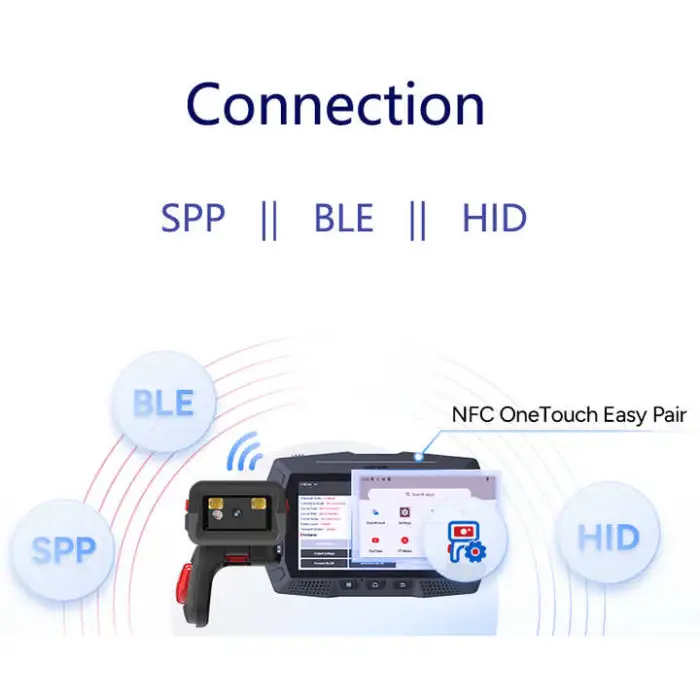
- Wireless Bluetooth 5.0 connectivity for easy use.
- Hands-free operation for greater productivity.
- Compact and lightweight design for comfortable wear.
- 32-bit color depth for accurate scanning.
- Includes a software development kit for custom applications.
Applications
- Ideal for warehouse inventory management.
- Perfect for retail environments for quick price checks.
- Useful in logistics for tracking shipments.
- Great for events and ticketing checks.
- Can be used in libraries for book scanning.
Product Info Gallery

- Shipping Timeframes: All orders are processed within 2-5 business days (excluding weekends and holidays). After your order has been processed, the estimated delivery time is before 03 Feb, 2026, depending on customs, Please note that due to high demand, some items may experience longer shipping times, which will be communicated at order confirmation email.
- Order Processing Time: Please allow 2-5 business days for us to process your order before it is shipped . Orders placed after 16:00 on Fridays, or during weekends and public holidays, will begin processing on the next business day. Processing times may be extended during peak seasons or sales events.
- Manufacturing Time: Some products needs manufacturing time, the manufacturing process will take approximately 10-30 business days depending on the product. This timeframe may vary depending on the complexity of the product and current demand. but this will be communicated with you during order confirmation.
- Returns and Exchanges: We offer a 30-day return policy for most items. If you are not completely satisfied with your purchase, you may return it within 30 days of receipt for a refund or exchange. Items must be unused, in their original packaging, and accompanied by proof of purchase. Return shipping costs are the responsibility of the customer, unless the item was damaged or defective upon arrival.
1. What is the MEFERI MS300R BT5.0?
The MEFERI MS300R is a compact wearable ring barcode scanner with Bluetooth 5.0 and NFC capabilities designed for hands-free scanning in warehouses, retail, logistics and other high-mobility environments.
2. What wireless connections does the MS300R support?
It supports Bluetooth 5.0 for wireless data connection to host devices and includes NFC functionality. The device also has a USB 2.0 interface and a 2-pin bottom pogo connector for charging/cradle use.
3. How do I pair the scanner with my phone/tablet/PC?
Typical pairing steps: charge and power on the scanner, enable Bluetooth on your host device, put the scanner into pairing mode (see user manual), then select the device from the host's Bluetooth list. If NFC pairing is supported for your configuration, tap the scanner to the host's NFC zone to initiate pairing. Refer to the supplied manual for exact button sequences and any PIN codes.
4. What barcode types/symbologies does the MS300R read?
The product specification lists the scan element type as 'Other' and does not enumerate symbologies. Many wearable scanners support common 1D and 2D codes, but please check the detailed datasheet or contact the vendor to confirm which barcode types (e.g., Code128, EAN, QR) are supported.
5. What is the wireless range of the Bluetooth connection?
Bluetooth 5.0 generally provides improved range over older versions, but actual range depends on the environment and host device. Expect typical indoor ranges of roughly 10–30 meters; for exact range performance in your environment, test in situ or consult the vendor.
6. How is the MS300R charged and how long does the battery last?
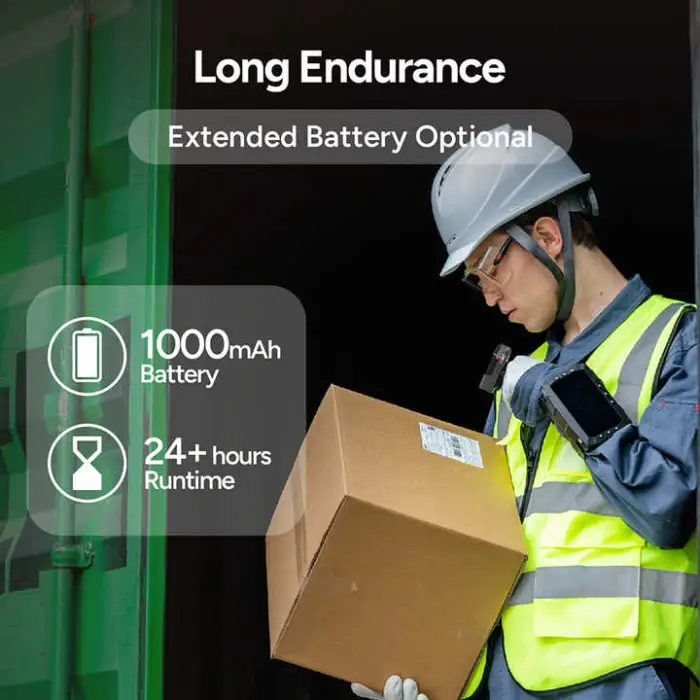
The scanner can be charged via its USB 2.0 connection or a 2-pin pogo pin cradle. The specification does not list battery capacity or run-time — check the product datasheet or ask your supplier for expected battery life under your usage pattern.
7. Is the scanner truly hands-free and how is it worn?
Yes — the MS300R is a wearable ring-style scanner designed for hands-free operation. It is typically mounted on a finger using an adjustable strap or ring. For wearing instructions, trigger locations and fit recommendations consult the user manual supplied with the unit.
8. Which operating systems and apps are compatible with the scanner?
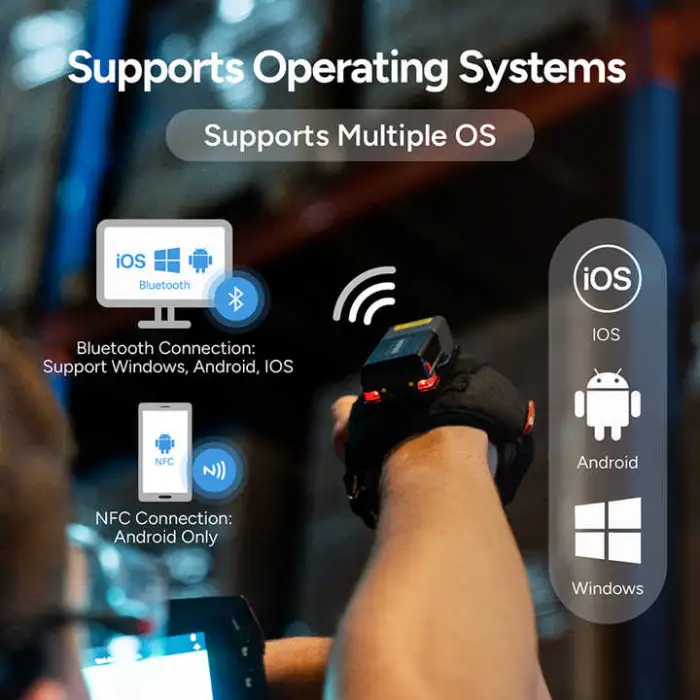
Wearable scanners like this commonly work with Windows, Android and iOS hosts, especially when they support standard Bluetooth profiles (HID or SPP). The MS300R includes an SDK for integration — check with the vendor for supported Bluetooth profiles and SDK language/platform support for your application.
9. What does the SDK include and can I integrate the scanner into my application?
The MS300R ships with an SDK to support custom application development. Contact the supplier for SDK documentation, sample code, supported platforms and APIs (e.g., HID, serial or custom libraries) so you can integrate scanning into your software.
10. Can I pair the scanner with multiple hosts at the same time?
The specification does not explicitly state multi-host capability. Some wearable scanners pair to one host at a time while others support multi-host or fast switching. Confirm multi-host or multi-pairing behavior with the vendor or the product manual.
11. What support, warranty and after-sales services are available?
According to the product information, service options include return and replacement, repair, free spare parts, onsite training and inspection, as well as call center and online technical support. Check your seller's warranty terms for specific coverage and support contact details.
12. What is the product packaging size and weight?
The single package size is listed as 19 x 20 x 10 cm and the single gross weight is 1.500 kg. For a complete accessory list and exact box contents, consult the seller or the packing slip.
13. How should I clean and maintain the MS300R?
Turn the device off and remove it from the finger mount before cleaning. Use a soft, slightly damp cloth with mild detergent; avoid solvents, abrasive materials and excessive moisture. Keep the pogo pins and charging contacts dry and clean. Refer to the user manual for any manufacturer-recommended maintenance procedures.
14. What do I do if the scanner is not reading barcodes or disconnects frequently?
Basic troubleshooting: ensure the battery is charged, check Bluetooth pairing and signal strength, verify the barcode symbology is supported and not damaged, clean the scanner window, restart both scanner and host device, and test with a different host or USB connection. If problems persist, consult the SDK logs (if available) or contact technical support.
Latest Order Arrivals
Discover our latest orders

12 Heads Embroidery Machine

Dewatering Pump Machine

Order Collection

Portable Water Drilling Rig

Order Usefully Collected

Batch of Orders

Agriculture Processing Machines

Meat Grinder Machine

Water Pump Equipment

Packaging Machine and accessories

Fabrics Manufacturing Equipment

Mining Equipments

Food Processing Machine

Batch of Orders

Batch of Orders

Latest Orders Labelled

wheel alignment machines

new arrivals

Pre Orders Offloading

Latest Arrivals

Latest Arrivals