B21, China Town Mall, Midrand

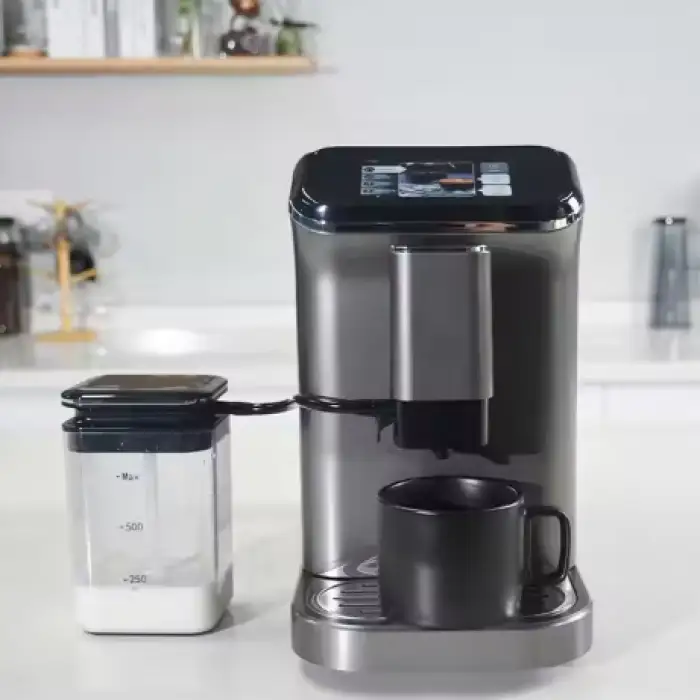

1. Precision Brewing: Our Coffee Maker utilizes advanced brewing technology to extract the full flavor and aroma from your coffee grounds, ensuring a rich and satisfying cup every time.
2. Multiple Brewing Options: Whether you prefer a strong espresso, a smooth cappuccino, or a classic drip coffee, our Coffee Maker offers a variety of brewing options to cater to your taste preferences.
3. Adjustable Strength and Temperature: Customize your coffee experience with adjustable strength and temperature settings. Achieve the perfect balance of flavors and enjoy your coffee just the way you like it.
4. Built-in Grinder: Our Coffee Maker features a built-in grinder, allowing you to grind fresh coffee beans right before brewing.
Experience the unparalleled freshness and aroma that only freshly ground coffee can offer.
5. Programmable Timer: Start your day off right with a freshly brewed cup of coffee waiting for you. The programmable timer
feature allows you to set the Coffee Maker to start brewing at a specific time, ensuring you never have to wait for your morning
caffeine fix.
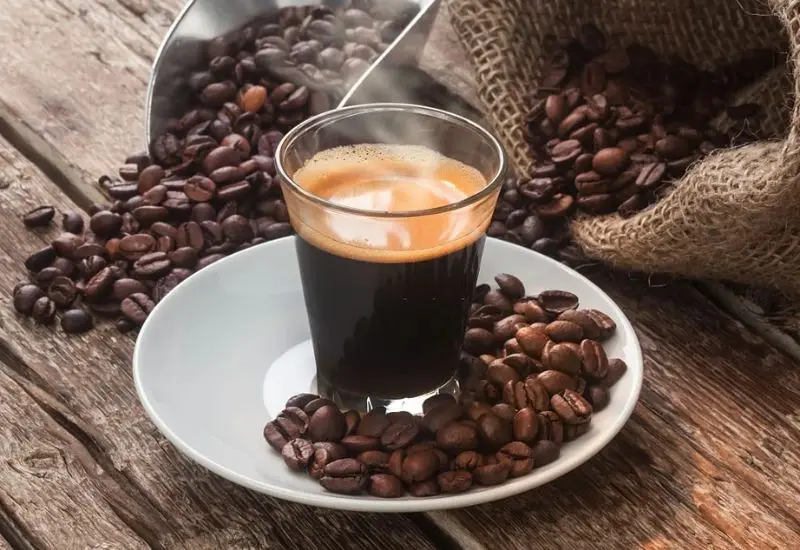
6. Easy-to-Use Interface: Our Coffee Maker is designed with a user-friendly interface, making it effortless to navigate through various settings and brewing options. Enjoy a hassle-free brewing experience every time.
7. Easy Maintenance: Cleaning and maintaining our Coffee Maker is a breeze. The removable parts are dishwasher safe, and the machine features a self-cleaning function to keep it in optimal condition.
- Shipping Timeframes: All orders are processed within 2-5 business days (excluding weekends and holidays). After your order has been processed, the estimated delivery time is before 31 Jan, 2026, depending on customs, Please note that due to high demand, some items may experience longer shipping times, which will be communicated at order confirmation email.
- Order Processing Time: Please allow 2-5 business days for us to process your order before it is shipped . Orders placed after 16:00 on Fridays, or during weekends and public holidays, will begin processing on the next business day. Processing times may be extended during peak seasons or sales events.
- Manufacturing Time: Some products needs manufacturing time, the manufacturing process will take approximately 10-30 business days depending on the product. This timeframe may vary depending on the complexity of the product and current demand. but this will be communicated with you during order confirmation.
- Returns and Exchanges: We offer a 30-day return policy for most items. If you are not completely satisfied with your purchase, you may return it within 30 days of receipt for a refund or exchange. Items must be unused, in their original packaging, and accompanied by proof of purchase. Return shipping costs are the responsibility of the customer, unless the item was damaged or defective upon arrival.
1. What types of coffee can I brew with the Touch Espresso Coffee Machine?
You can brew a variety of coffee types including strong espresso, smooth cappuccino, and classic drip coffee, catering to different taste preferences.
2. Does the Touch Espresso Coffee Machine have a built-in grinder?
Yes, it features a built-in grinder that allows you to grind fresh coffee beans right before brewing for maximum freshness and aroma.
3. Can I customize the strength and temperature of my coffee?
Absolutely! The machine has adjustable strength and temperature settings, allowing you to achieve your desired coffee flavor and warmth.
4. Is there a programmable timer feature?
Yes, the Touch Espresso Coffee Machine includes a programmable timer so you can set it to brew at a specific time, ensuring your coffee is ready when you need it.
5. How easy is it to clean the Touch Espresso Coffee Machine?
Cleaning is easy as the removable parts are dishwasher safe, and the machine also features a self-cleaning function for optimal maintenance.
6. What advanced technology does the Coffee Maker use for brewing?
The Coffee Maker utilizes advanced brewing technology to extract the full flavor and aroma from your coffee grounds, ensuring a rich and satisfying cup every time.
7. Is the interface user-friendly?
Yes, the Coffee Maker is designed with an easy-to-use interface, making it effortless to navigate through various settings and brewing options.
8. Can I brew coffee while using the grinder?
Yes, you can brew coffee immediately after grinding your beans, ensuring that you enjoy the freshest brew possible.
9. What maintenance is required for the Touch Espresso Coffee Machine?
Regular maintenance includes cleaning the removable parts and using the self-cleaning function to keep the machine in optimal condition.
10. Does the machine have a warranty?
Please check the product packaging or our website for warranty information, as it may vary based on the retailer.
11. What is the capacity of the coffee maker?
The capacity may vary, but typically, it is designed to brew several cups at once. Please refer to the product specifications for exact details.
12. Can I use pre-ground coffee with this machine?
Yes, you can use pre-ground coffee if you prefer not to use the built-in grinder.
13. What type of coffee beans are recommended for use?
We recommend using high-quality coffee beans that suit your taste preference. Freshness is key, so choose beans that have been recently roasted.
14. Is there a specific coffee-to-water ratio recommended?
A common recommendation is to use about 1 to 2 tablespoons of coffee per 6 ounces of water, but you can adjust this based on your taste preference.
15. What should I do if the machine doesn’t brew?
If the machine doesn’t brew, check to ensure it is plugged in, water and coffee are added correctly, and that there are no blockages. Refer to the user manual for troubleshooting tips.
Latest Order Arrivals
Discover our latest orders

12 Heads Embroidery Machine

Dewatering Pump Machine

Order Collection

Portable Water Drilling Rig

Order Usefully Collected

Batch of Orders

Agriculture Processing Machines

Meat Grinder Machine

Water Pump Equipment

Packaging Machine and accessories

Fabrics Manufacturing Equipment

Mining Equipments

Food Processing Machine

Batch of Orders

Batch of Orders

Latest Orders Labelled

wheel alignment machines

new arrivals

Pre Orders Offloading

Latest Arrivals

Latest Arrivals