B21, China Town Mall, Midrand

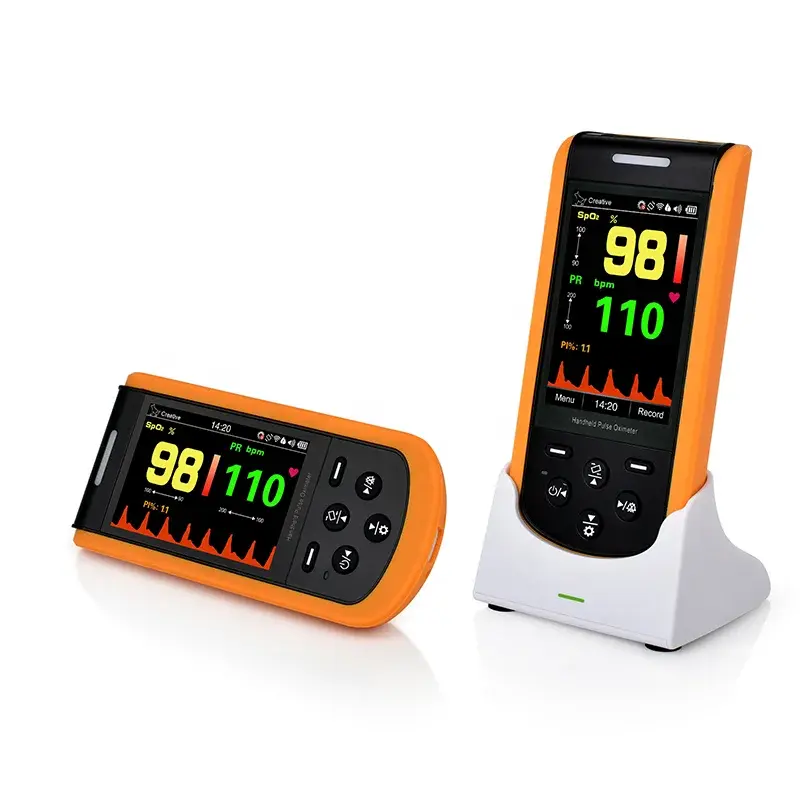
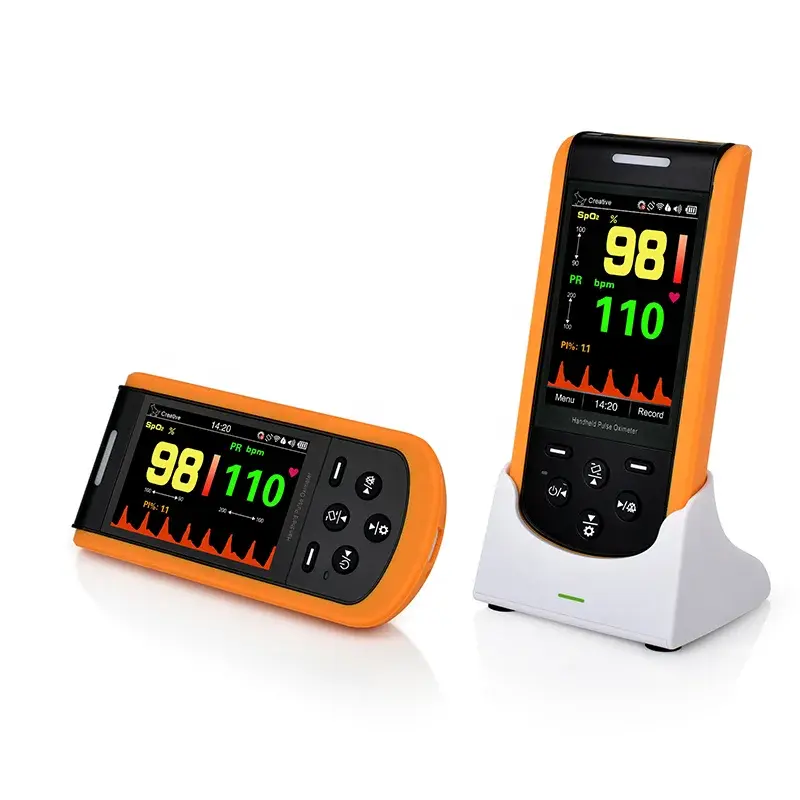
Lepu Creative Sp20 Oximeter Saturometre Pediatrique Baby Digital Pulse Oximeters Finger Pediatr Oximet

- Section : Medical Supplies
- Category : Pulse Oximeters
- SKU : 1600825011352

SP-20 Handheld Pulse Oximeter – Durable and Accurate
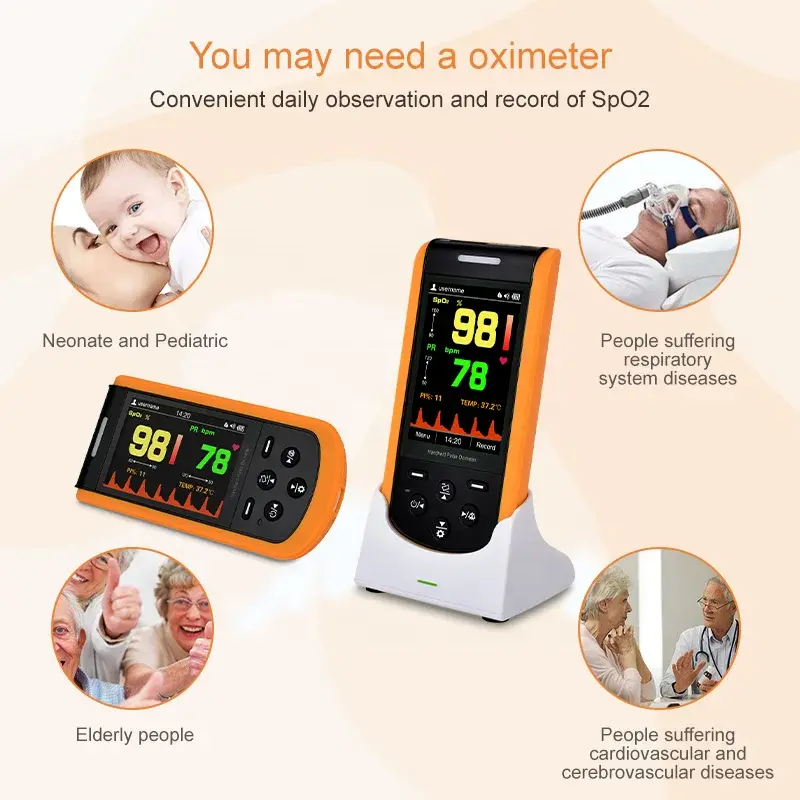
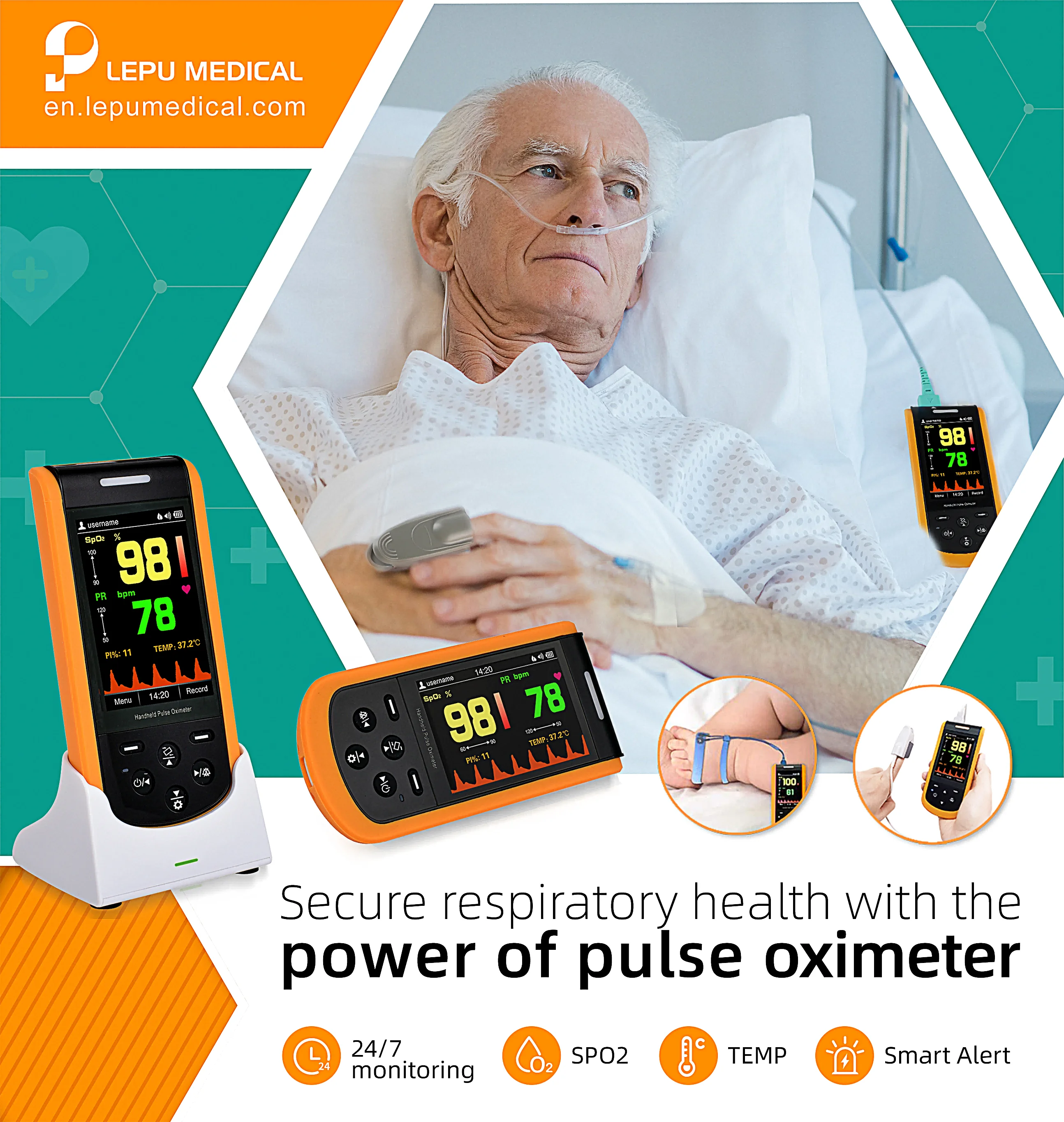
The SP-20 Handheld Pulse Oximeter is a reliable, multifunctional device designed for continuous monitoring during respiratory support therapy, tracheal intubation, and care for neonates, infants, and patients with tracheostomies. Its advanced features and compatibility with multiple probes make it suitable for hospitals, clinics, and home care.
Key Features
- Simultaneous Measurements: Measures SpO₂, Pulse Rate, Perfusion Index (PI), and Temperature in real time.
- Wide Probe Compatibility: Supports #Nellcor, #Nonin, and BCI DB9 probes for various patient needs, including neonates, infants, pediatrics, and adults.
- Sensor Options: Includes wrap sensor options for added versatility.
- Alert Functions: Equipped with audible and visual alarms for immediate response to abnormal readings.
- Mobile App Integration: Free ViHealth app available for Android and iPhone to stream and record SpO₂ data effortlessly.
- Data Management: Stores up to 500 hours of data, with PC software support for advanced analysis.
Specifications
- Measurement Parameters:
- SpO₂
- Pulse Rate
- Perfusion Index (PI)
- Temperature
- Connectivity:
- ViHealth app for mobile devices
- PC software for detailed data management
- Data Storage: 500 hours of continuous recording capacity
- Alarms: Audible and visual for abnormal SpO₂ and pulse rate readings
Applications
- Respiratory Support Therapy: Continuous monitoring during respiratory treatment or tracheal intubation.
- Neonatal Care: Ideal for neonates prone to cyanosis, respiratory arrest, or periodic breathing.
- Home Care: Suitable for patients with tracheostomies or those requiring frequent monitoring at home.
With its durability, accuracy, and compatibility, the SP-20 Handheld Pulse Oximeter is a comprehensive solution for health monitoring in diverse care settings.
- Shipping Timeframes: All orders are processed within 2-5 business days (excluding weekends and holidays). After your order has been processed, the estimated delivery time is before 12 Mar, 2026, depending on customs, Please note that due to high demand, some items may experience longer shipping times, which will be communicated at order confirmation email.
- Order Processing Time: Please allow 2-5 business days for us to process your order before it is shipped . Orders placed after 16:00 on Fridays, or during weekends and public holidays, will begin processing on the next business day. Processing times may be extended during peak seasons or sales events.
- Manufacturing Time: Some products needs manufacturing time, the manufacturing process will take approximately 10-30 business days depending on the product. This timeframe may vary depending on the complexity of the product and current demand. but this will be communicated with you during order confirmation.
- Returns and Exchanges: We offer a 30-day return policy for most items. If you are not completely satisfied with your purchase, you may return it within 30 days of receipt for a refund or exchange. Items must be unused, in their original packaging, and accompanied by proof of purchase. Return shipping costs are the responsibility of the customer, unless the item was damaged or defective upon arrival.
1. What measurements does the Lepu SP-20 Oximeter provide?
The SP-20 measures SpO₂, pulse rate, perfusion index (PI), and temperature simultaneously in real time.
2. Is the SP-20 suitable for neonates and pediatrics?
Yes. The SP-20 is designed for neonatal, infant, pediatric and adult use and is suitable for continuous monitoring during neonatal care, respiratory support and tracheostomy management.
3. Which probes and sensors are compatible with the device?
The SP-20 supports #Nellcor, #Nonin, and BCI DB9 probes and offers wrap sensor options to accommodate neonates, infants, pediatrics and adults. Check the product listing or supplier for which sensors are included in the package.
4. Does the SP-20 have alarm functions?
Yes. It features audible and visual alarms to notify caregivers of abnormal SpO₂ or pulse rate readings. See the user manual for details on alarm behavior and configuration.
5. Can I view and record readings on my phone or computer?
Yes. The SP-20 integrates with the free ViHealth app for Android and iPhone to stream and record SpO₂ data, and it also supports PC software for advanced data management and analysis.
6. How much data can the SP-20 store?
The device can store up to 500 hours of continuous recording, which can be reviewed on the device, via the ViHealth app, or exported to PC software.
7. Is the SP-20 appropriate for home use?
Yes. Its handheld design, durability, alarm functions and app/PC connectivity make it suitable for home monitoring of patients requiring frequent SpO₂ and pulse monitoring.
8. How do I connect the SP-20 to the ViHealth mobile app?
Download the free ViHealth app on your Android or iPhone and follow the in-app pairing instructions. Refer to the device user manual for step-by-step guidance if needed.
9. Can the SP-20 be used during tracheal intubation and respiratory support therapy?
Yes. The SP-20 is intended for continuous monitoring during respiratory support therapy and tracheal intubation to help track oxygenation and pulse rate in real time.
10. How durable and reliable is the SP-20?
The SP-20 is described as a durable, handheld oximeter designed for clinical and home use. For detailed performance and environmental specifications, refer to the manufacturer's technical documentation.
11. What are the cleaning and maintenance recommendations?
Follow the manufacturer's instructions in the user manual. As general guidance, clean the device and sensors with a soft cloth and approved mild disinfectant; avoid immersing the device in liquid. Inspect probes and cables regularly for wear and replace as needed.
12. Are alarm thresholds and settings adjustable?
The SP-20 includes audible and visual alarms. For information on adjusting alarm thresholds, volumes and other settings, consult the device user manual or the ViHealth app configuration options.
13. Who do I contact for warranty, service or replacement parts?
Contact the vendor or Lepu customer service for warranty details, servicing and replacement sensors or probes. Warranty terms and service procedures vary by region and seller, so check your purchase documentation.
Latest Order Arrivals
Discover our latest orders

12 Heads Embroidery Machine

Dewatering Pump Machine

Order Collection

Portable Water Drilling Rig

Order Usefully Collected

Batch of Orders

Agriculture Processing Machines

Meat Grinder Machine

Water Pump Equipment

Packaging Machine and accessories

Fabrics Manufacturing Equipment

Mining Equipments

Food Processing Machine

Batch of Orders

Batch of Orders

Latest Orders Labelled

wheel alignment machines

new arrivals

Pre Orders Offloading

Latest Arrivals

Latest Arrivals