B21, China Town Mall, Midrand

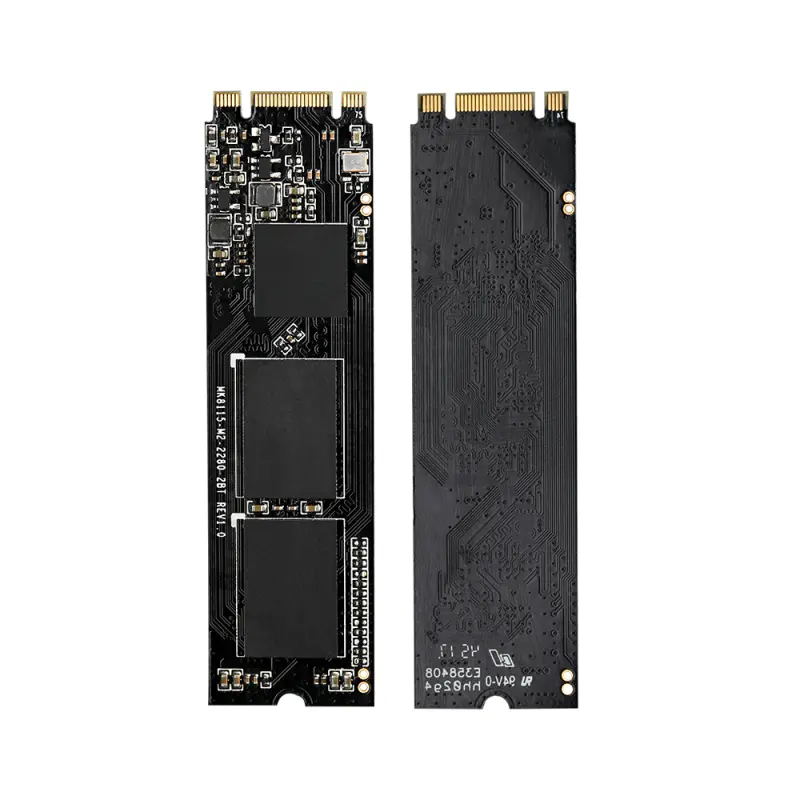
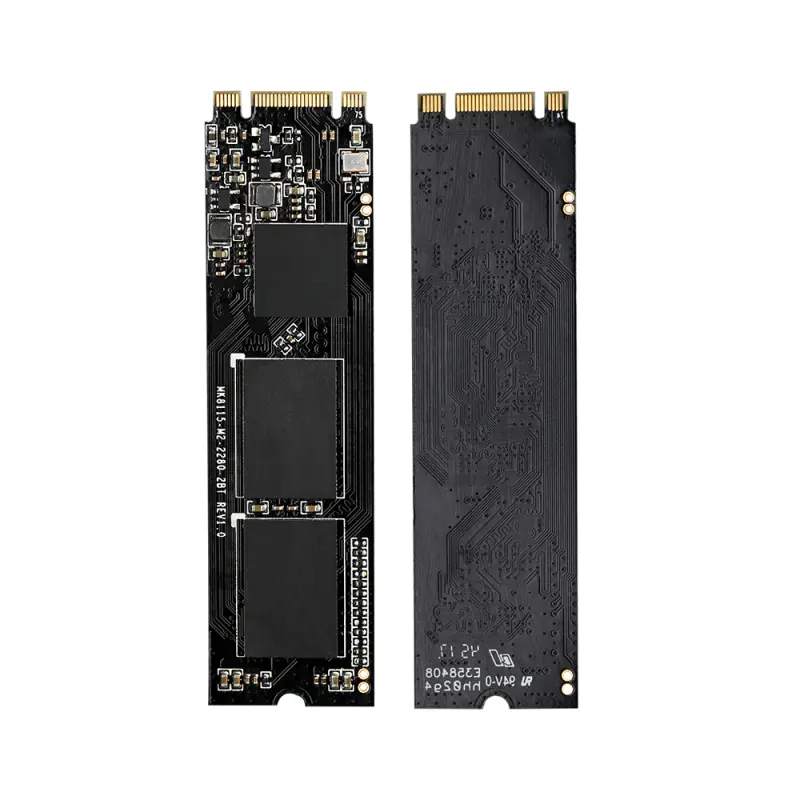
KingSpec High capacity M.2 NGFF 2280 1tb pcie ssd hard drive ssd m2

- Section : Computers
- Category : External Hard Drives
- SKU : 62037650603


- Shipping Timeframes: All orders are processed within 2-5 business days (excluding weekends and holidays). After your order has been processed, the estimated delivery time is before 11 Mar, 2026, depending on customs, Please note that due to high demand, some items may experience longer shipping times, which will be communicated at order confirmation email.
- Order Processing Time: Please allow 2-5 business days for us to process your order before it is shipped . Orders placed after 16:00 on Fridays, or during weekends and public holidays, will begin processing on the next business day. Processing times may be extended during peak seasons or sales events.
- Manufacturing Time: Some products needs manufacturing time, the manufacturing process will take approximately 10-30 business days depending on the product. This timeframe may vary depending on the complexity of the product and current demand. but this will be communicated with you during order confirmation.
- Returns and Exchanges: We offer a 30-day return policy for most items. If you are not completely satisfied with your purchase, you may return it within 30 days of receipt for a refund or exchange. Items must be unused, in their original packaging, and accompanied by proof of purchase. Return shipping costs are the responsibility of the customer, unless the item was damaged or defective upon arrival.
1. What is the KingSpec High Capacity M.2 NGFF 2280 1TB PCIe SSD?
It is a 1TB solid-state drive in the M.2 2280 (22 x 80 mm) form factor that uses the PCIe interface. It's designed for use in laptops, desktops, or other systems with a compatible M.2 slot.
2. What does M.2 NGFF 2280 mean?
M.2 (formerly NGFF) refers to the connector and card standard; 2280 indicates the size: 22 mm wide and 80 mm long. This is a common size supported by many motherboards and laptops.
3. Is this an NVMe (PCIe) drive or an M.2 SATA drive?
The product name indicates a PCIe interface. PCIe M.2 drives commonly use the NVMe protocol, but some PCIe-based devices can vary. Always confirm the exact protocol (NVMe vs SATA) on the product page or label before purchase.
4. How can I tell if my computer supports this M.2 PCIe SSD?
Check your motherboard or laptop manual for an M.2 slot that supports 2280 and PCIe (often listed as 'M.2 NVMe' or 'PCIe x4'). Some M.2 slots only support SATA M.2 modules, so verify the slot's interface and physical size.
5. Can I use this SSD as a boot drive?
Yes — if your system firmware (BIOS/UEFI) supports booting from an M.2 PCIe/NVMe device. Most modern UEFI systems support this; older systems may require firmware updates or may not support NVMe booting.
6. Do I need special drivers to use this SSD?
Modern operating systems (Windows 10/11 and current Linux kernels) include native NVMe drivers. Older OS versions like Windows 7 may require additional NVMe drivers from the OS vendor or motherboard manufacturer.
7. How do I physically install the M.2 SSD?
Power off and unplug the system, ground yourself, locate the M.2 slot, insert the SSD at a slight angle into the slot until the edge connector seats, then gently press it down and secure it with the M.2 standoff/screw provided by your system or motherboard.
8. Do I need a heatsink for this M.2 SSD?
A heatsink or good airflow can help prevent thermal throttling during sustained heavy workloads. For typical consumer use it may not be required, but for gaming, video editing, or workstation tasks a heatsink is recommended if your case or device has room.
9. Can I clone my existing HDD or SSD to this 1TB drive?
Yes. Use disk-cloning software to migrate your OS and data. Ensure the target drive has enough capacity, perform partition alignment if needed, and backup important data before cloning.
10. What about performance and endurance specifications?
Performance (read/write speeds and IOPS) and endurance (TBW or DWPD) vary by model. Check the detailed spec sheet or product listing for sequential and random performance numbers and the rated endurance for this specific KingSpec model.
11. Is this SSD compatible with gaming consoles like PS5 or Xbox?
Console compatibility depends on each console’s specific requirements (e.g., PS5 requires an NVMe M.2 drive meeting certain size, speed, and cooling specs). Confirm the console's official storage expansion requirements and compare them to the SSD's specs before assuming compatibility.
12. Will the operating system automatically enable TRIM and other SSD features?
Most modern operating systems enable TRIM by default for recognized SSDs. You can verify TRIM status in your OS settings or via command-line tools. Firmware updates from the manufacturer can also improve performance and reliability.
13. What warranty and support options are available?
Warranty and support vary by seller and manufacturer. Check the KingSpec product page or your vendor listing for the length of the warranty, RMA procedure, and contact details for support.
14. Can I use this M.2 drive with an adapter in a desktop PCIe slot?
Yes. You can install an M.2 PCIe SSD into a compatible M.2-to-PCIe adapter card and plug it into a PCIe x4/x8/x16 slot. Make sure the adapter supports the drive's keying and NVMe protocol.
Latest Order Arrivals
Discover our latest orders

12 Heads Embroidery Machine

Dewatering Pump Machine

Order Collection

Portable Water Drilling Rig

Order Usefully Collected

Batch of Orders

Agriculture Processing Machines

Meat Grinder Machine

Water Pump Equipment

Packaging Machine and accessories

Fabrics Manufacturing Equipment

Mining Equipments

Food Processing Machine

Batch of Orders

Batch of Orders

Latest Orders Labelled

wheel alignment machines

new arrivals

Pre Orders Offloading

Latest Arrivals

Latest Arrivals