B21, China Town Mall, Midrand

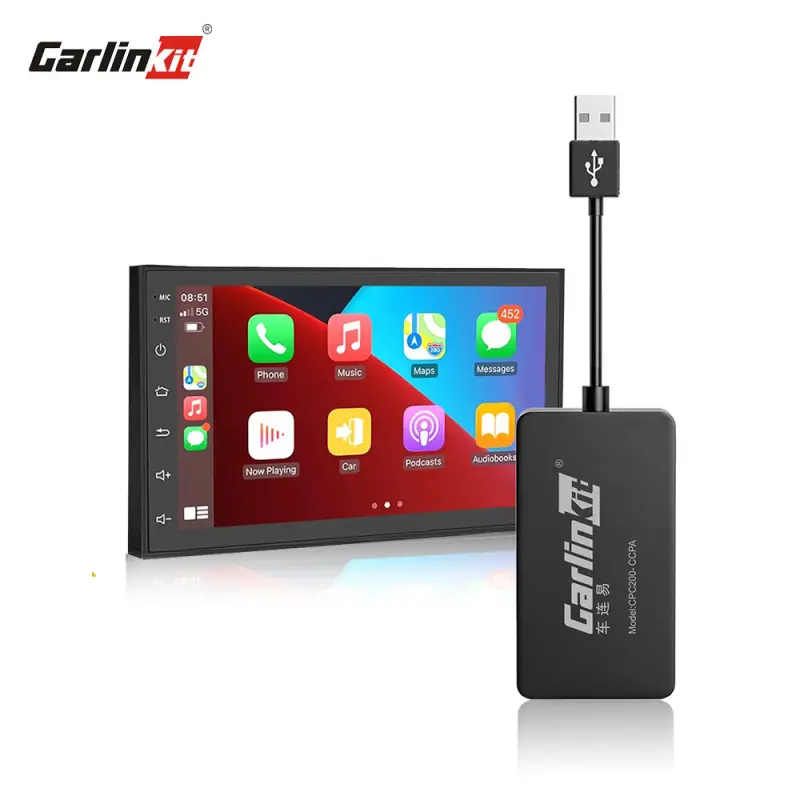
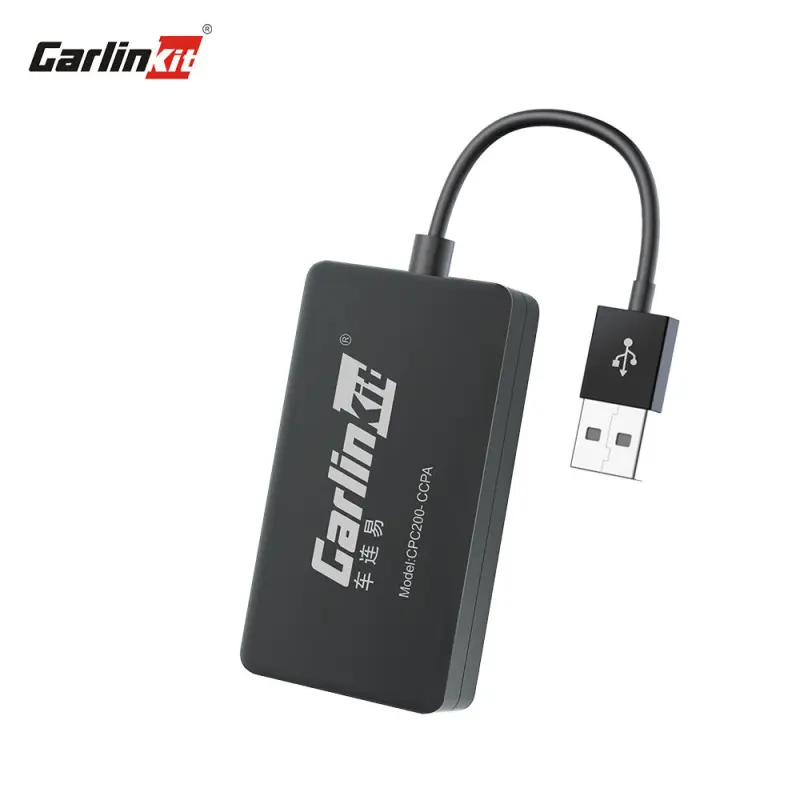
CPC200-CCPA Wireless CarPlay Adapter

- Section : Sports & Entertainment
- Category : Car Electronics
- SKU : 1600549299028

Product Description


- Shipping Timeframes: All orders are processed within 2-5 business days (excluding weekends and holidays). After your order has been processed, the estimated delivery time is before 31 Jan, 2026, depending on customs, Please note that due to high demand, some items may experience longer shipping times, which will be communicated at order confirmation email.
- Order Processing Time: Please allow 2-5 business days for us to process your order before it is shipped . Orders placed after 16:00 on Fridays, or during weekends and public holidays, will begin processing on the next business day. Processing times may be extended during peak seasons or sales events.
- Manufacturing Time: Some products needs manufacturing time, the manufacturing process will take approximately 10-30 business days depending on the product. This timeframe may vary depending on the complexity of the product and current demand. but this will be communicated with you during order confirmation.
- Returns and Exchanges: We offer a 30-day return policy for most items. If you are not completely satisfied with your purchase, you may return it within 30 days of receipt for a refund or exchange. Items must be unused, in their original packaging, and accompanied by proof of purchase. Return shipping costs are the responsibility of the customer, unless the item was damaged or defective upon arrival.
1. What is the CPC200-CCPA Wireless CarPlay Adapter?
The CPC200-CCPA is a wireless CarPlay adapter that enables wireless Apple CarPlay functionality in vehicles that have a wired CarPlay USB port, allowing you to use CarPlay features without a USB cable after initial setup.
2. Which vehicles and head units is this adapter compatible with?
It is compatible with vehicles and aftermarket head units that support wired Apple CarPlay via a USB port. If your car launches CarPlay when you plug in an iPhone using the factory CarPlay USB, this adapter should work. Check the vehicle or head unit manual if you are unsure.
3. Which iPhones and iOS versions are supported?
The adapter works with iPhone models that support Apple CarPlay. If your iPhone can use CarPlay when connected by cable, it should work wirelessly with this adapter. Refer to Apple's documentation for specific device and iOS version requirements.
4. Does the CPC200-CCPA support Android Auto or screen mirroring?
The CPC200-CCPA is designed for Apple CarPlay. Android Auto or full screen mirroring support depends on the specific adapter variant and firmware—consult the product specifications or vendor if Android Auto support is required.
5. How do I install and pair the adapter with my iPhone?
Typical setup: plug the adapter into the vehicle's CarPlay USB port, enable Bluetooth and Wi‑Fi on your iPhone, follow pairing prompts from the adapter (usually a Bluetooth pairing followed by Wi‑Fi join), and CarPlay should launch. Some vehicles may require an initial wired connection before enabling wireless CarPlay. See the included quick-start guide for exact steps.
6. Do I still get phone charging while using the adapter?
Yes — the adapter plugs into the vehicle's USB port and most systems continue to provide power to your phone through that same port. Charging speed depends on the car’s USB port capabilities.
7. Will the adapter automatically connect to my iPhone every time I get in the car?
After the first successful pairing, the adapter is typically set to auto-connect to previously paired iPhones. Auto-connection behavior can depend on your phone's Bluetooth/Wi‑Fi settings and other nearby devices.
8. Does the adapter support Siri and my steering-wheel/media controls?
Yes. Wireless CarPlay preserves standard CarPlay functionality including Siri voice control. In most systems, steering-wheel controls and built-in media buttons continue to work through the head unit as they do with wired CarPlay.
9. How are firmware updates handled?
Firmware updates are typically provided by the manufacturer and may be applied via a companion app, USB, or an over-the-air mechanism. Check the product documentation or the manufacturer's website for update instructions and tools.
10. What should I do if the adapter won't connect or CarPlay doesn't launch?
Troubleshooting steps: ensure the adapter has a secure USB connection and the car is in accessory/on mode; restart your iPhone; forget the adapter in Bluetooth settings and re-pair; check that Wi‑Fi and Bluetooth are enabled on the phone; try another USB port or cable; update adapter firmware if available. Consult the manual or support if problems persist.
11. Does using this adapter affect audio quality or introduce latency?
Wireless CarPlay uses digital audio streaming and is designed to maintain high audio quality. You may notice slight differences compared with wired connections in certain setups, but latency for navigation and voice commands is usually minimal. Performance can vary by vehicle and phone signal environment.
12. Is my personal data collected or shared by this device? What does 'CCPA' in the model name mean?
'CCPA' in the model name is a model identifier and does not itself indicate California privacy compliance. Privacy and data handling are determined by the device manufacturer and any companion services or apps. The adapter itself typically facilitates a local connection between your iPhone and the car; review the manufacturer's privacy policy for details on any data collection or cloud features.
13. Can multiple phones be paired to the adapter?
Many wireless CarPlay adapters can remember and pair with multiple phones, allowing different users to connect. Behavior (number of saved devices, auto-connect priority) varies by model, so check the manual for specifics.
14. What warranty and support are available for the CPC200-CCPA?
Warranty terms and support options depend on the seller or manufacturer. Check your product packaging or the seller’s website for warranty duration, return policy, and technical support contact information.
Latest Order Arrivals
Discover our latest orders

12 Heads Embroidery Machine

Dewatering Pump Machine

Order Collection

Portable Water Drilling Rig

Order Usefully Collected

Batch of Orders

Agriculture Processing Machines

Meat Grinder Machine

Water Pump Equipment

Packaging Machine and accessories

Fabrics Manufacturing Equipment

Mining Equipments

Food Processing Machine

Batch of Orders

Batch of Orders

Latest Orders Labelled

wheel alignment machines

new arrivals

Pre Orders Offloading

Latest Arrivals

Latest Arrivals