B21, China Town Mall, Midrand

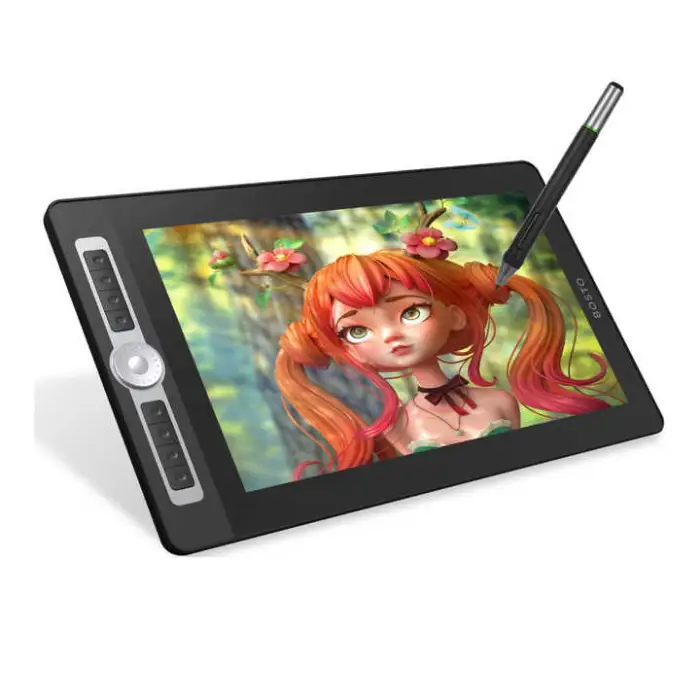

16HD Pro 15.6 Inch H-IPS LCD Graphics Drawing Tablet Display Digital Art Drawing Pad 8192 Pressure Level Battery-free Pen

- Section : Consumer Electronics
- Category : Computer Hardware & Software
- SKU : 1600787105892

16HD Pro 15.6 Inch H-IPS LCD Graphics Drawing Tablet Display Digital Art Drawing Pad
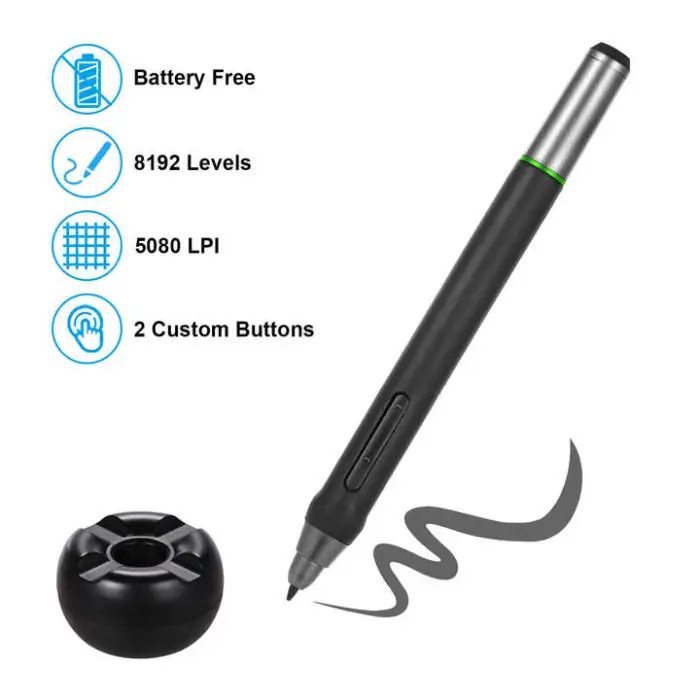
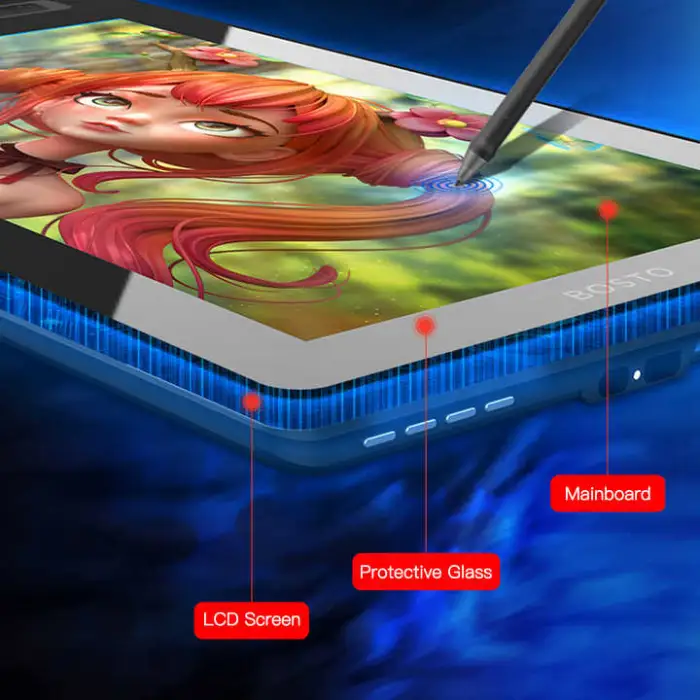
The 16HD Pro is a top-notch graphics drawing tablet designed for artists and creators. With its 15.6-inch H-IPS LCD display, you can enjoy bright and vibrant colors. The tablet comes with an 8192 pressure level, battery-free pen, making your drawing experience smooth and effortless. Whether you are a beginner or a professional artist, this drawing pad is perfect for bringing your ideas to life.
Specifications
| Attribute | Details |
|---|---|
| Brand Name | BOSTO |
| Screen Size | 15.6 Inches |
| Pressure Level | 8192 |
| Interface Type | DVI, USB, VGA |
| Aspect Ratio | 16:9 |
| Weight | 5.000 KG |
| Package | Yes |
| Warranty | 1-Year |
Key Features
- Large 15.6-inch display for detailed artwork.
- 8192 levels of pressure sensitivity for precision.
- Battery-free pen for convenience and ease of use.
- Multiple connectivity options including DVI, USB, and VGA.
- High-quality H-IPS LCD for vibrant colors.
Applications
- Digital painting and illustration.
- Graphic design projects.
- Animation and video game design.
- Photo editing and retouching.
- Educational purposes for teaching art skills.
The BOSTO 16HD Pro is not just a drawing tablet; it is a powerful tool for creativity. Whether you are creating stunning visuals or learning new skills, this tablet helps you express yourself with ease and clarity.
Product Info Gallery
- Shipping Timeframes: All orders are processed within 2-5 business days (excluding weekends and holidays). After your order has been processed, the estimated delivery time is before 03 Feb, 2026, depending on customs, Please note that due to high demand, some items may experience longer shipping times, which will be communicated at order confirmation email.
- Order Processing Time: Please allow 2-5 business days for us to process your order before it is shipped . Orders placed after 16:00 on Fridays, or during weekends and public holidays, will begin processing on the next business day. Processing times may be extended during peak seasons or sales events.
- Manufacturing Time: Some products needs manufacturing time, the manufacturing process will take approximately 10-30 business days depending on the product. This timeframe may vary depending on the complexity of the product and current demand. but this will be communicated with you during order confirmation.
- Returns and Exchanges: We offer a 30-day return policy for most items. If you are not completely satisfied with your purchase, you may return it within 30 days of receipt for a refund or exchange. Items must be unused, in their original packaging, and accompanied by proof of purchase. Return shipping costs are the responsibility of the customer, unless the item was damaged or defective upon arrival.
1. What are the key features of the BOSTO 16HD Pro?
The BOSTO 16HD Pro is a 15.6-inch H-IPS LCD pen display with a 16:9 aspect ratio, an 8192-level battery-free pen for high pressure sensitivity, and multiple connectivity options (DVI, VGA and USB). It is designed for digital painting, illustration, animation, photo retouching and other creative work.
2. Does the pen require batteries or charging?
No. The pen is battery-free, so it does not require charging or battery replacement.
3. What does 8192 pressure levels mean and why does it matter?
8192 pressure levels means the pen can detect a very wide range of pressure from light to heavy strokes, allowing for finer line variation, better control of brush opacity/size, and a more natural drawing experience.
4. Which operating systems and software are supported?
The display works with most major graphics applications (Photoshop, Illustrator, Clip Studio, Krita, etc.). Check the manufacturer's driver page for specific operating system compatibility and supported OS versions; most pen displays support current Windows and macOS versions but driver availability should be confirmed before purchase.
5. How do I connect the tablet to my computer?
The tablet supports DVI and VGA for video and USB for data. Connect the video cable (DVI or VGA) to your computer's video output and plug the USB into a USB port for pen/data. If your computer only has HDMI/DisplayPort/USB-C, you may need a compatible adapter or docking solution.
6. Can I use the BOSTO 16HD Pro as a standalone tablet (without a computer)?
No. This is a pen display that requires connection to a computer to function; it does not operate as a standalone, tablet-style device.
7. What is H-IPS and how does it affect the display?
H-IPS (Horizontal In-Plane Switching) is a type of LCD technology that offers wide viewing angles and better color reproduction compared with standard TN panels, resulting in more accurate and vibrant colors for artwork.
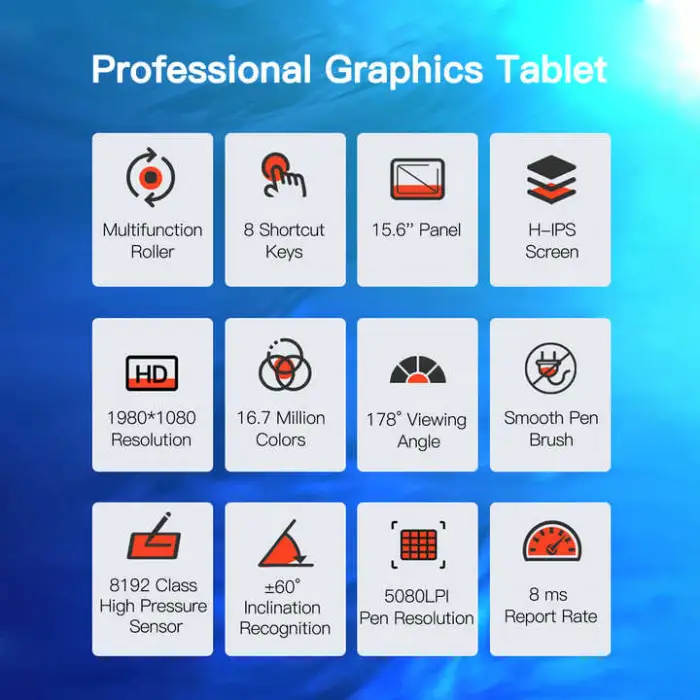
8. Is tilt sensitivity supported by the pen?
Tilt support is not explicitly stated in the provided description. Many modern pen displays include some level of tilt recognition, but please check the official product specifications or contact the seller for confirmation.
9. What is the screen resolution?
The product description lists the screen size and aspect ratio but does not specify resolution. Check the official product listing or manufacturer documentation for the exact pixel resolution (many 15.6" pen displays use Full HD 1920x1080, but confirm before purchase).
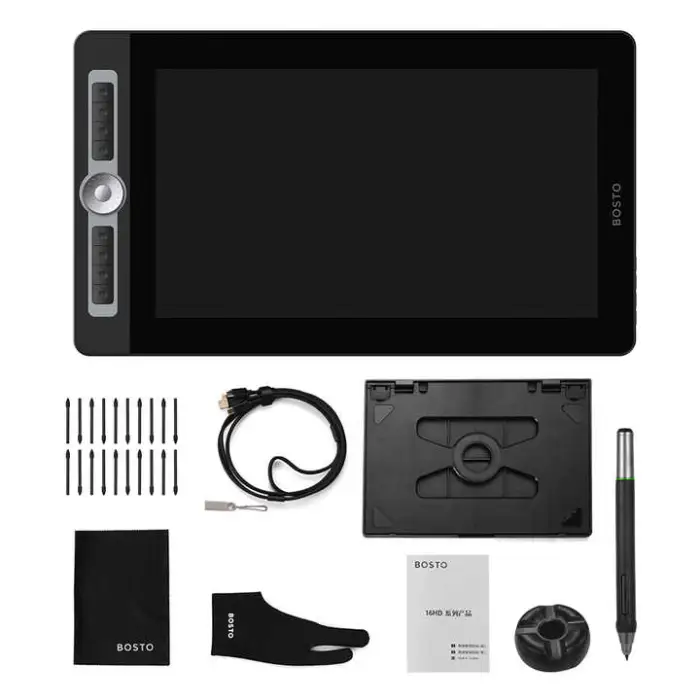
10. What comes in the package?
The description confirms a package is included, but it does not list contents. Typical packages for pen displays include the tablet, battery-free pen, video/data cables, driver CD or download link, and documentation. Verify the exact included items on the seller's product page or packing list.
11. How do I install drivers and set up the tablet?
Download the latest drivers from the manufacturer's website, install them following the provided instructions, connect the tablet to your computer using the required cables, and run calibration and mapping tools from the driver utility to align the pen with the screen.
12. What is covered by the warranty and how long is it?
The BOSTO 16HD Pro has a 1-year warranty. Warranty coverage typically includes manufacturing defects; for specific terms, repair/return procedures and exclusions, contact the seller or consult the manufacturer's warranty documentation.
13. How do I replace the pen nibs or get spare accessories?
Most pen displays use replaceable nibs. If spare nibs or a nib-removal tool are not included, contact the seller or manufacturer to purchase replacements or check whether they are included in the package contents.
14. Is this tablet suitable for professional digital painting, animation and photo editing?
Yes. With a 15.6" H-IPS display and 8192 pressure levels, the tablet is suitable for detailed digital painting, illustration, animation work and photo retouching. For professional color-critical workflows, verify the panel's color gamut and do color calibration as needed.
15. How should I care for and clean the display and pen?
Turn off and unplug the tablet before cleaning. Use a soft, lint-free cloth slightly dampened with water or a screen-safe cleaner for the display; avoid harsh chemicals. Keep the pen capped or stored in a holder when not in use and avoid dropping it. Refer to the manufacturer's care instructions for full guidance.
Latest Order Arrivals
Discover our latest orders

12 Heads Embroidery Machine

Dewatering Pump Machine

Order Collection

Portable Water Drilling Rig

Order Usefully Collected

Batch of Orders

Agriculture Processing Machines

Meat Grinder Machine

Water Pump Equipment

Packaging Machine and accessories

Fabrics Manufacturing Equipment

Mining Equipments

Food Processing Machine

Batch of Orders

Batch of Orders

Latest Orders Labelled

wheel alignment machines

new arrivals

Pre Orders Offloading

Latest Arrivals

Latest Arrivals