B21, China Town Mall, Midrand

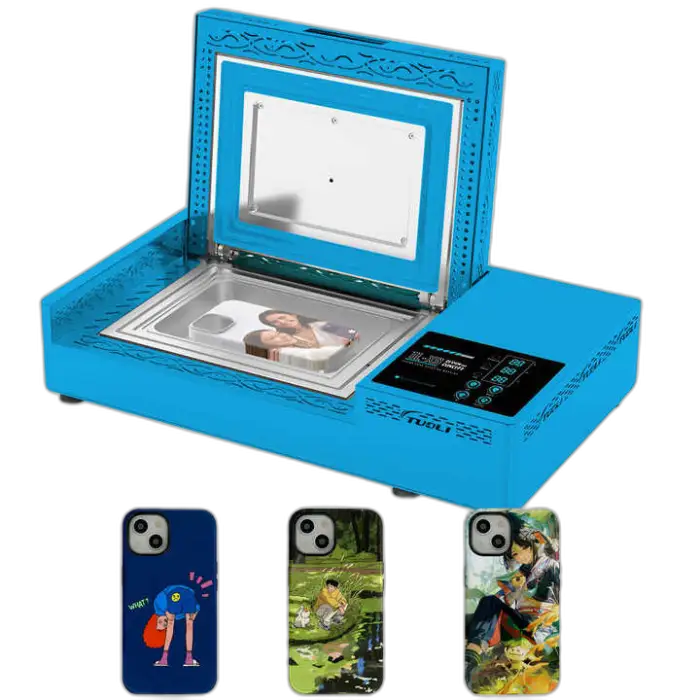
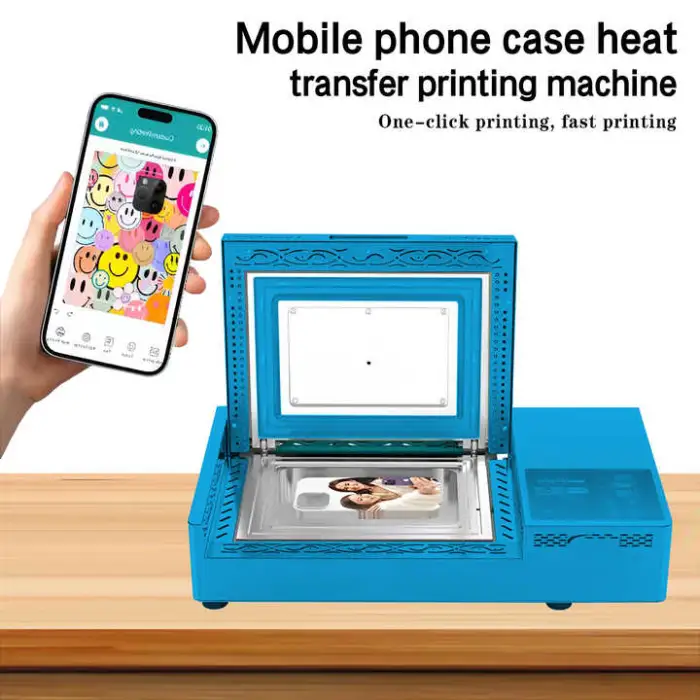
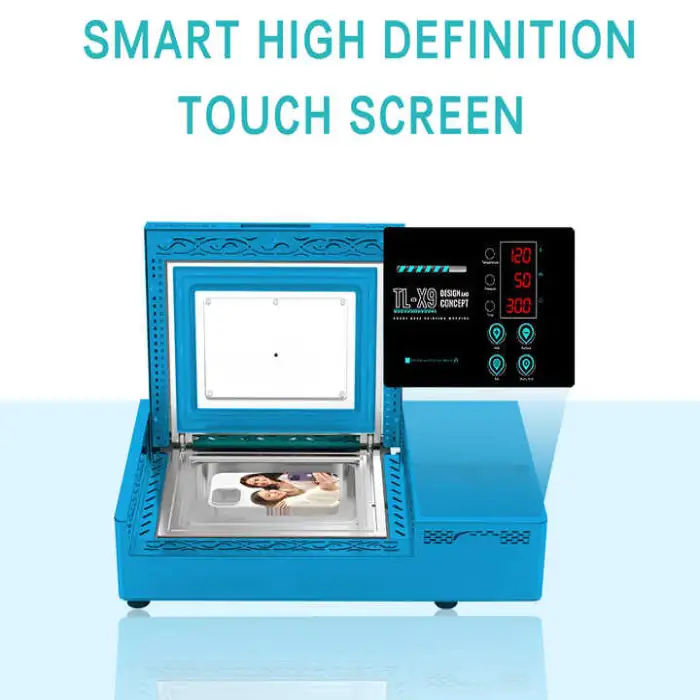
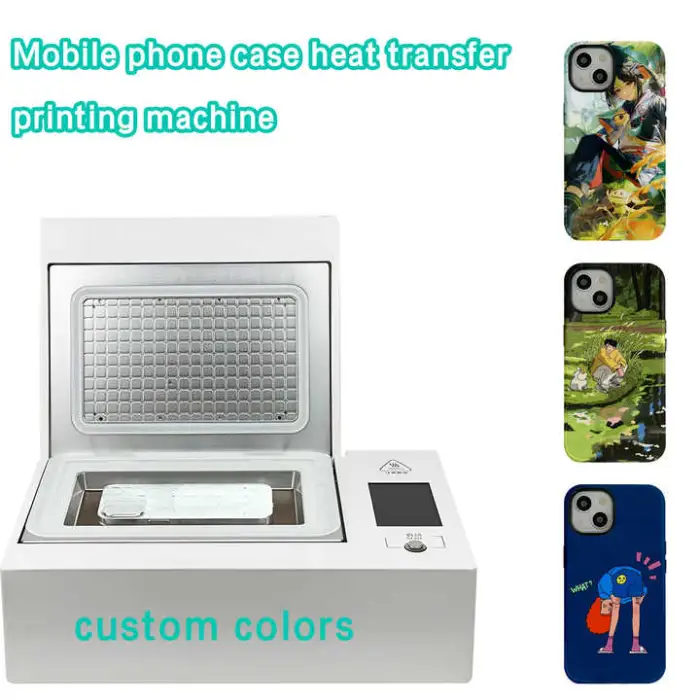
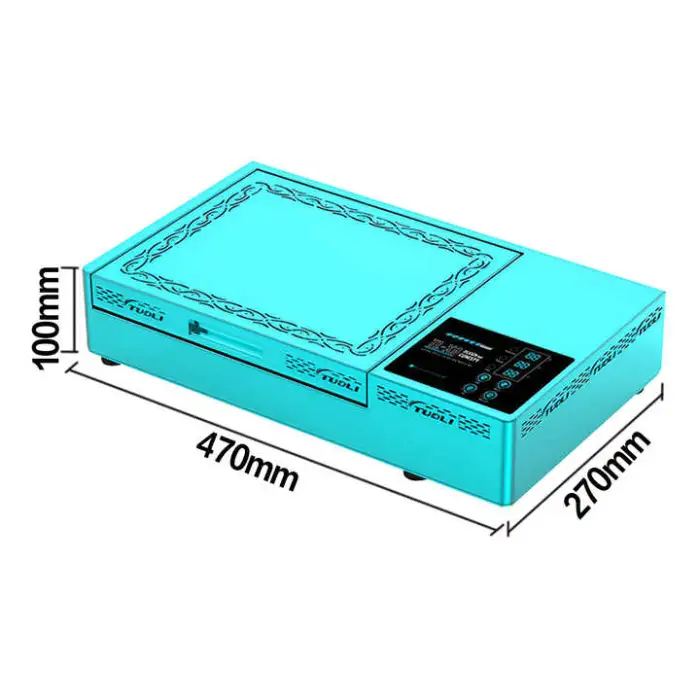
WiFi-Connected Custom Phone Case Printer Machine with APP Control for Online Sublimation Printing

- Section : Consumer Electronics
- Category : Heat Presses
- SKU : 1601429441866

WiFi-Connected Custom Phone Case Printer Machine with APP Control for Online Sublimation Printing
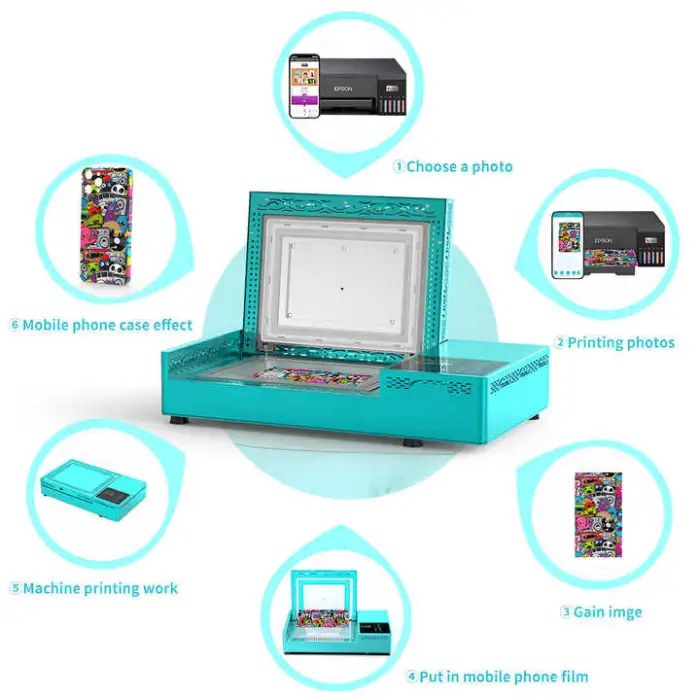
The WiFi-Connected Custom Phone Case Printer Machine is a fantastic tool for anyone who loves to create their own phone cases. With this printer, you can design and print unique mobile phone cases right from your smartphone. It's easy to use and perfect for DIY enthusiasts.
Specifications
| Attribute | Details |
|---|---|
| Product Type | Mobile Phone Cases |
| Holder Type | Without Holder |
| Compatible Brand | TL |
| Feature | Shockproof |
| Material | Aluminum Alloy |
| Model Number | NF |
| Special Craft | Sublimation Blank |
| Brand Name | Casemimi |
| Minimum Order Quantity | 1 pcs |
| Selling Units | Single Item |
| Single Package Size | 55X35X16 cm |
| Single Gross Weight | 16.000 KG |
Key Features
- WiFi connectivity for easy printing from your smartphone.
- Customizable designs for unique phone cases.
- Shockproof material for added protection.
- Sublimation printing for vibrant colors and long-lasting prints.
- Lightweight and durable aluminum alloy construction.
Applications
- Create personalized phone cases for yourself or as gifts.
- Start a small business selling custom phone cases online.
- Make promotional items for events or businesses.
- Design unique cases for friends and family.
- Engage in fun DIY projects at home or in workshops.
Product Info Gallery
- Shipping Timeframes: All orders are processed within 2-5 business days (excluding weekends and holidays). After your order has been processed, the estimated delivery time is before 05 Aug, 2026, depending on customs, Please note that due to high demand, some items may experience longer shipping times, which will be communicated at order confirmation email.
- Order Processing Time: Please allow 2-5 business days for us to process your order before it is shipped . Orders placed after 16:00 on Fridays, or during weekends and public holidays, will begin processing on the next business day. Processing times may be extended during peak seasons or sales events.
- Manufacturing Time: Some products needs manufacturing time, the manufacturing process will take approximately 10-30 business days depending on the product. This timeframe may vary depending on the complexity of the product and current demand. but this will be communicated with you during order confirmation.
- Returns and Exchanges: We offer a 30-day return policy for most items. If you are not completely satisfied with your purchase, you may return it within 30 days of receipt for a refund or exchange. Items must be unused, in their original packaging, and accompanied by proof of purchase. Return shipping costs are the responsibility of the customer, unless the item was damaged or defective upon arrival.
1. What is the WiFi-Connected Custom Phone Case Printer Machine?
It is a compact sublimation printer designed to create custom phone cases. You design on your smartphone via the companion app and print full-color, durable designs onto sublimation blank phone cases.
2. How do I connect and control the printer from my phone?
The machine connects via WiFi. Download the companion app (check product listing for app name), connect your phone to the same WiFi network as the printer, and use the app to import images, edit designs, and start prints.
3. Which mobile operating systems does the app support?
The app typically supports both iOS and Android. Confirm compatibility on the product page or app store listing before purchase.
4. What phone case models and sizes are supported?
The printer is designed for standard sublimation blank phone cases. It works with most popular models, but you should check the seller’s compatibility list or templates in the app to ensure your specific case model fits.
5. Are sublimation blanks and inks included with the machine?
Package contents vary by seller. Often the machine is sold alone and sublimation blanks, heat transfers, and sublimation inks are sold separately. Verify the included items with the seller before buying.
6. What image formats and resolution give the best results?
Use high-resolution PNG or JPEG files at 300 DPI or higher for the best print clarity and color saturation. The app usually provides templates and previews to help you size correctly.
7. How does sublimation printing work on phone cases?
Sublimation transfers dye from a printed paper onto a specially coated case using heat and pressure. The result is vibrant, long-lasting, and resistant to fading because the dye becomes part of the coating.
8. What materials is the machine made of and are the cases durable?
The machine housing is lightweight, durable aluminum alloy. The printed cases should offer shockproof protection (as noted) and the sublimation coating provides long-lasting colors when proper inks and blanks are used.
9. What are the typical heat and time settings for sublimation?
Settings depend on the blank case material. Typical sublimation ranges are around 180–200°C (356–392°F) for 60–120 seconds, but always follow the blank supplier’s recommendations or the machine’s manual for exact temperature and time.
10. How fast can it print and is it suitable for small business production?
Print speed depends on image size, heat cycle, and workflow. It’s well suited for small-batch production and on-demand online sales. For higher throughput, plan workflow around heating/cooling and pressing cycles.
11. What maintenance is required?
Regularly clean the print area and app components, use recommended sublimation inks, run nozzle checks if applicable, and follow the maintenance schedule in the user manual. Keep the unit dust-free and inspect moving parts periodically.
12. What should I do if the printer won’t connect to WiFi or the app?
Check that the printer and phone are on the same network, reboot the printer and phone, ensure the app and device firmware are up to date, and consult the troubleshooting section of the manual. Contact seller support if problems persist.
13. Are replacement parts and customer support available?
Most sellers provide spare parts and technical support. Confirm warranty terms, spare parts availability, and support channels (email, phone, service center) with the seller before purchase.
14. What are the product dimensions, weight, and minimum order quantity?
Single package size is 55 x 35 x 16 cm and gross weight is about 16.0 kg. The minimum order quantity listed is 1 piece.
15. Are there safety considerations I should know about?
Yes. Use the machine in a well-ventilated area, follow electrical safety instructions in the manual, allow heated components to cool before handling, and use protective gloves when handling hot substrates. Always follow the manufacturer’s safety guidelines.
Latest Order Arrivals
Discover our latest orders

12 Heads Embroidery Machine

Toilet Paper Machine Machine

Order Collection

Cross Border Clients

Order cros border countries Collected

Industrial Machine Cllection

Agriculture Processing Machines

Ready for collection

Water Pump Equipment

Packaging Machine and accessories

Fabrics Manufacturing Equipment

Mining Equipments

Food Processing Machine

Batch of Orders

Batch of Orders

Latest Orders Labelled

wheel alignment machines

new arrivals

Pre Orders Offloading

Latest Arrivals

Latest Arrivals

Latest Arrivals

Loading

Toilet paper making machine

Toilet paper making machine

Toilet paper Rewinding Machine

latest arrivals

offloading

order success

order collection

order offloading