B21, China Town Mall, Midrand

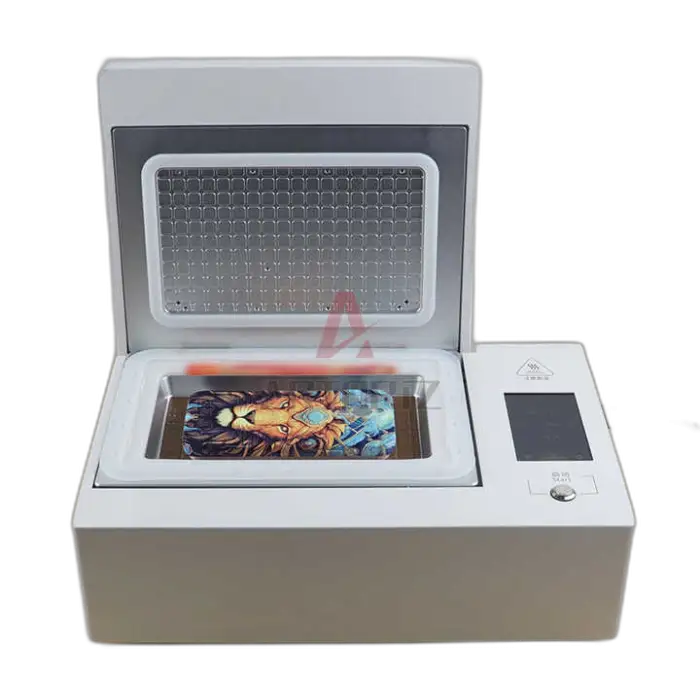
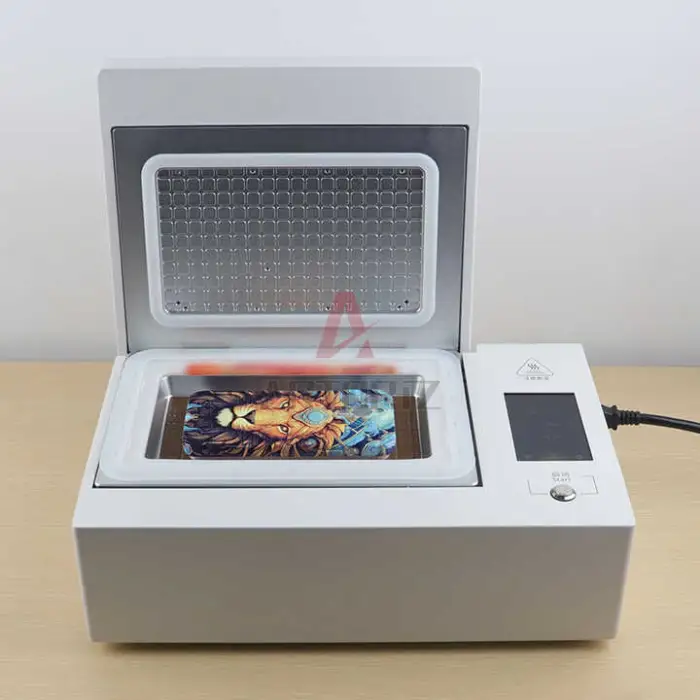

3D Phone case Sublimation Machine Heat Transfer Mobile Phone Case Printer Phone Cases Printing Machine

- Section : Consumer Electronics
- Category : Heat Presses
- SKU : 1600975749532

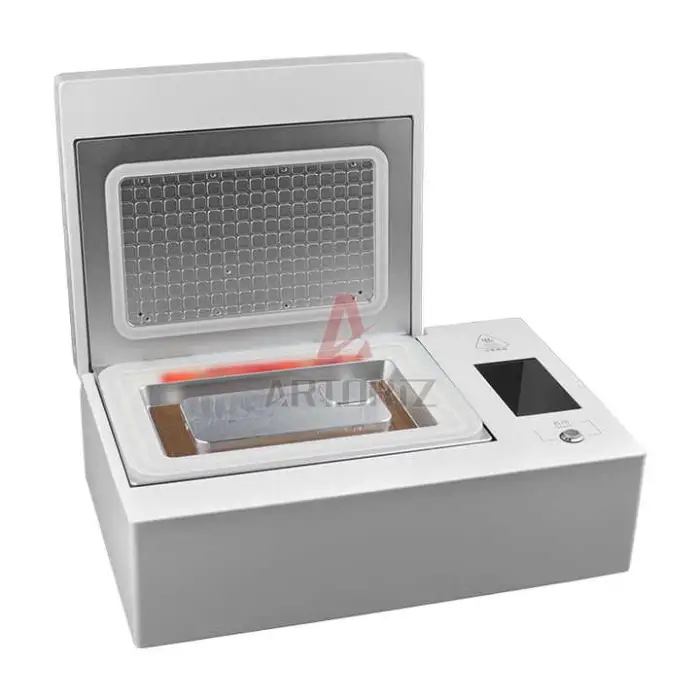
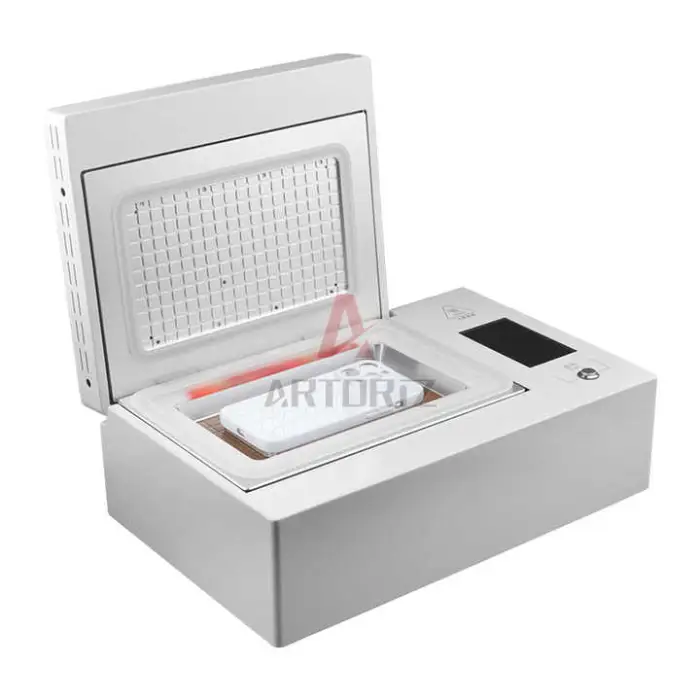
3D Phone Case Sublimation Machine Heat Transfer Mobile Phone Case Printer
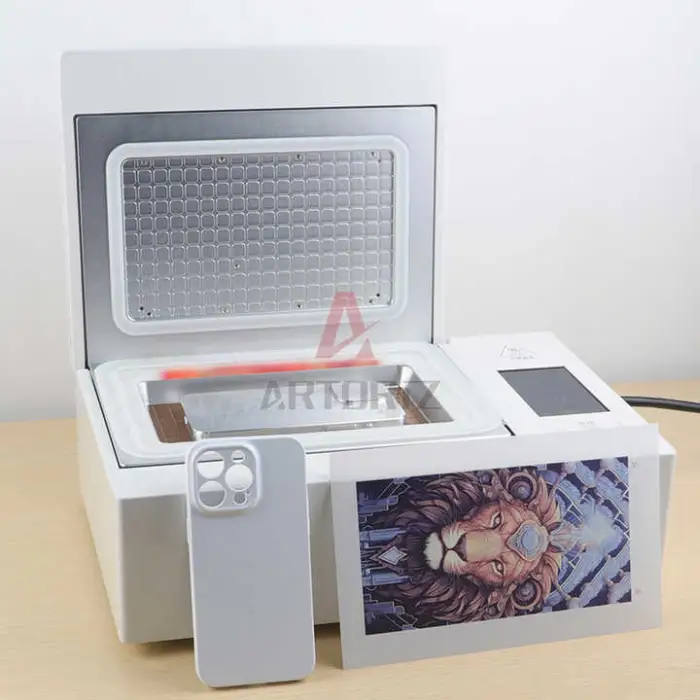
The 3D Phone Case Sublimation Machine is the perfect tool for creating custom phone cases. This semi-automatic heat transfer printer allows you to print colorful designs directly onto mobile phone cases. With its compact size and user-friendly interface, you can easily produce stunning phone cases at home or in your retail store. Get ready to turn your creative ideas into reality with this efficient printing machine!
Specifications
| Attribute | Details |
|---|---|
| Plate Type | Heat Transfer |
| Voltage | 220V 50~60Hz |
| Type | Heat Transfer |
| Color & Page | Multicolor |
| Condition | New |
| Automatic Grade | Semi-Automatic |
| Usage | Phone Case Printer |
| Dimensions (L*W*H) | 236mm * 380mm * 160mm |
| Weight | 9 KG |
| Single Package Size | 23.6X38X16 cm |
| Single Gross Weight | 7.000 KG |
Key Features
- Semi-automatic operation for easy use.
- Prints vibrant, multicolored designs.
- Compact size for convenient placement.
- Fast heat transfer for quick production.
- Ideal for home use and retail environments.
Applications
- Create custom phone cases for personal use.
- Start a small business selling personalized cases.
- Offer unique gifts for special occasions.
- Provide services in mobile phone retail stores.
- Enhance product offerings in 3C accessory shops.
Product Info Gallery
- Shipping Timeframes: All orders are processed within 2-5 business days (excluding weekends and holidays). After your order has been processed, the estimated delivery time is before 03 Feb, 2026, depending on customs, Please note that due to high demand, some items may experience longer shipping times, which will be communicated at order confirmation email.
- Order Processing Time: Please allow 2-5 business days for us to process your order before it is shipped . Orders placed after 16:00 on Fridays, or during weekends and public holidays, will begin processing on the next business day. Processing times may be extended during peak seasons or sales events.
- Manufacturing Time: Some products needs manufacturing time, the manufacturing process will take approximately 10-30 business days depending on the product. This timeframe may vary depending on the complexity of the product and current demand. but this will be communicated with you during order confirmation.
- Returns and Exchanges: We offer a 30-day return policy for most items. If you are not completely satisfied with your purchase, you may return it within 30 days of receipt for a refund or exchange. Items must be unused, in their original packaging, and accompanied by proof of purchase. Return shipping costs are the responsibility of the customer, unless the item was damaged or defective upon arrival.
1. What is the 3D Phone Case Sublimation Machine?
A semi-automatic heat transfer printer designed to apply multicolor sublimation designs directly onto mobile phone cases. It combines a heat-transfer plate and pressure control to produce durable, vibrant prints suitable for home use or small retail production.
2. What printing method does this machine use?
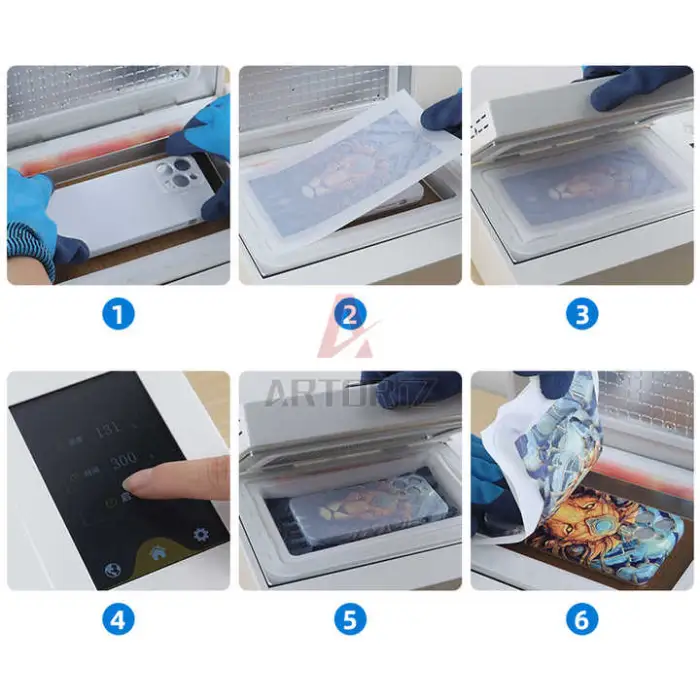
It uses heat transfer / sublimation printing — designs are printed with sublimation ink onto transfer paper and then heat-pressed onto specially coated phone cases for permanent, full-color results.
3. Which phone cases are compatible?
Compatible cases are typically specially coated (polymer or polyester-coated) sublimation blanks and rigid plastic cases that can withstand heat and pressure. Uncoated silicone, TPU, or soft gel cases usually will not accept sublimation well.
4. What consumables and accessories do I need?
You will need a sublimation ink printer, sublimation paper, heat-resistant tape, sublimation-ready blank phone cases, protective silicone pads or molds (if required), and heat-resistant gloves. The machine itself performs the heat-transfer step.
5. What are the machine's electrical and physical specifications?
Voltage: 220V 50~60Hz. Dimensions: 236 mm x 380 mm x 160 mm. Weight (listed): 9 kg. Single package size: 23.6 x 38 x 16 cm. Check the product page or manual for any regional variations.
6. Is the machine easy to use for beginners?
Yes — it is semi-automatic and designed for straightforward operation. Typical workflow: design your artwork, print to sublimation paper, align and tape the transfer to the case, then use the machine to apply heat and pressure. New users should read the manual and practice to refine timing and pressure.
7. Can it print full-wrap or 3D curved designs?
Yes — this 3D sublimation unit is made to handle wraparound and contoured cases when using compatible sublimation blanks and proper mounting methods, allowing edge-to-edge designs.
8. What software and file formats should I use for designs?
Use common graphic design programs (Photoshop, Illustrator, Affinity Designer, etc.) and export artwork in high-resolution formats such as PNG, JPEG, or PDF. For best results use 300 DPI and design in CMYK or with accurate color profiles for sublimation printing.
9. What are typical troubleshooting tips for poor print quality?
Common causes: incorrect temperature/time/pressure, low-quality ink or paper, improper case coating, or misalignment. Ensure you use genuine sublimation ink and paper, secure the transfer with heat-resistant tape, and follow recommended heat/pressure/time settings from the manual or your consumable suppliers.
10. How fast is production and what is the throughput?
The machine is described as having fast heat-transfer capability, but actual cycle time depends on the case type, design, and chosen temperature/pressure settings. Throughput varies with operator workflow; test runs will determine realistic production rates for your setup.
11. What maintenance is required?
Regularly clean the platen and any contact surfaces to remove adhesive or ink residue, check and replace worn silicone or protective pads, and inspect electrical connections. Follow the manufacturer’s maintenance schedule in the user manual to ensure longevity.
12. Are there safety precautions I should follow?
Yes. Operate on a stable, heat-resistant surface; wear heat-resistant gloves when handling hot cases; avoid touching heated elements; ensure proper ventilation; and use the machine with correct voltage. Turn off and unplug when not in use and follow all safety instructions in the manual.
13. Does the machine come with a warranty or support?
Warranty and support details are not specified in the product description. Check the seller’s product listing or contact the supplier directly to confirm warranty length, included support, and availability of spare parts.
14. What should I check before buying?
Confirm electrical compatibility for your region (220V requirement), verify which accessories and consumables are included, confirm case size compatibility, ask about warranty/support, and request recommended temperature/time/pressure settings or a user manual.
15. What if my package contents or specifications differ from the listing?
If received items or specs vary, contact the seller immediately. Keep order records, photos of the product and packaging, and any serial numbers. Request missing accessories, a replacement, or a refund per the seller’s return policy.
Latest Order Arrivals
Discover our latest orders

12 Heads Embroidery Machine

Dewatering Pump Machine

Order Collection

Portable Water Drilling Rig

Order Usefully Collected

Batch of Orders

Agriculture Processing Machines

Meat Grinder Machine

Water Pump Equipment

Packaging Machine and accessories

Fabrics Manufacturing Equipment

Mining Equipments

Food Processing Machine

Batch of Orders

Batch of Orders

Latest Orders Labelled

wheel alignment machines

new arrivals

Pre Orders Offloading

Latest Arrivals

Latest Arrivals