B21, China Town Mall, Midrand

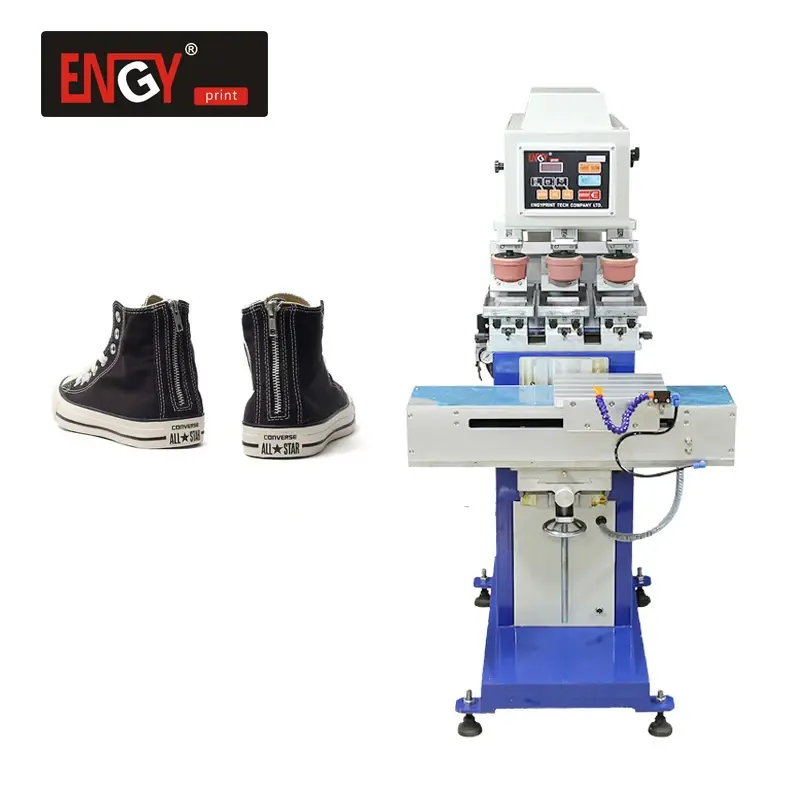
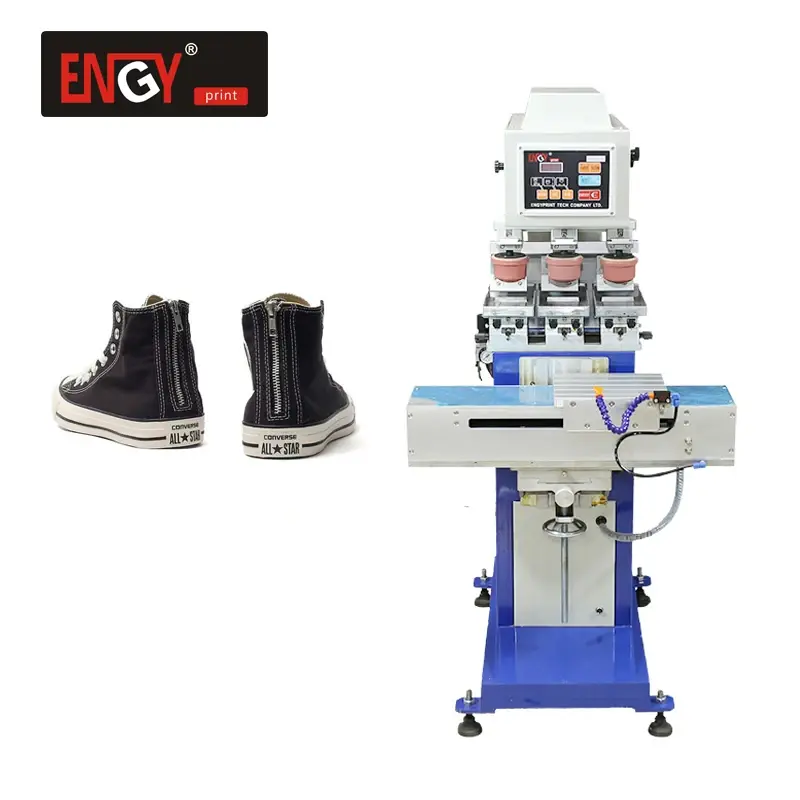
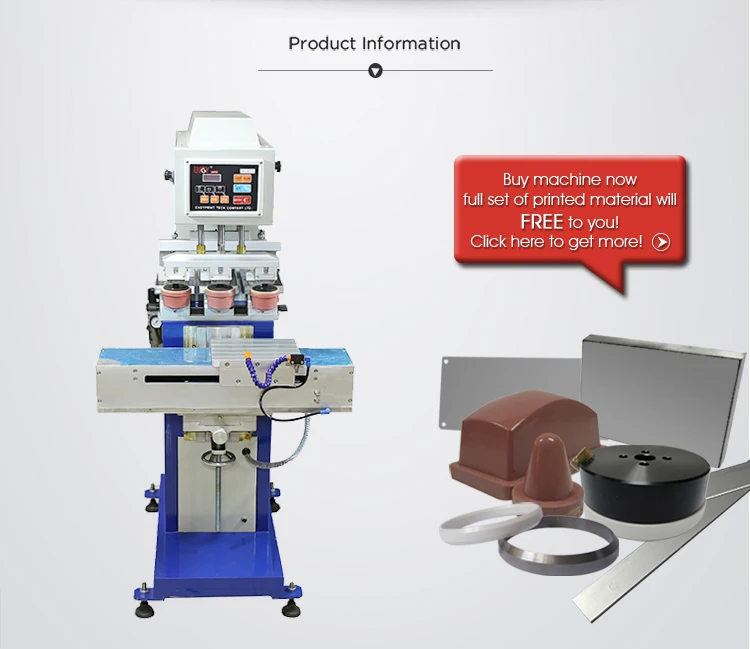
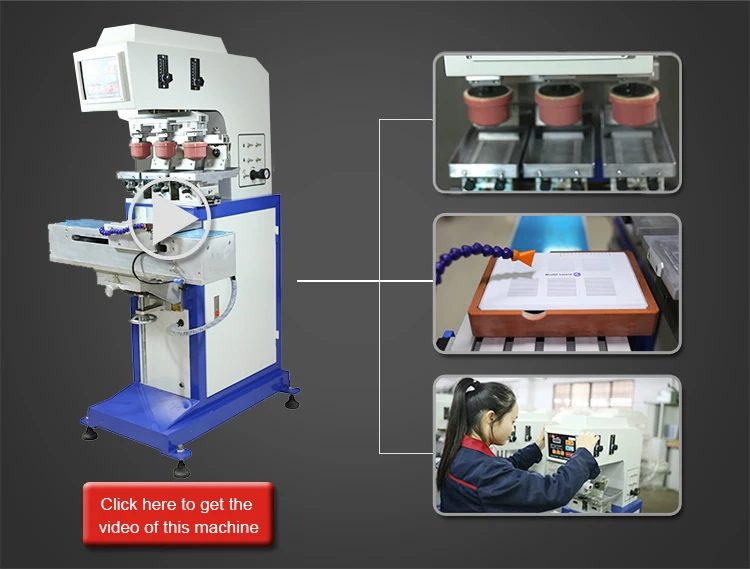
3 color Shoe Heel Pad Printer Printing Machine
Asset finance available
Do you want funding for this equipment?
Afrimart can connect you with trusted funding partners who specialise in asset finance for businesses like yours. Compare options and apply in minutes — final approval is subject to provider review.
Check funding options
Secure & no obligation

- Section : Machinery
- Category : Industrial Machinery
- SKU : 62010074815

Independent 3-Color Shoe Heel Pad Printer / Printing Machine
The EN-Y160/3S Independent 3-Color Shoe Heel Pad Printer is a high-quality semi-automatic pad printing machine designed for efficient and precise printing. This machine is ideal for printing on shoe heels, as well as other medium-sized items in various industries such as stationery, toys, electrical appliances, and electronics.
Product Specifications:
| Item | Details |
|---|---|
| Model | EN-Y160/3S |
| Plate Size | 150x100mm |
| Max. Printing Size | 80x120mm |
| Printing Capacity | 1000 cycles/hr |
| Drive | Pneumatic |
| Front & Back Working Stroke | 160 mm |
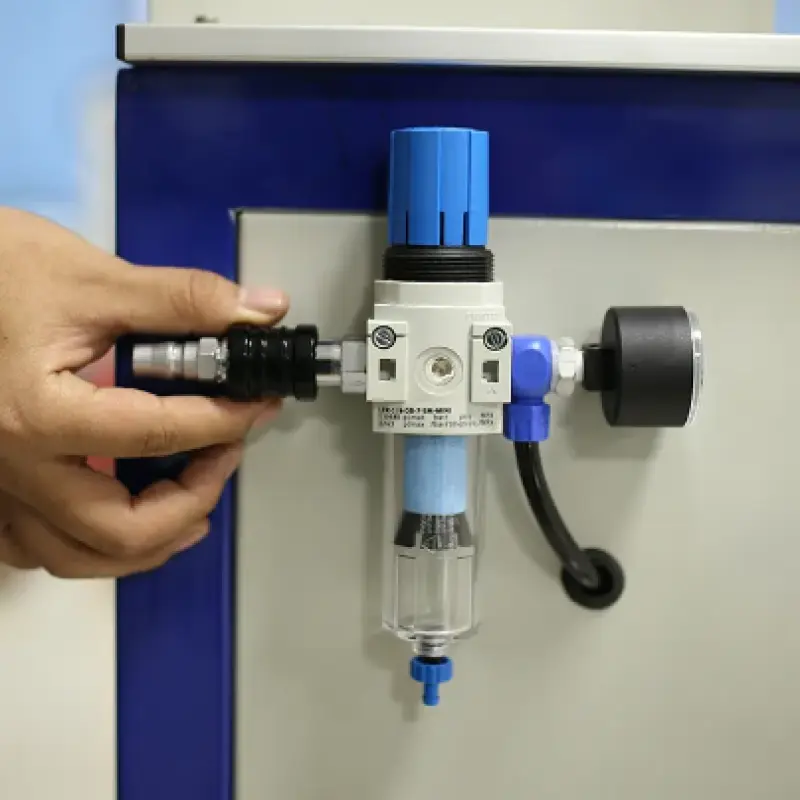
| Air Requirement | 5 bar (72.5 psi) |
| Main Voltage | 110V/220V 50/60Hz 40W |
| Machine Size (L x W x H) | 980mm x 630mm x 1430mm |
| Net Weight | 125kg |
Features and Performance:
Microcomputer Control: The machine operates with advanced microcomputer control for precise movement, low noise, and high-speed performance.
Easy Operation: Offers simple operation with automatic functions like scraping clean and speed adjustments.
Versatile Printing: Suitable for printing on various medium-sized patterns, including those on stationery, toys, gifts, electronics, and more. It can handle both monochrome and multicolor printing, making it ideal for multiple industries.
Stable and Efficient: Features stable performance with high-quality prints and a printing capacity of up to 1000 cycles per hour.
Applications:
Shoe Heel Printing: Specifically designed for printing on shoe heels, ensuring precise and high-quality prints.
Multicolor Printing: Capable of printing up to 3 colors in a single cycle, enhancing design flexibility and creativity.
Various Products: Can be used for printing on a wide range of products such as toys, gifts, electrical appliances, and more.
The EN-Y160/3S Independent 3-Color Shoe Heel Pad Printer offers reliable and efficient performance, making it a great choice for businesses looking to enhance their printing operations.
| Model NO. | EN-Y160/3S |
| Plate Size | 150x100mm |
| Max. Printing Size | 80x120mm |
| Printing Capacity | 1000cycles/hr |
| Drive | Pneumatic |
| Front & Back Working Stroke | 160 mm |
| Air Requirement | 5 bar (72.5 psi) |
| Main Voltage | 110V/220V 50/60Hz 40W |
| Machine Size | L980xW630xH1430 mm |
| Net Weight | 125kg |
| Feture And Performance | 1.microcomputer control the function of movement, low noise, speed, scraping clean, stable performance, simple operation. 2.the machine is suitable for stationery, toys, gifts, electrical appliances, electronics and other products of medium-sized patterns monochrome or multicolor printing printing. |
- Shipping Timeframes: All orders are processed within 2-5 business days (excluding weekends and holidays). After your order has been processed, the estimated delivery time is before 08 Aug, 2026, depending on customs, Please note that due to high demand, some items may experience longer shipping times, which will be communicated at order confirmation email.
- Order Processing Time: Please allow 2-5 business days for us to process your order before it is shipped . Orders placed after 16:00 on Fridays, or during weekends and public holidays, will begin processing on the next business day. Processing times may be extended during peak seasons or sales events.
- Manufacturing Time: Some products needs manufacturing time, the manufacturing process will take approximately 10-30 business days depending on the product. This timeframe may vary depending on the complexity of the product and current demand. but this will be communicated with you during order confirmation.
- Returns and Exchanges: We offer a 30-day return policy for most items. If you are not completely satisfied with your purchase, you may return it within 30 days of receipt for a refund or exchange. Items must be unused, in their original packaging, and accompanied by proof of purchase. Return shipping costs are the responsibility of the customer, unless the item was damaged or defective upon arrival.
1. What is the EN-Y160/3S 3-Color Shoe Heel Pad Printer designed for?
The EN-Y160/3S is a semi-automatic pad printing machine designed primarily for printing on shoe heels and other medium-sized items. It's suitable for applications in footwear, stationery, toys, gifts, electrical appliances, electronics and similar industries requiring monochrome or up-to-3-color printing.
2. What are the key technical specifications?
Plate size: 150 x 100 mm; Maximum printing size: 80 x 120 mm; Printing capacity: up to 1000 cycles/hour (theoretical); Drive: pneumatic with 160 mm front & back working stroke; Air requirement: 5 bar (72.5 psi); Power: 110/220 V, 50/60 Hz, 40 W; Machine size: 980 x 630 x 1430 mm (L x W x H); Net weight: 125 kg.
3. How many colors can it print in one cycle?
The machine is configured for independent 3-color printing, allowing up to three colors to be printed in a single cycle with separate color stations.
4. What types of substrates can I print on?
It can print on a wide range of medium-sized substrates such as plastics, rubber, leather (shoe heels), coated metals, and ceramics. Final adhesion depends on the substrate and ink type — surface pre-treatment (cleaning, priming, corona or flame) may be required for optimal results.
5. What inks and consumables does the machine use?
The EN-Y160/3S works with standard pad-printing inks (solvent-based and many UV-curable inks). Consumables include silicone pads, cliches/plates sized to the plate area, ink cups/doctor blades, inks, thinners and cleaners. Always confirm ink compatibility and drying/curing method for your substrate.
6. Does the machine include curing/drying equipment for inks?
No dedicated dryer or UV curing unit is specified with the machine. Use the appropriate drying method (air-dry, oven, IR, or UV curing) depending on the ink type. For UV inks you will need a separate UV curing system.
7. How easy is it to operate and register multi-color prints?
The machine features microcomputer control for precise movement and simple operation. Multi-color registration requires accurate fixture setup and plate alignment. While the machine helps with repeatability, fine registration is typically achieved by adjusting fixtures, pads and plates during setup.
8. What are the installation and utility requirements?
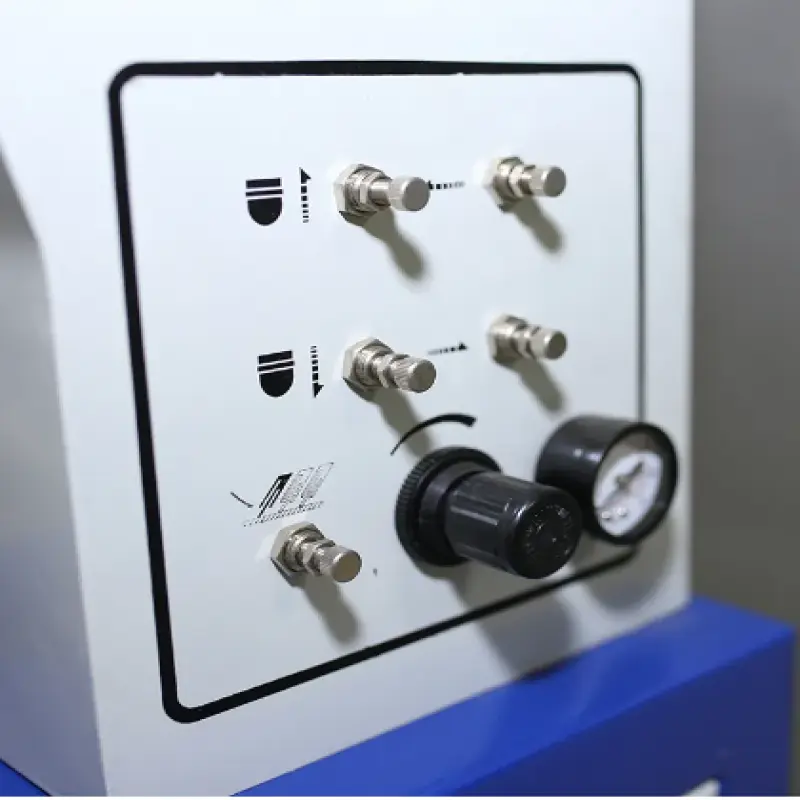
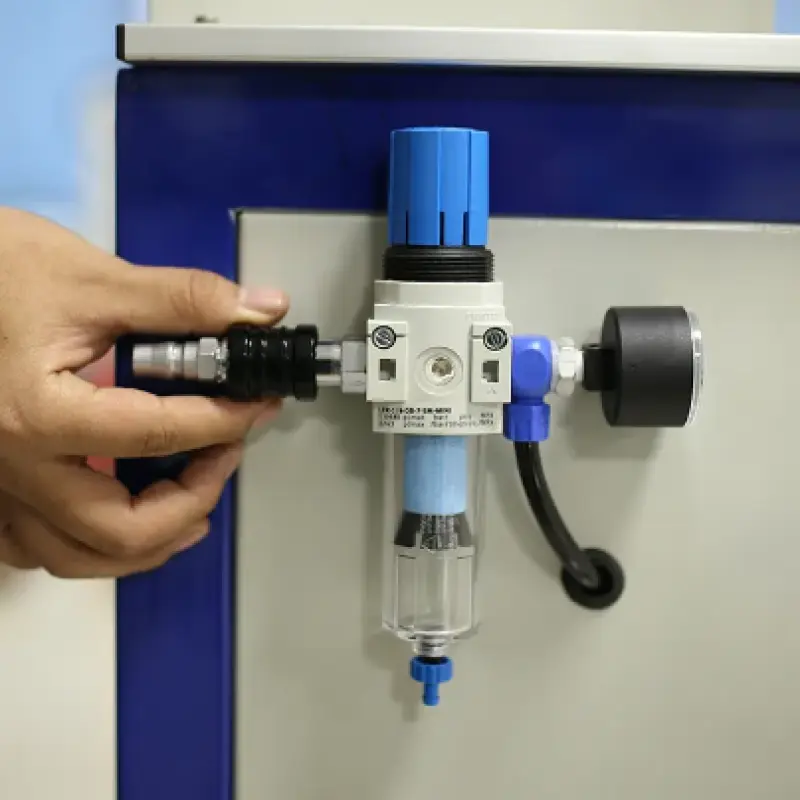
You need a stable electrical supply (110 V or 220 V, 50/60 Hz) and a compressed air source delivering about 5 bar (72.5 psi) of clean, dry, oil-free air. The machine footprint is 980 x 630 mm and weighs 125 kg; allow space for operator access and maintenance. Professional installation and initial setup/training are recommended.
9. What maintenance is required?
Regular maintenance includes cleaning ink cups/doctor blades, silicone pads and plates after use, checking pneumatic lines and fittings, lubricating moving parts as recommended by the supplier, and replacing worn pads or blades. Periodic inspection of electrical and pneumatic components is advised.
10. What safety features and precautions are recommended?
Follow standard shop safety: use guards where provided, ensure emergency stop is functional, keep hands clear of moving parts during cycling, and wear appropriate PPE (gloves, eye protection, respirators for solvents). Ensure proper ventilation when using solvent-based inks.
11. What printing speed can I expect in real production?
The specified maximum is up to 1000 cycles per hour; actual throughput depends on number of colors, part handling time, ink drying or curing requirements, and operator efficiency. Multi-color jobs and complex fixturing will reduce cycle rate compared with single-color tests.
12. Are spare parts and service available?
Spare parts (pads, doctor blades, pneumatic components, electronics) and after-sales service are typically available from the manufacturer or authorized distributors. Contact your supplier for warranty terms, spare parts lists and service plans.
13. Can I print custom artwork or fine details with this machine?
Yes — the machine supports detailed artwork within the maximum print area (80 x 120 mm). Achieving fine detail depends on plate engraving quality, pad selection, ink formulation and proper process setup. High-resolution cliches and appropriate pads are recommended for fine graphics.
14. Is on-site training included?
Training policies vary by vendor. Many suppliers offer on-site or remote training for setup, operation and maintenance. Confirm training availability and any associated costs with your supplier before purchase.
15. How do I ensure good adhesion and durability of prints on shoe heels?
Ensure the substrate surface is clean and free of oils or release agents. Use an ink suitable for the heel material and apply recommended primers or pre-treatments (e.g., flame, corona, or primer coatings) if needed. Conduct adhesion and wear tests to qualify the ink and process for your specific heel material.
Latest Order Arrivals
Discover our latest orders

12 Heads Embroidery Machine

Toilet Paper Machine Machine

Order Collection

Cross Border Clients

Order cros border countries Collected

Industrial Machine Cllection

Agriculture Processing Machines

Ready for collection

Water Pump Equipment

Packaging Machine and accessories

Fabrics Manufacturing Equipment

Mining Equipments

Food Processing Machine

Batch of Orders

Batch of Orders

Latest Orders Labelled

wheel alignment machines

new arrivals

Pre Orders Offloading

Latest Arrivals

Latest Arrivals

Latest Arrivals

Loading

Toilet paper making machine

Toilet paper making machine

Toilet paper Rewinding Machine

latest arrivals

offloading

order success

order collection

order offloading