B21, China Town Mall, Midrand


Flatbed Uv Lamp Printer A3 A5 Uv Flatbed Printer Printing Machine for Phone Cases the Hottest Seller in the United States UV Ink
Asset finance available
Do you want funding for this equipment?
Afrimart can connect you with trusted funding partners who specialise in asset finance for businesses like yours. Compare options and apply in minutes — final approval is subject to provider review.
Check funding options
Secure & no obligation

- Section : Consumer Electronics
- Category : DTG Printers
- SKU : 1600915045560

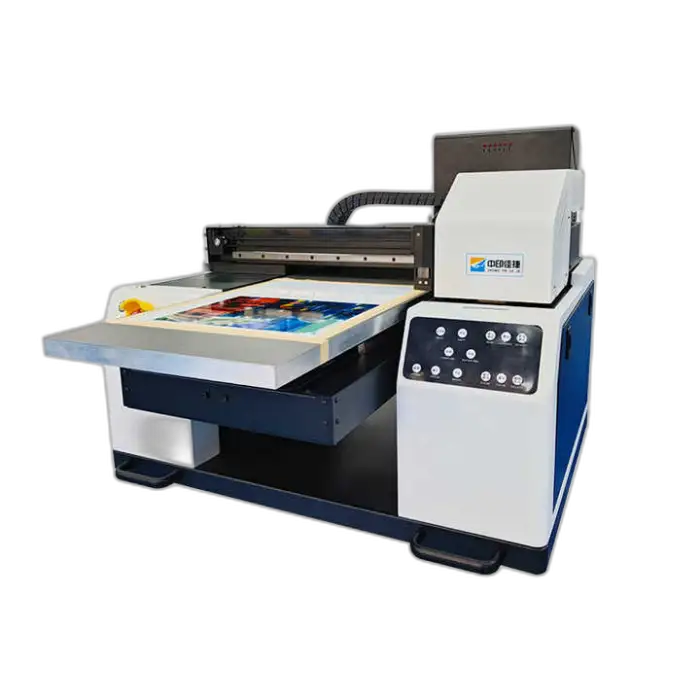
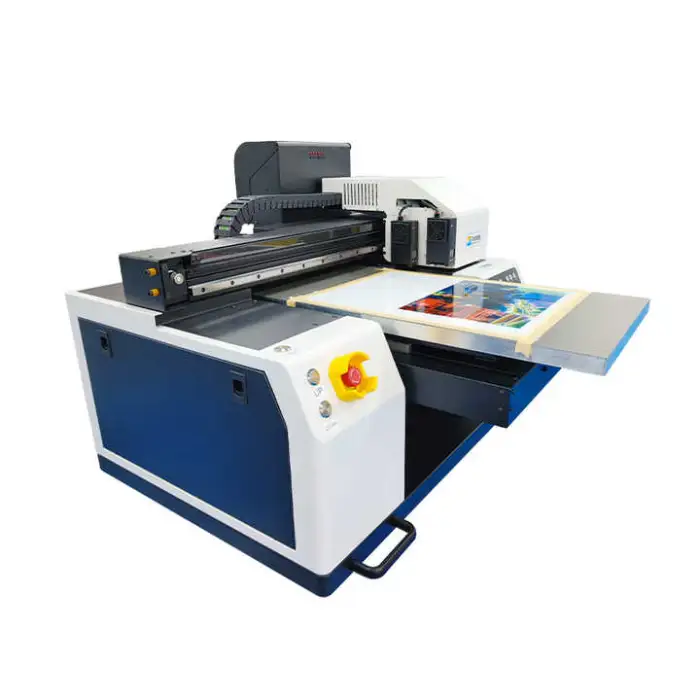
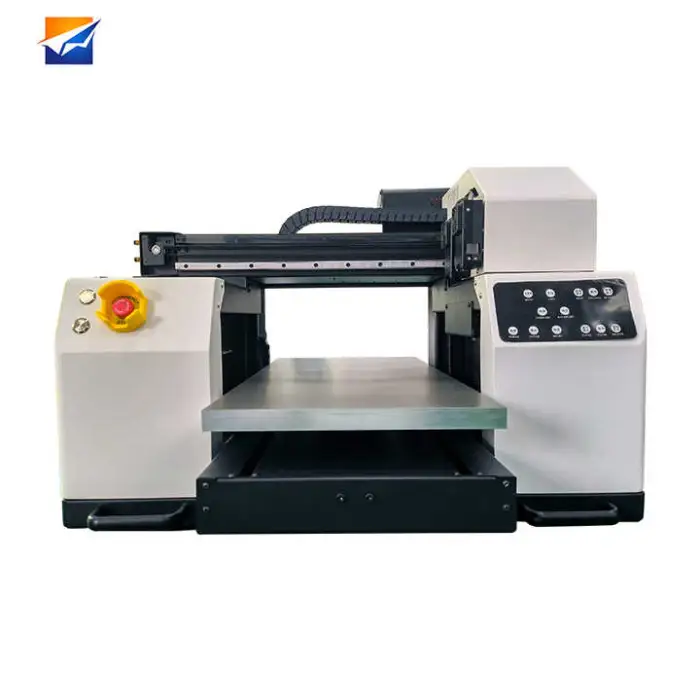
Flatbed UV Lamp Printer A3 A5 UV Flatbed Printer Printing Machine for Phone Cases
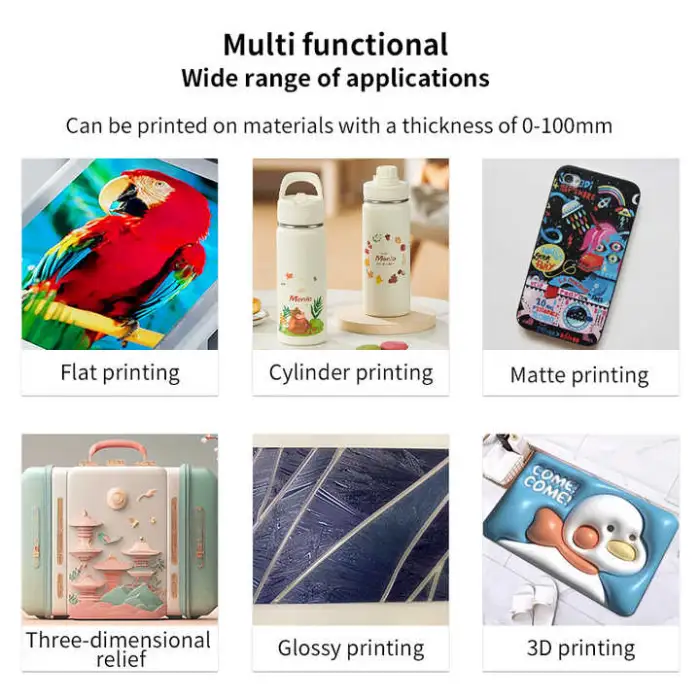
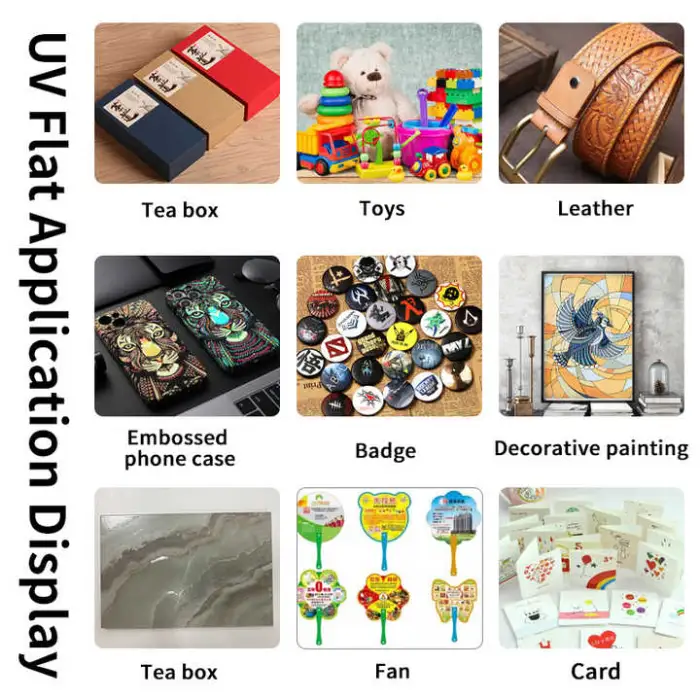
The Flatbed UV Lamp Printer is a powerful printing machine designed for creating stunning prints on various materials. This printer is perfect for phone cases, labels, leather, and more. With its advanced UV ink technology, it delivers vibrant colors and sharp details. Whether you are a business owner or a hobbyist, this printer is a great addition to your workspace.
Specifications
| Attribute | Details |
|---|---|
| Type | Inkjet Printer |
| Color & Page | Multicolor |
| Automatic Grade | Semi-automatic |
| Condition | New |
| Plate Type | Flatbed Printer |
| Ink Type | UV Ink |
| Printing Size | 200mm x 200mm, 210mm x 290mm, A3, A4, A5, 300mm x 420mm |
| Voltage | 110V/220V |
| Dimensions (L*W*H) | 110 x 98 x 100 cm |
| Weight | 92 KG |
| Print Head | 2PCS Epson XP600 |
| Printing Speed | 8pass 3m²/12 pass 2m² |
| Max Resolution | 720 x 1440 dpi |
| Image Format | JPG, TIFF, PDF |
| Operating Environment | Temperature: 10-35℃, 20-80% RH |
Key Features
- Multifunctional: Suitable for printing on various materials.
- High-speed printing: Efficient output for busy environments.
- Vibrant colors: Utilizes UV ink for bright and sharp prints.
- Easy to operate: User-friendly semi-automatic design.
- Compact size: Fits well in any workspace.
Applications
- Perfect for printing custom phone cases.
- Ideal for labels and cards.
- Great for leather goods decoration.
- Useful in hotels and restaurants for signage.
- Applicable in retail and advertising industries.
Product Info Gallery
- Shipping Timeframes: All orders are processed within 2-5 business days (excluding weekends and holidays). After your order has been processed, the estimated delivery time is before 03 Aug, 2026, depending on customs, Please note that due to high demand, some items may experience longer shipping times, which will be communicated at order confirmation email.
- Order Processing Time: Please allow 2-5 business days for us to process your order before it is shipped . Orders placed after 16:00 on Fridays, or during weekends and public holidays, will begin processing on the next business day. Processing times may be extended during peak seasons or sales events.
- Manufacturing Time: Some products needs manufacturing time, the manufacturing process will take approximately 10-30 business days depending on the product. This timeframe may vary depending on the complexity of the product and current demand. but this will be communicated with you during order confirmation.
- Returns and Exchanges: We offer a 30-day return policy for most items. If you are not completely satisfied with your purchase, you may return it within 30 days of receipt for a refund or exchange. Items must be unused, in their original packaging, and accompanied by proof of purchase. Return shipping costs are the responsibility of the customer, unless the item was damaged or defective upon arrival.
1. What materials can this Flatbed UV Lamp Printer print on?
The printer is multifunctional and can print on phone cases, paper labels, leather, rigid substrates and many coated/uncoated materials. For unusual substrates or thicknesses, confirm compatibility with the seller.
2. What are the maximum printable sizes and formats?
It supports a variety of printing sizes including 200×200 mm, 210×290 mm (A4), A3, A5 and up to 300×420 mm. Accepted image formats are JPG, TIFF and PDF.
3. What print resolution and speed can I expect?
Maximum resolution is 720×1440 dpi. Typical productivity is about 3 m²/hour at 8-pass and about 2 m²/hour at 12-pass, depending on RIP settings and substrate.
4. Which print heads and ink does the printer use?
The machine uses 2 Epson XP600 print heads and UV ink specifically formulated for UV flatbed printing. Verify whether your unit includes white or varnish ink channels with the seller if needed.
5. Does the printer cure ink with a UV lamp or LED?
This is a UV flatbed printer that uses integrated UV curing (UV lamp/LED) to instantly cure the ink during printing. For specific lamp type and maintenance intervals, check the product documentation or ask the supplier.
6. Is the printer easy to operate for a small business or hobbyist?
Yes — it is a semi-automatic, user-friendly design intended for small businesses and hobbyists. You manually load materials on the flatbed while the printer handles printing and curing.
7. What are the power requirements and operating environment?
The printer supports 110V/220V. Recommended operating conditions are 10–35°C and 20–80% relative humidity.
8. How thick of a substrate can the flatbed handle?
The datasheet lists flatbed format sizes but not a specific maximum thickness. Flatbed printers typically handle rigid and moderately thick items. Contact the vendor for the exact maximum substrate thickness for this model.
9. What software or RIP does the printer use?
The unit accepts JPG, TIFF and PDF files. Most suppliers provide or recommend RIP software for color management and advanced print control — confirm included software and compatibility (Windows/Mac) with the seller.
10. How do I maintain the printer and prolong print head life?
Regular maintenance includes daily/weekly nozzle checks and head cleanings, flushing and using appropriate cleaning solution, keeping the flatbed clean, and replacing consumables per manufacturer guidance. Use genuine or recommended UV inks to avoid clogging.
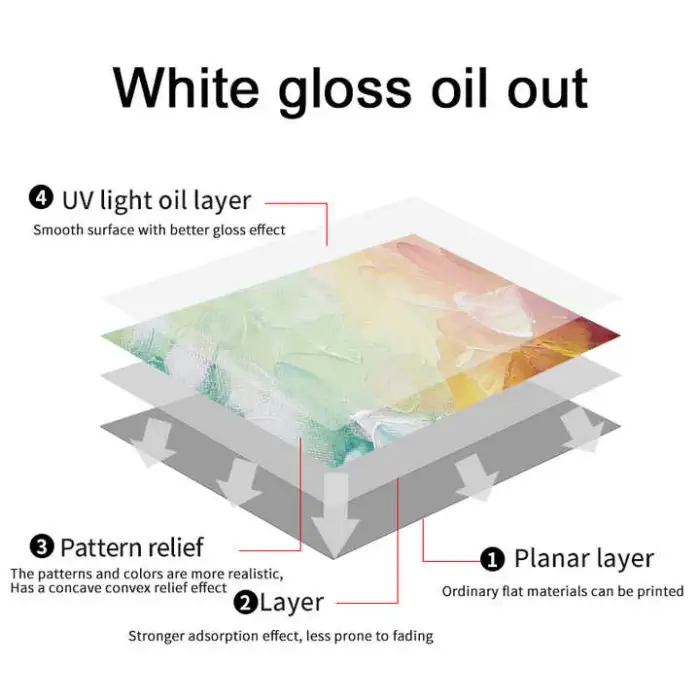
11. Can it print white ink or special effects like varnish?
Some UV flatbed configurations support white ink and clear coating/varnish layers, but this depends on the printer’s ink channel setup. Verify whether your specific unit includes white or varnish capability before purchase.
12. Are fixtures or jigs for phone cases included?
The listing does not explicitly state whether phone-case jigs are included. Many sellers offer optional fixtures or custom jigs — ask the supplier if phone-case holders are included or available as accessories.
13. What safety precautions are needed when using UV inks and lamps?
Use gloves and eye protection when handling inks, ensure good ventilation in the workspace, avoid direct skin contact with uncured ink, and follow the manufacturer’s safety data sheets (SDS) for ink handling and disposal.
14. What consumables and spare parts should I expect to replace?
Common consumables include UV ink cartridges, cleaning solution, wipers, dampers, and eventually print heads and UV lamps. Keep a stock of recommended consumables and ask about spare-part availability from the supplier.
15. Is there warranty and after-sales support?
Warranty and support vary by seller. Ask the vendor about warranty length, what it covers (print heads, electronics, labour), available training, setup support, and spare-parts/service options before purchasing.
Latest Order Arrivals
Discover our latest orders

12 Heads Embroidery Machine

Toilet Paper Machine Machine

Order Collection

Cross Border Clients

Order cros border countries Collected

Industrial Machine Cllection

Agriculture Processing Machines

Ready for collection

Water Pump Equipment

Packaging Machine and accessories

Fabrics Manufacturing Equipment

Mining Equipments

Food Processing Machine

Batch of Orders

Batch of Orders

Latest Orders Labelled

wheel alignment machines

new arrivals

Pre Orders Offloading

Latest Arrivals

Latest Arrivals

Latest Arrivals

Loading

Toilet paper making machine

Toilet paper making machine

Toilet paper Rewinding Machine

latest arrivals

offloading

order success

order collection

order offloading