B21, China Town Mall, Midrand

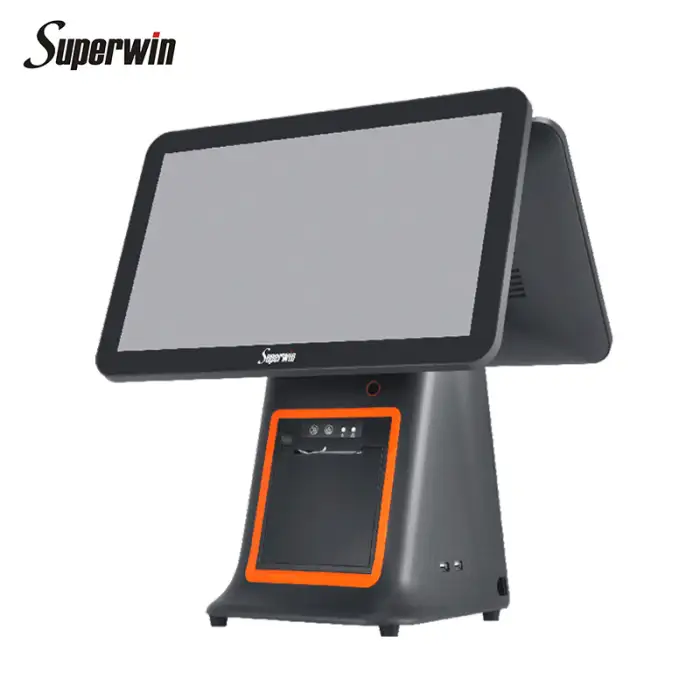
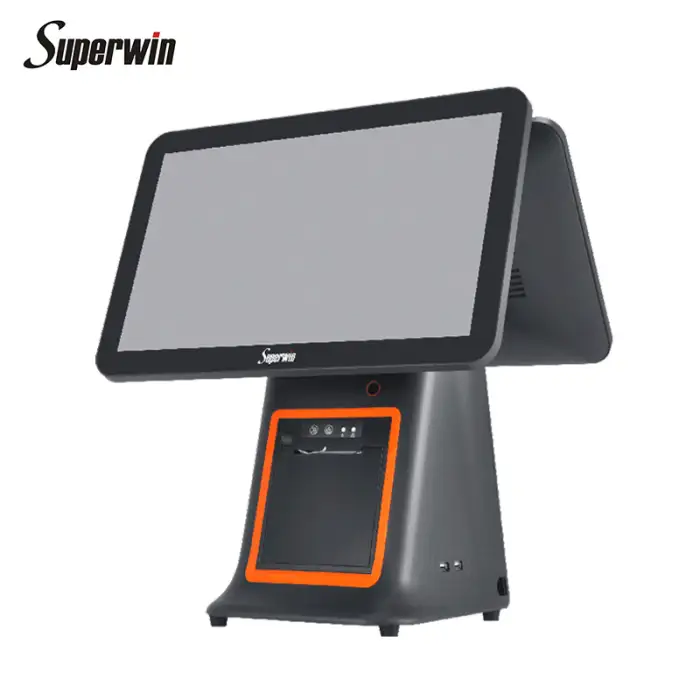
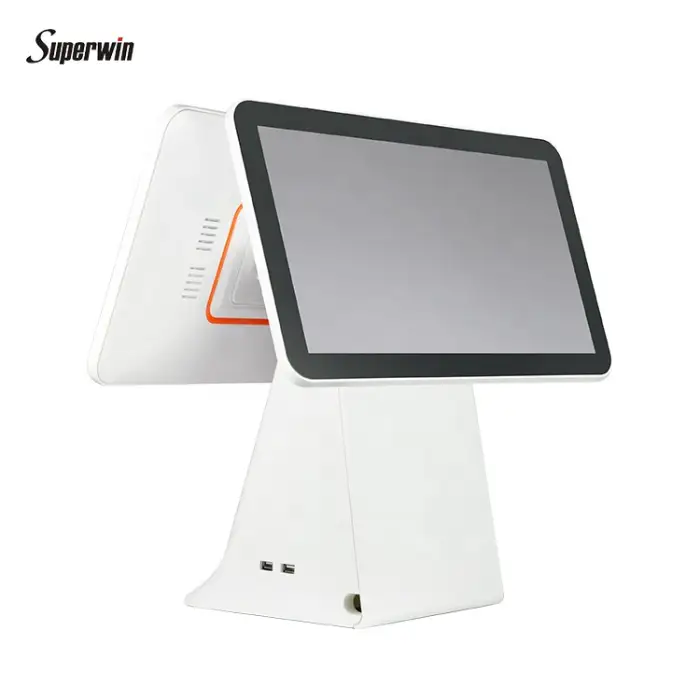
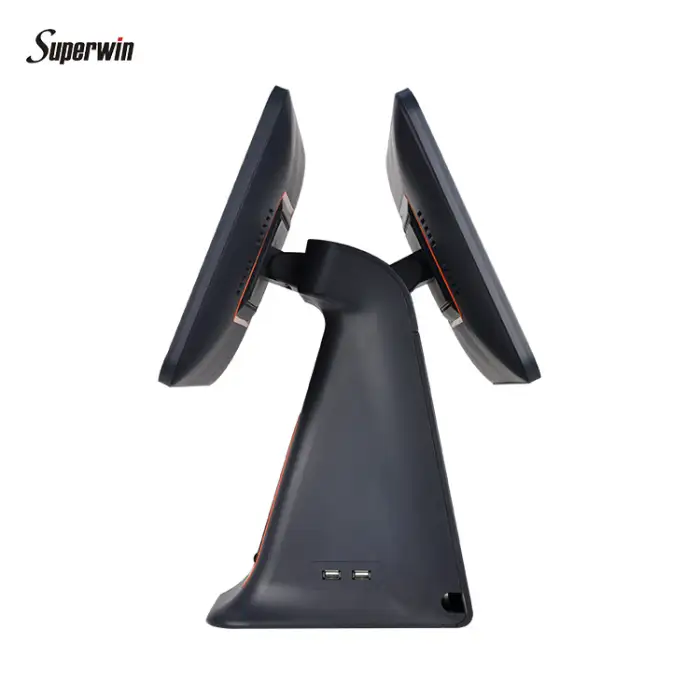
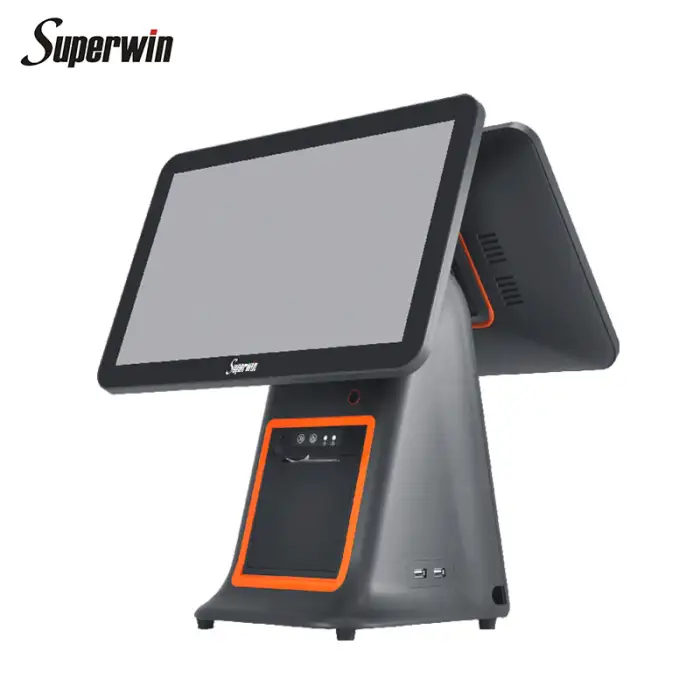
CY-95 Dual Screen POS

- Section : Consumer Electronics
- Category : Commercial Equipment
- SKU : 1600438103243

CY-95 Dual Screen POS
The CY-95 Dual Screen POS is a powerful point-of-sale system designed to make transactions easy and efficient. With its dual screens, you can serve customers quickly while keeping everything organized. This POS system is perfect for retail stores, restaurants, and other businesses that need a reliable way to handle sales.
Specifications
| Attribute | Details |
|---|---|
| CPU | Intel |
| Brand | Superwin |
| Model | CY-95 |
| Processor | RK3288 |
| RAM | 2GB |
| Storage | 16GB |
| Screen Size | 15.6 inches (1366 × 768 pixels) |
| Customer Display | LED |
| Printer | Built-in 58mm gear-type receipt printer |
| Operating System | Windows 7 / 10 |
Key Features
- Dual screen setup for better customer engagement.
- Fast processing with Intel CPU and RK3288 processor.
- Built-in printer for easy receipt printing.
- Compact design fits in any retail space.
- User-friendly interface on Windows operating systems.
Applications
- Retail stores for quick sales transactions.
- Restaurants for efficient order management.
- Small businesses needing a reliable POS system.
- Service providers for easy billing and invoicing.
Product Info Gallery
- Shipping Timeframes: All orders are processed within 2-5 business days (excluding weekends and holidays). After your order has been processed, the estimated delivery time is before 26 Jun, 2026, depending on customs, Please note that due to high demand, some items may experience longer shipping times, which will be communicated at order confirmation email.
- Order Processing Time: Please allow 2-5 business days for us to process your order before it is shipped . Orders placed after 16:00 on Fridays, or during weekends and public holidays, will begin processing on the next business day. Processing times may be extended during peak seasons or sales events.
- Manufacturing Time: Some products needs manufacturing time, the manufacturing process will take approximately 10-30 business days depending on the product. This timeframe may vary depending on the complexity of the product and current demand. but this will be communicated with you during order confirmation.
- Returns and Exchanges: We offer a 30-day return policy for most items. If you are not completely satisfied with your purchase, you may return it within 30 days of receipt for a refund or exchange. Items must be unused, in their original packaging, and accompanied by proof of purchase. Return shipping costs are the responsibility of the customer, unless the item was damaged or defective upon arrival.
1. What is the CY-95 Dual Screen POS?
The CY-95 Dual Screen POS is a point-of-sale terminal with two displays designed for retail, restaurants and small businesses to speed transactions and improve customer engagement.
2. What are the key specifications of the CY-95?
Highlights include a 15.6" main screen (1366×768), LED customer display (second screen), 2GB RAM, 16GB storage, built-in 58mm gear-type receipt printer, and support for Windows 7 and Windows 10. The product listing shows both 'Intel' and 'RK3288'—see next FAQ for clarification.
3. The specs list both Intel and RK3288 processors — which CPU does it have?
There is a discrepancy in the provided spec sheet (Intel listed alongside RK3288). RK3288 is an ARM SoC while Intel is x86; please confirm the exact CPU variant and firmware with your vendor or reseller before purchasing.
4. Is the main screen touchscreen?
The listing does not explicitly state touchscreen functionality. Many POS units are touch-enabled, but confirm with the vendor whether this CY-95 SKU includes a capacitive/resistive touch panel.
5. What is the customer-facing display used for?
The LED customer display is the secondary screen that faces customers; it can show transaction details, totals and promotions. How it is configured depends on your POS software and Windows display settings.
6. What kind of receipt printer is built in?
The CY-95 includes a built-in 58mm gear-type (thermal) receipt printer for on-the-spot receipts. It uses standard 58mm thermal paper rolls.
7. What paper roll size does the printer use?
The printer uses standard 58mm thermal receipt paper rolls. Confirm maximum roll diameter with your supplier if you require larger rolls.
8. Can I run modern POS software on this system?
Yes — the unit supports Windows 7 and Windows 10, so it should run most Windows-based POS applications. Check software vendor compatibility and obtain any required printer/display drivers from the device supplier.
9. Does the CY-95 support peripherals like barcode scanners and card readers?
The CY-95 is designed for POS use, so it commonly works with barcode scanners, receipt printers, customer displays and card readers. Connection types (USB, serial, Bluetooth) depend on the specific unit and accessories — verify port types with the seller.
10. Can I connect a cash drawer to this POS?
Many POS systems connect a cash drawer via the receipt printer's kick-out port or directly via an RJ-style connector. Confirm whether this CY-95 model includes a printer kick-out interface or a dedicated cash drawer port.
11. What connectivity and ports are available (Ethernet, Wi‑Fi, USB, serial)?
The product description does not list ports. Typical POS terminals include Ethernet, multiple USB ports and serial (RS-232) ports; Wi‑Fi and Bluetooth may be optional. Ask the vendor for a full I/O and networking specification.
12. Is the memory or storage expandable?
The unit ships with 2GB RAM and 16GB storage. Some models allow RAM or storage upgrades, but expandability varies by configuration. Confirm upgrade options and supported memory types with the supplier.
13. What are the power requirements and mounting options?
Power specifications and mounting options are not provided in the brief. Contact your reseller for the AC adapter rating, power draw and any VESA or countertop mounting accessories.
14. What warranty and technical support are available?
Warranty and support terms depend on the seller or distributor. Ask your vendor about warranty length, on-site support options, spare parts availability and software/driver updates.
15. How should I clean and maintain the CY-95 POS?
Power off and unplug before cleaning. Use a soft, lint-free cloth slightly dampened with water or approved screen cleaner for displays. Avoid harsh chemicals and liquid ingress around ports and the printer. Follow vendor maintenance guidance for printer heads and internal ventilation.
Latest Order Arrivals
Discover our latest orders

12 Heads Embroidery Machine

Toilet Paper Machine Machine

Order Collection

Cross Border Clients

Order cros border countries Collected

Industrial Machine Cllection

Agriculture Processing Machines

Ready for collection

Water Pump Equipment

Packaging Machine and accessories

Fabrics Manufacturing Equipment

Mining Equipments

Food Processing Machine

Batch of Orders

Batch of Orders

Latest Orders Labelled

wheel alignment machines

new arrivals

Pre Orders Offloading

Latest Arrivals

Latest Arrivals

Latest Arrivals

Loading

Toilet paper making machine

Toilet paper making machine

Toilet paper Rewinding Machine

latest arrivals

offloading

order success

order collection

order offloading