B21, China Town Mall, Midrand

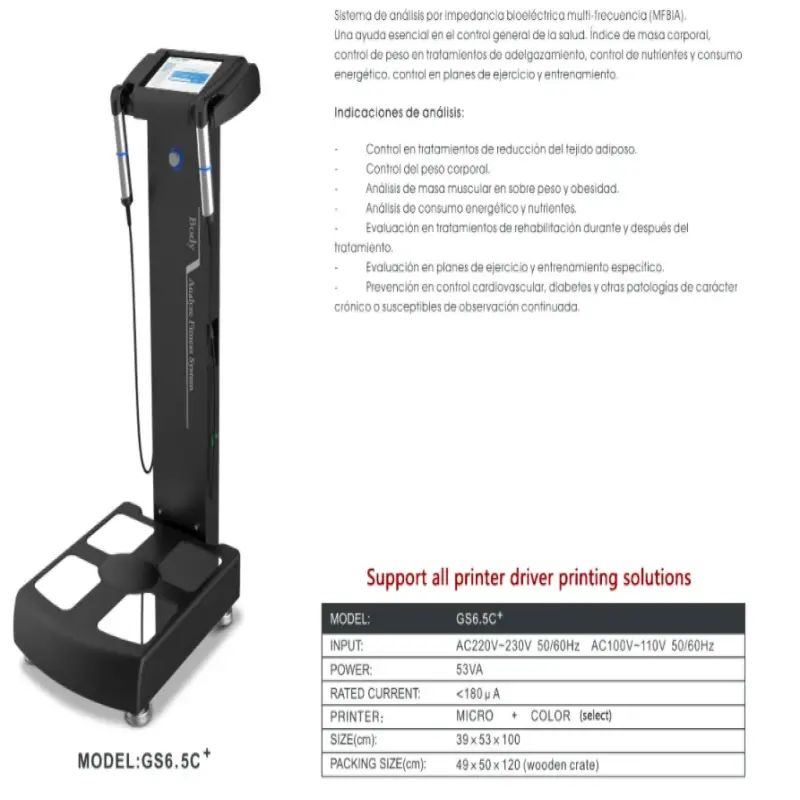

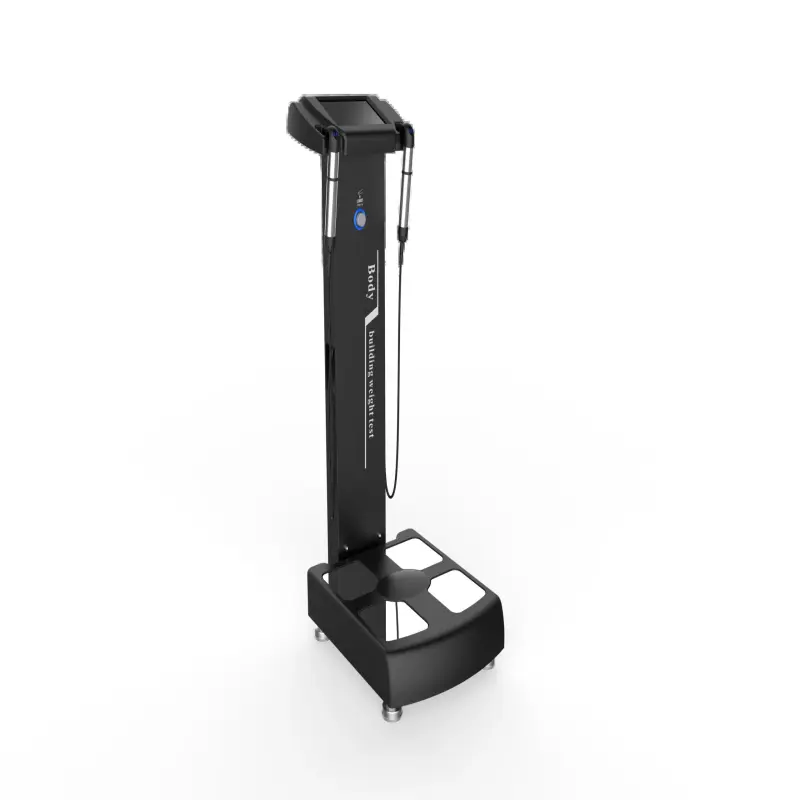
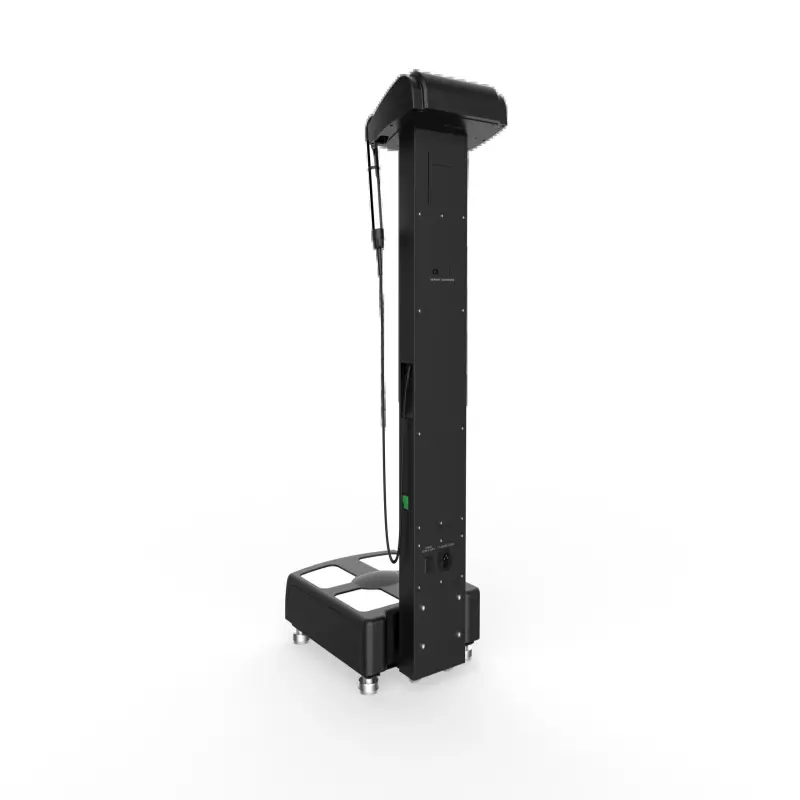
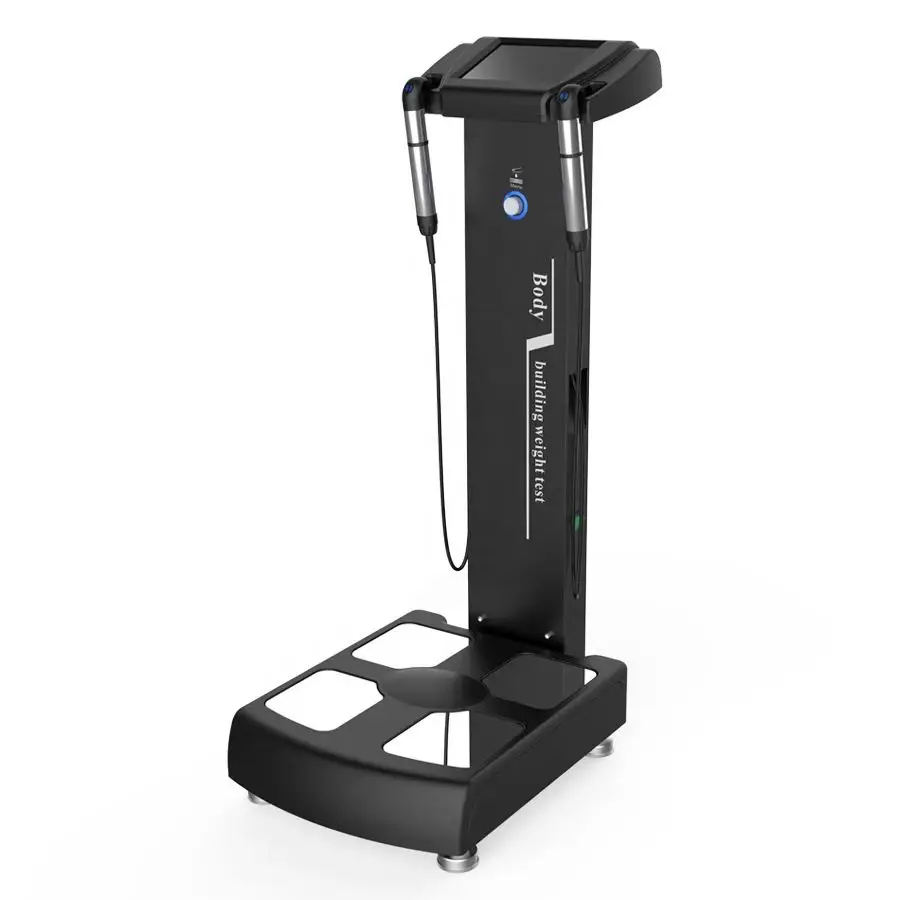
BECO GS6.5C+ Bio-impedance Human Body Analyzer

- Section : Medical Supplies
- Category : Professional Medical Devices
- SKU : 62090520413

BECO GS6.5C+ Bio-impedance Human Body Analyzer
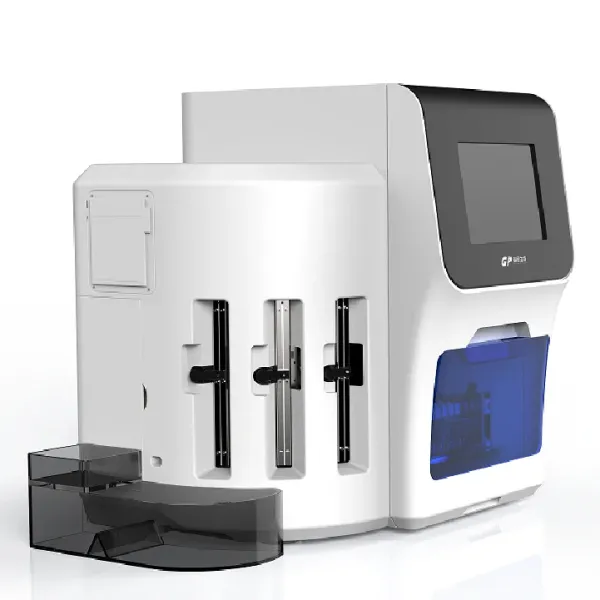
The BECO GS6.5C+ Bio-impedance Human Body Analyzer offers a precise and efficient way to monitor and analyze body composition. It uses bio-impedance analysis technology to assess a variety of health indicators, making it an essential tool for fitness professionals, healthcare providers, and wellness centers.
Key Features:
- Bio-impedance Technology: The GS6.5C+ utilizes advanced bio-impedance analysis (BIA) technology to provide accurate body composition data, including fat percentage, muscle mass, and more.
- Human Body Analysis: This device is designed to perform comprehensive human body analysis, helping users track their progress in weight control and overall health.
- User-friendly Interface: The GS6.5C+ is equipped with a 320*240 LCD touch screen, allowing for easy navigation and real-time results display.
- 8-point Contact Electrodes: The system uses 8-point contact electrodes to ensure precise measurement of body impedance, delivering accurate results.
- Fat Analysis and Weight Control: In addition to general body composition, the device offers specific fat analysis and weight control functions, assisting users in managing their fitness and health goals.
- Power Supply: It operates with an input power of AC100~240V, 50/60Hz, making it adaptable for various environments.
- Additional Accessories: The BECO GS6.5C+ comes with an A4 color printer to provide printed reports, along with a USB port for data transfer and storage.
- Comprehensive Reports: It offers detailed body analysis reports, which can be printed or saved, to track health and fitness progress.
With its advanced technology and easy-to-use features, the BECO GS6.5C+ is an ideal choice for anyone seeking to monitor body composition and make informed decisions about health and fitness.
Product Info Gallery
- Shipping Timeframes: All orders are processed within 2-5 business days (excluding weekends and holidays). After your order has been processed, the estimated delivery time is before 03 Aug, 2026, depending on customs, Please note that due to high demand, some items may experience longer shipping times, which will be communicated at order confirmation email.
- Order Processing Time: Please allow 2-5 business days for us to process your order before it is shipped . Orders placed after 16:00 on Fridays, or during weekends and public holidays, will begin processing on the next business day. Processing times may be extended during peak seasons or sales events.
- Manufacturing Time: Some products needs manufacturing time, the manufacturing process will take approximately 10-30 business days depending on the product. This timeframe may vary depending on the complexity of the product and current demand. but this will be communicated with you during order confirmation.
- Returns and Exchanges: We offer a 30-day return policy for most items. If you are not completely satisfied with your purchase, you may return it within 30 days of receipt for a refund or exchange. Items must be unused, in their original packaging, and accompanied by proof of purchase. Return shipping costs are the responsibility of the customer, unless the item was damaged or defective upon arrival.
1. What does the BECO GS6.5C+ measure?
The GS6.5C+ uses bio-impedance analysis to provide comprehensive body composition data such as body fat percentage, muscle mass and other human body analysis metrics useful for weight control and fitness monitoring.
2. Who is the GS6.5C+ intended for?
It is designed for fitness professionals, healthcare providers, wellness centers and other settings that need reliable body composition analysis for client assessment and tracking.
3. How does the bio-impedance technology work?
The device sends a harmless, low-level electrical signal through the body and measures impedance (resistance). Built-in algorithms convert those impedance measurements into estimated body composition parameters.
4. What are the main hardware features of the GS6.5C+?
Key features include a 320×240 LCD touch screen for real-time interaction, 8-point contact electrodes for accurate impedance measurement, an A4 color printer for printed reports, and a USB port for data transfer. It operates on AC100–240V, 50/60Hz.
5. How do I prepare a client for an accurate measurement?
Ask the client to remove shoes, socks and metal jewelry, ensure skin at electrode sites is clean and dry, ideally measure at a consistent time of day, and avoid heavy exercise, large meals or excessive alcohol within a few hours prior to testing.
6. What factors can affect measurement accuracy?
Hydration level, recent exercise or food intake, skin temperature, poor electrode contact and presence of implants or prostheses can all affect results. For best consistency, keep testing conditions uniform.
7. Are there any safety warnings or contraindications?
Do not use the device on patients with implanted electronic medical devices (e.g., pacemakers) or on pregnant women without medical advice. Always follow local clinical guidance and consult a physician for at-risk individuals.
8. Can I print and save reports from the GS6.5C+?
Yes. The unit includes an A4 color printer for immediate printed reports and a USB port to save and transfer data. Refer to the user manual for available file types and export procedures.
9. What should I do if the device displays a poor-contact or error message?
Check that the client has proper contact with all hand and foot electrodes, ensure skin is clean and dry, restart the measurement, verify cables are connected, and if the error persists contact technical support.
10. How do I set up the GS6.5C+ for first use?
Place the unit on a stable, level surface, connect it to AC100–240V power, power on, and follow the on-screen setup prompts. Install paper in the printer if needed and insert a USB drive for data storage as required.
11. What maintenance does the GS6.5C+ require?
Keep the unit and electrodes clean by gently wiping with a soft cloth and mild disinfectant; do not immerse in liquid or use abrasive cleaners. Regularly inspect cables, connectors and the printer for wear.
12. Does the GS6.5C+ require calibration?
Periodic calibration or verification may be recommended to maintain measurement accuracy. Follow the maintenance and calibration schedule in the user manual and contact BECO or your supplier for calibration services.
13. How is client data protected and stored?
Reports can be printed or saved to a USB drive. The device stores data locally; follow your facility's data protection policies when exporting or archiving client information. Consult the manual for device-specific data handling details.
14. What troubleshooting steps should I try for printer or USB issues?
For printer issues check paper, paper feed, and connections; clear jams and restart the unit. For USB problems try a different USB drive, ensure the drive is formatted to a supported file system, and consult the manual for compatible formats.
15. Where can I get warranty, spare parts or technical support?
Warranty terms, spare parts availability and technical support vary by supplier and region. Refer to the product warranty card and user manual or contact your BECO distributor or the place of purchase for after-sales service information.
Latest Order Arrivals
Discover our latest orders

12 Heads Embroidery Machine

Toilet Paper Machine Machine

Order Collection

Cross Border Clients

Order cros border countries Collected

Industrial Machine Cllection

Agriculture Processing Machines

Ready for collection

Water Pump Equipment

Packaging Machine and accessories

Fabrics Manufacturing Equipment

Mining Equipments

Food Processing Machine

Batch of Orders

Batch of Orders

Latest Orders Labelled

wheel alignment machines

new arrivals

Pre Orders Offloading

Latest Arrivals

Latest Arrivals

Latest Arrivals

Loading

Toilet paper making machine

Toilet paper making machine

Toilet paper Rewinding Machine

latest arrivals

offloading

order success

order collection

order offloading