B21, China Town Mall, Midrand


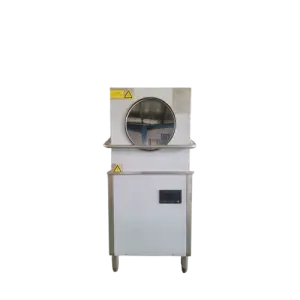
AMD550 Automatic Silk Printer Fast Screen Plate Making Machine And For T-shirt Printing
Asset finance available
Do you want funding for this equipment?
Afrimart can connect you with trusted funding partners who specialise in asset finance for businesses like yours. Compare options and apply in minutes — final approval is subject to provider review.
Check funding options
Secure & no obligation

- Section : Machinery
- Category : Industrial Machinery
- SKU : 1600938866004

- Shipping Timeframes: All orders are processed within 2-5 business days (excluding weekends and holidays). After your order has been processed, the estimated delivery time is before 03 Aug, 2026, depending on customs, Please note that due to high demand, some items may experience longer shipping times, which will be communicated at order confirmation email.
- Order Processing Time: Please allow 2-5 business days for us to process your order before it is shipped . Orders placed after 16:00 on Fridays, or during weekends and public holidays, will begin processing on the next business day. Processing times may be extended during peak seasons or sales events.
- Manufacturing Time: Some products needs manufacturing time, the manufacturing process will take approximately 10-30 business days depending on the product. This timeframe may vary depending on the complexity of the product and current demand. but this will be communicated with you during order confirmation.
- Returns and Exchanges: We offer a 30-day return policy for most items. If you are not completely satisfied with your purchase, you may return it within 30 days of receipt for a refund or exchange. Items must be unused, in their original packaging, and accompanied by proof of purchase. Return shipping costs are the responsibility of the customer, unless the item was damaged or defective upon arrival.
1. What is the AMD550 Automatic Silk Printer?
The AMD550 is a digital screen plate-making machine (digital screen maker) that produces silk-screen printing plates directly from a computer. It is designed to simplify screen production for T-shirts, cups, bags and other screen-printing applications without requiring a darkroom or chemical processing.
2. How does the AMD550 make screens?
The machine prints the artwork digitally onto the screen using a dry-heat process. Artwork is sent from a computer directly to the AMD550, which creates the stencil on the mesh—no exposure units, emulsions, film positives, or wet processing are required.
3. What are the main advantages of using the AMD550?
Key benefits are: no darkroom or chemical processing, compact desktop footprint, fast plate making (suitable for short runs and test production), easy operation so unskilled staff can produce screens, and environmentally friendly operation with low power consumption and no solvents or wastewater.
4. What is the maximum printable width and resolution?
The AMD550 supports a print width of up to 303 mm and produces images at up to 300 dpi, providing good detail for small- to medium-format screens.
5. What file types and image quality should I use?
Use high-quality vector or raster artwork (common formats such as AI, PDF, EPS, PNG, TIFF, JPEG). For best results with halftones and fine detail, supply raster images at 300 dpi at the final output size and convert colors/separations according to your screen-printing workflow.
6. Does the AMD550 print directly onto T-shirts or other products?
No. The AMD550 creates screen stencils (plates). Those screens are then mounted on a conventional screen-printing press to print onto T-shirts, cups, bags or other substrates.
7. What consumables are required?
You need standard screen-printing frames and mesh (screens). There are no emulsions, chemical developers, or film positives required. Check with your supplier for any recommended mesh types or pre-treated screens compatible with the unit.
8. What types of mesh and mesh counts can I use?
The AMD550 is intended for standard polyester screen meshes used in textile and small-format printing. Exact compatible mesh counts or tensions can vary—refer to the machine manual or vendor guidance for recommended mesh counts for halftones, detail, and ink types.
9. How long does it take to make a screen compared with traditional methods?
Screen production with the AMD550 is significantly faster than traditional exposure-based workflows—what could take hours in a darkroom (preparation, exposure, washout, drying) can be done in minutes using the AMD550 digital dry-heat process, making it ideal for short runs, sampling and quick turnarounds.
10. What are the workspace and installation requirements?
The machine is compact and designed to sit on a desktop or small workbench—no darkroom or large processing tables are needed. It requires a stable surface, standard electrical supply, and a computer connection. Consult the manual for exact power, dimensions and ventilation recommendations.
11. What level of operator skill or training is required?
Operation is intended to be simple—artwork is imported from a computer and the screen is produced directly. Basic computer and screen-printing knowledge is helpful, but even non-skilled workers can produce screens after brief training. Vendor training or the supplied manual is recommended for best results.
12. What maintenance does the AMD550 require?
Regular maintenance typically includes keeping the machine and print area dust-free, following any print-head or thermal module cleaning procedures in the manual, checking electrical and data connections, and using recommended replacement parts. Follow the manufacturer's maintenance schedule for optimal performance.
13. Is the AMD550 environmentally friendly and safe to use?
Yes. The AMD550 uses a dry-heat screen-making process that eliminates emulsions, chemical developers, solvents and wastewater. It consumes relatively low power and reduces hazardous waste associated with traditional screen exposure methods. Follow standard electrical and safety procedures as described in the user manual.
14. What should I do if my screens have poor detail or inconsistent results?
Common causes include low image resolution, incorrect DPI settings, unsuitable mesh count or tension, or a dirty/incorrectly prepared screen. Verify your artwork is 300 dpi at output size, use recommended mesh counts, ensure the screen is clean and properly tensioned, and consult the troubleshooting section of the manual or vendor support for calibration steps.
15. What warranty, support and spare parts are available?
Warranty terms, technical support and spare parts availability vary by supplier and region. Contact your vendor or the manufacturer for details on warranty length, service agreements, spare part kits and available training or installation support.
Latest Order Arrivals
Discover our latest orders

12 Heads Embroidery Machine

Toilet Paper Machine Machine

Order Collection

Cross Border Clients

Order cros border countries Collected

Industrial Machine Cllection

Agriculture Processing Machines

Ready for collection

Water Pump Equipment

Packaging Machine and accessories

Fabrics Manufacturing Equipment

Mining Equipments

Food Processing Machine

Batch of Orders

Batch of Orders

Latest Orders Labelled

wheel alignment machines

new arrivals

Pre Orders Offloading

Latest Arrivals

Latest Arrivals

Latest Arrivals

Loading

Toilet paper making machine

Toilet paper making machine

Toilet paper Rewinding Machine

latest arrivals

offloading

order success

order collection

order offloading