B21, China Town Mall, Midrand

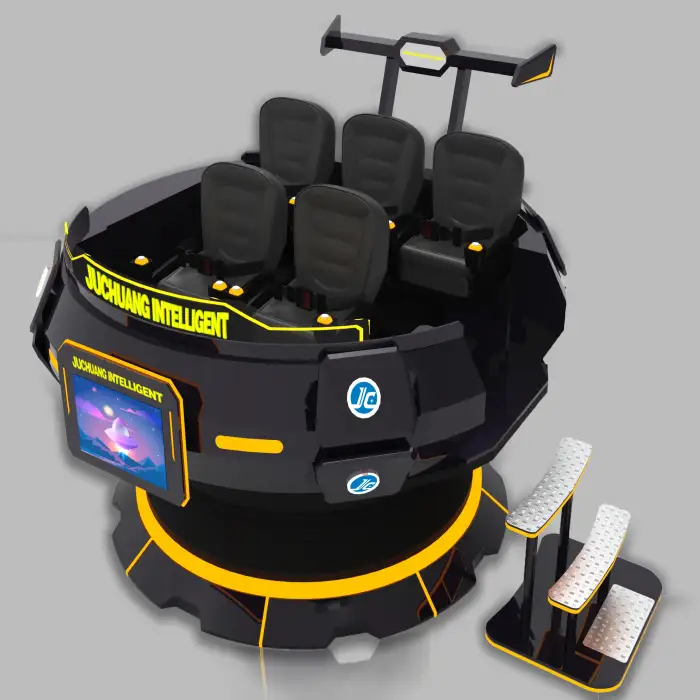
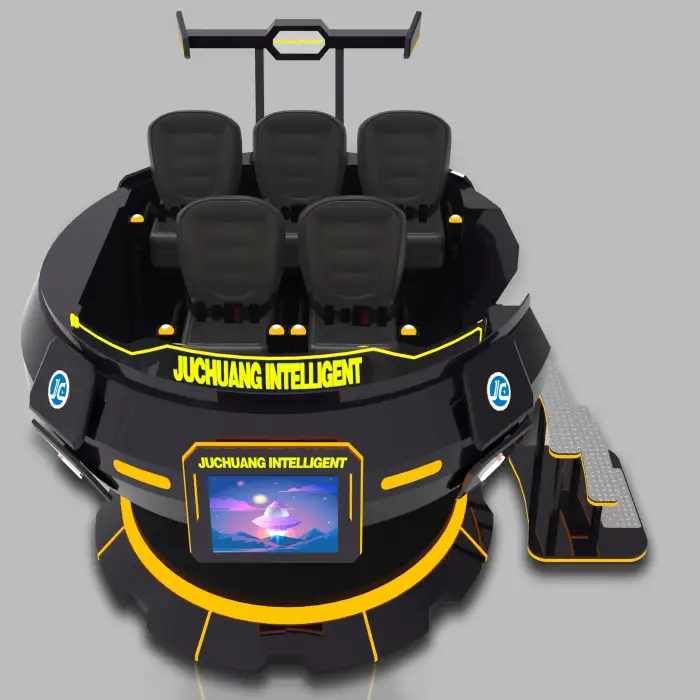
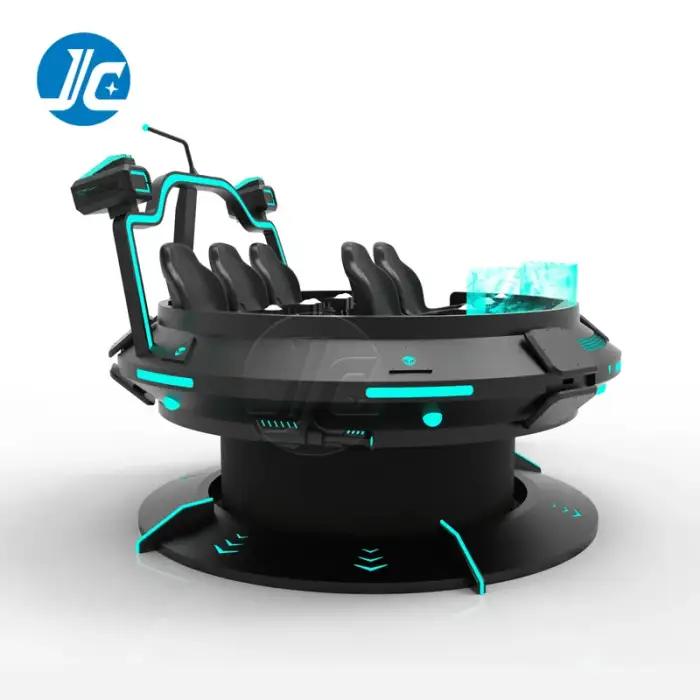
9D VR 360 Driving Simulator Virtual Reality Magic UFO Cinema
Asset finance available
Do you want funding for this equipment?
Afrimart can connect you with trusted funding partners who specialise in asset finance for businesses like yours. Compare options and apply in minutes — final approval is subject to provider review.
Check funding options
Secure & no obligation

- Section : Sports & Entertainment
- Category : Other Sports & Entertainment Products
- SKU : 1600827710075

Product Description


Details Images

- Shipping Timeframes: All orders are processed within 2-5 business days (excluding weekends and holidays). After your order has been processed, the estimated delivery time is before 06 Aug, 2026, depending on customs, Please note that due to high demand, some items may experience longer shipping times, which will be communicated at order confirmation email.
- Order Processing Time: Please allow 2-5 business days for us to process your order before it is shipped . Orders placed after 16:00 on Fridays, or during weekends and public holidays, will begin processing on the next business day. Processing times may be extended during peak seasons or sales events.
- Manufacturing Time: Some products needs manufacturing time, the manufacturing process will take approximately 10-30 business days depending on the product. This timeframe may vary depending on the complexity of the product and current demand. but this will be communicated with you during order confirmation.
- Returns and Exchanges: We offer a 30-day return policy for most items. If you are not completely satisfied with your purchase, you may return it within 30 days of receipt for a refund or exchange. Items must be unused, in their original packaging, and accompanied by proof of purchase. Return shipping costs are the responsibility of the customer, unless the item was damaged or defective upon arrival.
1. What is the 9D VR 360 Driving Simulator?
The 9D VR 360 Driving Simulator is an immersive virtual reality experience that allows users to simulate driving in various environments and scenarios using advanced VR technology.
2. What types of experiences can I expect from this simulator?
You can experience a range of driving scenarios, including racing, off-road driving, and scenic drives, all while enjoying a 360-degree view that enhances realism.
3. Is the simulator suitable for all ages?
Yes, the simulator is designed for a wide range of ages, but parental supervision is recommended for younger users to ensure safety and proper usage.
4. What equipment is required to use the simulator?
You will need a compatible VR headset and the simulator unit itself, which includes the motion seat and controls to enhance the driving experience.
5. How do I set up the 9D VR Driving Simulator?
Setting up the simulator involves placing the unit in a suitable space, connecting it to power and any necessary devices, and calibrating the VR headset as per the manufacturer's instructions.
6. Can I use my own VR headset with this simulator?
The simulator is compatible with various VR headsets, but it's best to check the specifications to ensure compatibility with your specific model.
7. What are the dimensions of the simulator?
The dimensions of the simulator may vary by model, so it is important to refer to the product specifications for exact measurements.
8. Does the simulator come with pre-installed games or experiences?
Yes, the simulator typically comes with a selection of pre-installed driving experiences, and additional content may be available for download.
9. Is there a warranty on the 9D VR Driving Simulator?
Yes, the simulator usually comes with a manufacturer's warranty; please check the warranty details provided with your purchase for specific terms.
10. Can multiple users use the simulator at the same time?
The simulator is designed for single-user experiences, but some models may have multiplayer capabilities depending on the software used.
11. How do I maintain the simulator?
Regular maintenance includes cleaning the headset, checking for software updates, and ensuring all connections are secure. Refer to the user manual for detailed maintenance instructions.
12. What is the maximum weight capacity for the simulator's motion seat?
The maximum weight capacity varies by model, so please refer to the product specifications to ensure it meets your requirements.
13. Can I customize the driving settings and controls?
Yes, most simulators allow you to customize various settings, including controls, sensitivity, and driving parameters to suit your preferences.
14. Is there customer support available if I have issues?
Yes, customer support is typically available through the manufacturer, and you can reach out via their website or customer service hotline for assistance.
15. What power requirements does the simulator have?
The simulator usually requires a standard power outlet, but it's important to check the product specifications for specific voltage and amperage requirements.
Latest Order Arrivals
Discover our latest orders

12 Heads Embroidery Machine

Toilet Paper Machine Machine

Order Collection

Cross Border Clients

Order cros border countries Collected

Industrial Machine Cllection

Agriculture Processing Machines

Ready for collection

Water Pump Equipment

Packaging Machine and accessories

Fabrics Manufacturing Equipment

Mining Equipments

Food Processing Machine

Batch of Orders

Batch of Orders

Latest Orders Labelled

wheel alignment machines

new arrivals

Pre Orders Offloading

Latest Arrivals

Latest Arrivals

Latest Arrivals

Loading

Toilet paper making machine

Toilet paper making machine

Toilet paper Rewinding Machine

latest arrivals

offloading

order success

order collection

order offloading