B21, China Town Mall, Midrand

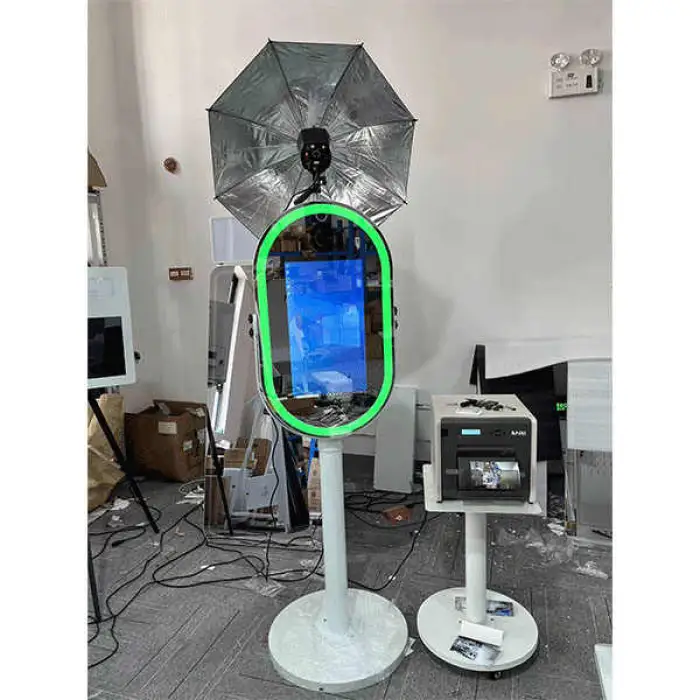
15.6inch Photo Booth Mirror RGB LED Lighting Selfie Magic Oval Mirror Photo Booth With Camera and Printer Touch Screen
Asset finance available
Do you want funding for this equipment?
Afrimart can connect you with trusted funding partners who specialise in asset finance for businesses like yours. Compare options and apply in minutes — final approval is subject to provider review.
Check funding options
Secure & no obligation

- Section : Consumer Electronics
- Category : Photo Booths
- SKU : 1601095666870

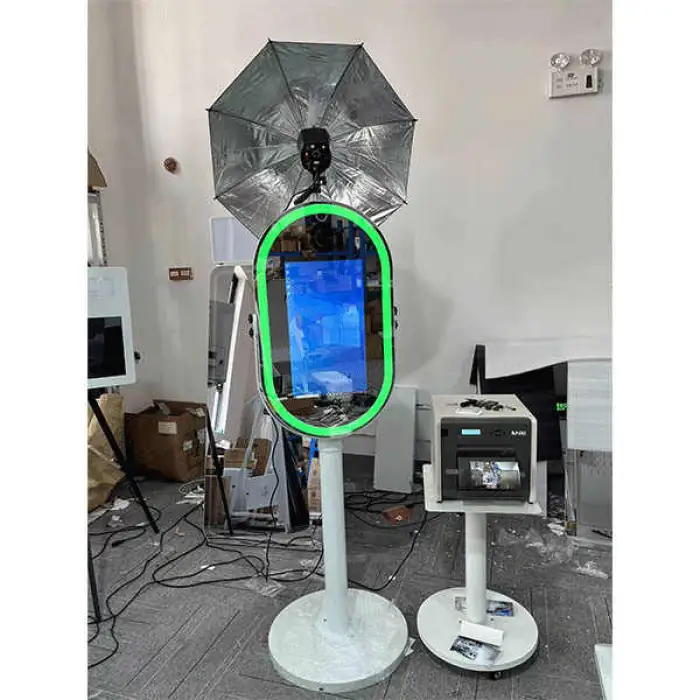
15.6inch Photo Booth Mirror RGB LED Lighting Selfie Magic Oval Mirror Photo Booth With Camera and Printer Touch Screen
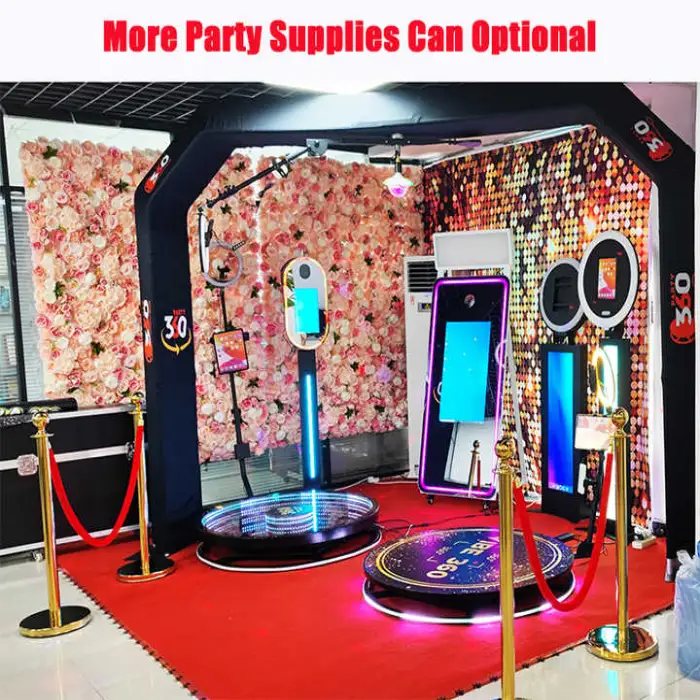
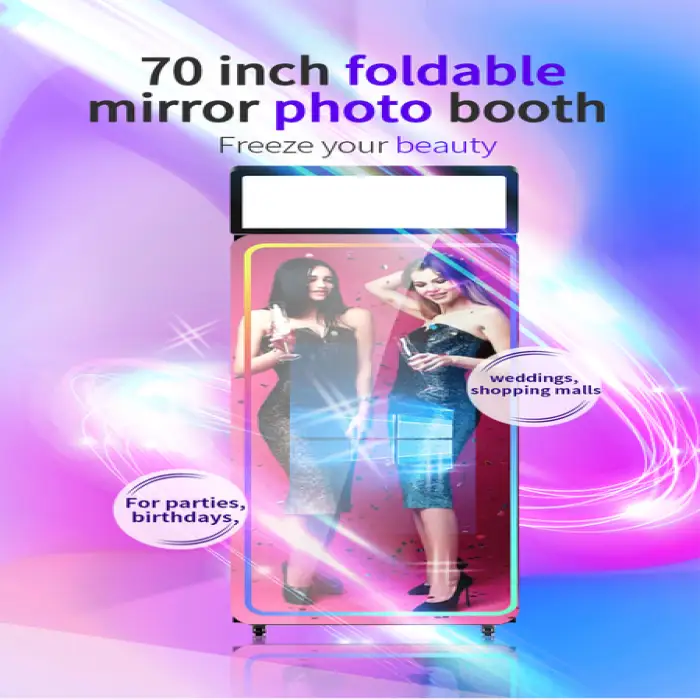
Introducing the 15.6inch Photo Booth Mirror, a fun and stylish way to capture memories! This amazing selfie booth features RGB LED lighting and a touch screen, making it perfect for parties, weddings, and events. With its sleek oval design and instant print functionality, you and your friends can take beautiful photos and print them right away!
Specifications
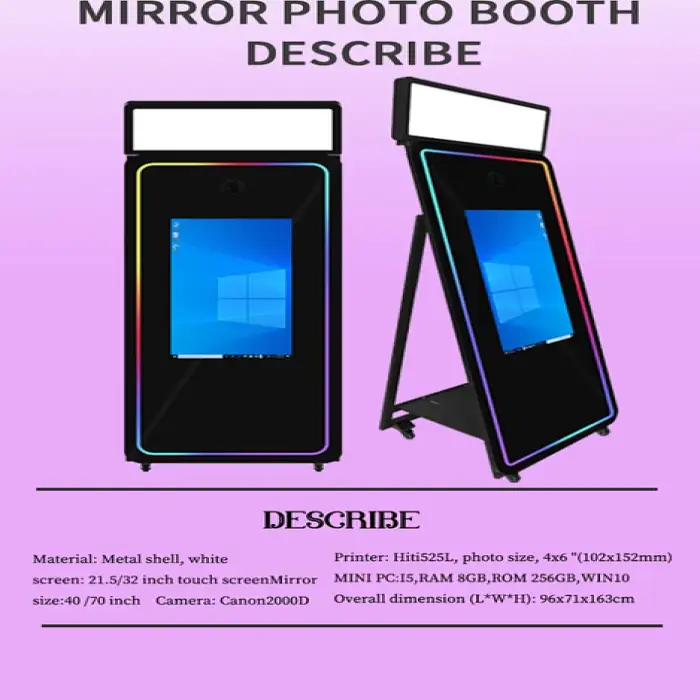
| Attribute | Details |
|---|---|
| Device Compatibility | Camera |
| Material | Metal, Tempered Glass |
| Control Method | Remote Control, Manual, Emergency, Touch Screen |
| Print Functionality | Instant Print |
| Load Bearing | 200KG |
| Product Type | Selfie Booth |
| Connectivity | Bluetooth |
| Max Capacity | 7-9 people |
| Package Size | 71X71X20 cm |
| Gross Weight | 60.000 KG |
Key Features
- 15.6-inch touch screen for easy use.
- RGB LED lighting for vibrant photos.
- Compatible with various cameras.
- Instant printing for immediate memories.
- Supports up to 9 people for group selfies.
- Remote control for convenient operation.
- Sturdy design with metal and tempered glass.
Applications
Product Info Gallery
- Shipping Timeframes: All orders are processed within 2-5 business days (excluding weekends and holidays). After your order has been processed, the estimated delivery time is before 05 Aug, 2026, depending on customs, Please note that due to high demand, some items may experience longer shipping times, which will be communicated at order confirmation email.
- Order Processing Time: Please allow 2-5 business days for us to process your order before it is shipped . Orders placed after 16:00 on Fridays, or during weekends and public holidays, will begin processing on the next business day. Processing times may be extended during peak seasons or sales events.
- Manufacturing Time: Some products needs manufacturing time, the manufacturing process will take approximately 10-30 business days depending on the product. This timeframe may vary depending on the complexity of the product and current demand. but this will be communicated with you during order confirmation.
- Returns and Exchanges: We offer a 30-day return policy for most items. If you are not completely satisfied with your purchase, you may return it within 30 days of receipt for a refund or exchange. Items must be unused, in their original packaging, and accompanied by proof of purchase. Return shipping costs are the responsibility of the customer, unless the item was damaged or defective upon arrival.
1. What comes in the box with the 15.6inch Photo Booth Mirror?
The package typically includes the 15.6" oval mirror photo booth unit with built-in 15.6" touch screen, RGB LED lighting, integrated camera and instant printer, remote control, power cable(s), mounting/stand hardware (if included in your variant), and a user manual. Exact contents may vary by seller—check the product listing for the specific bundle.
2. What are the key features of this mirror photo booth?
Key features include a 15.6" touch screen interface, RGB LED lighting for customizable effects, built-in camera, instant photo printing, support for group selfies (up to 7–9 people), remote control operation, sturdy metal and tempered glass construction, and Bluetooth connectivity (additional connection options depend on the model).
3. How many people can fit in a photo using this booth?
The mirror is designed to support group selfies of approximately 7–9 people, with a load-bearing capacity of up to 200 kg. Actual capacity depends on arrangement and available space in front of the mirror.
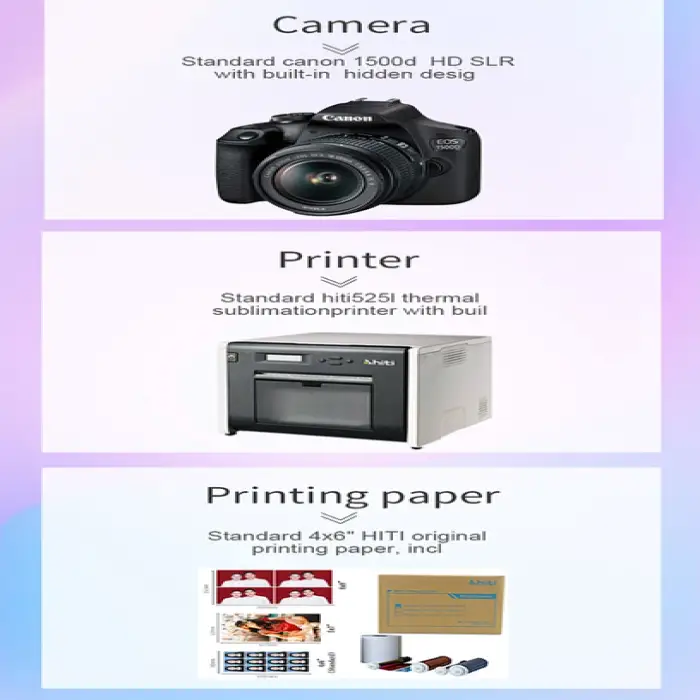
4. Does the product include a camera and printer, and what type are they?
Yes — the product is advertised with a camera and an instant printer built in. Exact camera model and printer technology (e.g., dye-sublimation, thermal) vary by SKU. Refer to the seller’s technical specifications or the user manual for the precise camera resolution and printer type included with your unit.
5. What connectivity options are available?
Bluetooth connectivity is supported. The mirror also features touchscreen control and can be operated via remote control or manual/emergency controls. Additional connectivity options such as USB, SD card, or Wi‑Fi may be available depending on the specific model—check the product details for your unit.
6. How do I operate the photo booth?
Operation is primarily via the 15.6" touch screen, which guides users through taking photos, applying effects, and printing. You can also use the included remote control or manual/emergency controls. Setup is generally plug-and-play—power on the unit, follow on-screen prompts, and customize settings as needed.
7. How fast are the instant prints?
The listing states instant printing functionality. Print time depends on the printer model installed in the unit; most instant photo printers produce prints within a few seconds to a minute. For exact print speeds, consult the product specifications or the seller.
8. Can I save or share the digital photos?
Many mirror photo booths offer options to save or transfer digital copies via Bluetooth, USB, SD card, or network sharing, but the available methods depend on the specific configuration. Check your unit’s specifications or user manual for the supported digital export/sharing options.
9. Is the RGB lighting customizable?
Yes — the mirror features RGB LED lighting intended to brighten and add color effects to photos. Color, brightness, and lighting modes are typically adjustable through the touch screen controls or an app/remote, subject to the features provided by the specific model.
10. What are the physical dimensions and weight for shipping/transport?
The listed package size is 71 x 71 x 20 cm and the gross weight is approximately 60.000 kg. Because of its weight and size, it’s portable for events but may require two people for safe handling and setup.
11. What power requirements does the unit have?
Power requirements (voltage, plug type) are not specified in the summary. The unit requires mains power (AC). Refer to the product listing or user manual for the exact voltage, power consumption, and any adapters needed for your region.
12. Do I need any special software or apps to use the booth?
The mirror includes a built-in touchscreen interface for capturing photos and printing. Some variants may offer companion software or mobile apps for advanced templates, sharing, or remote management. Check the product details to see what software or apps are included or supported.
13. How much assembly is required?
Assembly is typically minimal—usually attaching the stand or mounting hardware and connecting power/data cables. The unit is largely pre-assembled. Follow the included setup guide; if wall or rig mounting is planned, ensure mounting hardware and mounting-surface ratings are appropriate.
14. How should I clean and maintain the mirror?
Clean the tempered glass and touchscreen with a soft, lint-free microfiber cloth and mild glass cleaner applied to the cloth (not directly to the screen). Keep vents and printer areas free of dust. Turn off and unplug the unit before maintenance. Refer to the user manual for printer maintenance and replacement media instructions.
15. Is there a warranty or where can I get support and replacement parts?
Warranty coverage and support options vary by seller/manufacturer. Check the product listing or contact the seller for warranty terms, service policies, and availability of replacement parts such as printer paper, camera modules, or remote controls.
Latest Order Arrivals
Discover our latest orders

12 Heads Embroidery Machine

Toilet Paper Machine Machine

Order Collection

Cross Border Clients

Order cros border countries Collected

Industrial Machine Cllection

Agriculture Processing Machines

Ready for collection

Water Pump Equipment

Packaging Machine and accessories

Fabrics Manufacturing Equipment

Mining Equipments

Food Processing Machine

Batch of Orders

Batch of Orders

Latest Orders Labelled

wheel alignment machines

new arrivals

Pre Orders Offloading

Latest Arrivals

Latest Arrivals

Latest Arrivals

Loading

Toilet paper making machine

Toilet paper making machine

Toilet paper Rewinding Machine

latest arrivals

offloading

order success

order collection

order offloading