














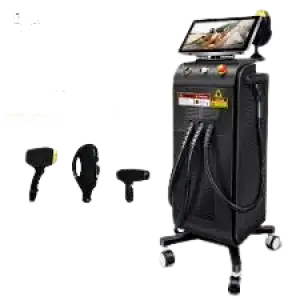






































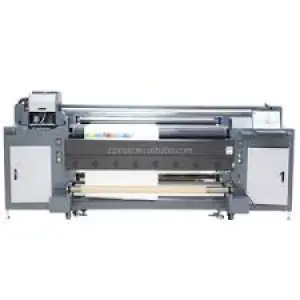











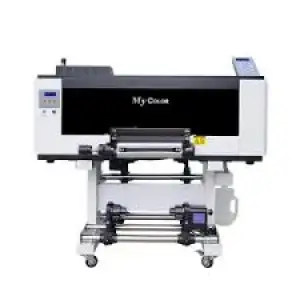
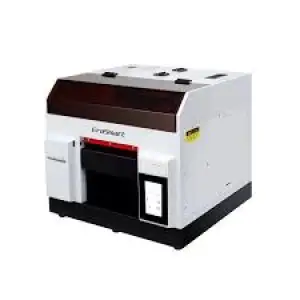

































































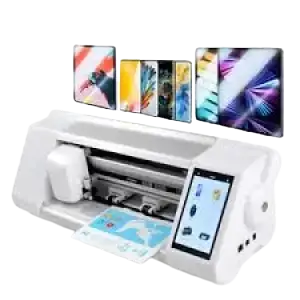

























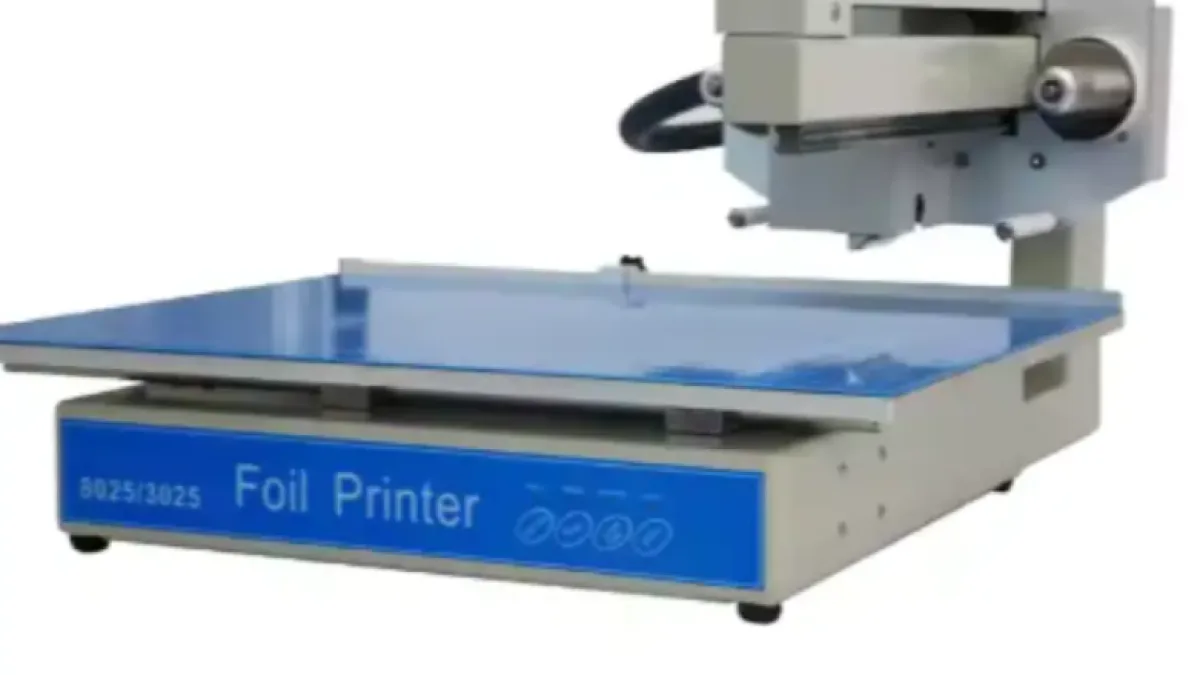
The WD-3025 automatic gold foil printing machine is a digital flatbed system for applying single-colour metallic, coloured or holographic foil designs to suitable flat materials. With a maximum printing area of 250 × 300 mm, 300 dpi resolution and support for media up to 30 mm thick, it is designed for print shops, packaging businesses and personalised-product producers.
WD-3025 automatic gold foil printing machine at a glance
- Model: WD-3025
- Printing process: Digital hot-foil stamping
- Maximum printing area: 250 × 300 mm
- Maximum material thickness: 30 mm
- Printing speed: 20–50 mm/s
- Resolution: 300 dpi
- Rated power: 150 W
- Power supply: AC 110–240 V, 50/60 Hz
- Operating format: Automatic, single-colour flatbed printing
- Compatible operating system: Windows
The WD-3025 automatic gold foil printing machine from Afrimart provides a digital alternative to conventional foil-stamping processes that require a separate metal die for every design.
Its flatbed configuration supports cards, paper products, selected packaging components, phone cases and other compatible flat media. The machine can produce decorative text, logos, borders and graphics using suitable heat-transfer foil.
Successful production depends on matching the foil, temperature, speed, artwork and pressure to the substrate. Buyers should test their actual materials before committing to commercial production volumes.
What is the WD-3025 automatic gold foil printing machine?
The WD-3025 is a computer-controlled hot-foil printing machine that transfers foil onto the surface of a compatible material. It uses a thermal print head rather than a traditional engraved stamping die to generate the required image.
Conventional foil-stamping systems normally press a heated metal die against foil and a substrate. Creating a new design may require a new physical die, which adds preparation time and tooling costs. A digital foil printer instead receives artwork from a computer and uses controlled heat to transfer the design directly.
The WD-3025 is therefore particularly relevant to short production runs, personalised jobs, prototypes and frequently changing artwork. Typical work may include individual names, serialised items, event invitations, customised covers or low-volume branded packaging.
The machine is identified as a single-colour flatbed system. “Single colour” means one foil is normally loaded and applied during a production pass. A design requiring two or more foil colours may need separate passes, foil changes and careful registration.
The term “gold foil printer” describes a common application rather than limiting the machine to gold. The Afrimart product information indicates compatibility with typical hot-stamping foils, including silver, coloured metallic, matte and holographic finishes, provided the selected foil fits the machine and bonds correctly to the substrate.
This machine should not be confused with:
- An inkjet printer that deposits liquid ink
- A laser printer that fuses toner onto paper
- A screen-printing machine that pushes ink through a mesh stencil
- A large mechanical foil press for high-volume die stamping
- A laminator that applies a continuous protective film
- An embossing press that physically deforms the substrate
The WD-3025’s role is decorative digital foil transfer on compatible surfaces. It does not replace every printing, embossing or packaging-finishing process.
How does the digital hot-foil stamping process work?
The WD-3025 converts digital artwork into a heat-transferred foil image. A typical job follows six stages.
Create or import the artwork
The operator prepares the required text, logo, border or graphic using compatible design software. The product page lists CorelDRAW, Adobe Illustrator, Photoshop and PDF-based workflows.
Prepare the artwork for foil output
The operator checks the design dimensions, line thickness, orientation and placement. Vector artwork is generally useful for sharp text and clean edges, while raster graphics should be prepared at a resolution suitable for the machine’s 300 dpi output.
Load and position the substrate
The card, sheet, cover, panel or other flat item is placed on the working surface. It must fit within the 250 × 300 mm printing area and remain within the 30 mm maximum admitted thickness.
Install and align the foil
A compatible foil roll is fitted and aligned with the intended printing path. The foil must cover the design area while feeding evenly and without excessive slack.
Set the production parameters
The operator selects settings appropriate for the foil and substrate. Printing speed can be adjusted within the published range of 20–50 mm/s. Heat-sensitive or unfamiliar materials should always be tested before a full job.
Transfer and inspect the image
The thermal print head follows the digital artwork and transfers the foil to the substrate. The finished piece is inspected for adhesion, coverage, edge quality, positioning and surface damage.
The correct result depends on the relationship between heat, dwell time, printing speed, foil coating and substrate surface. A setting that works on coated card may not work on leather-like material or plastic. Testing is therefore an essential part of production setup.
What materials can the WD-3025 process?
The WD-3025 is intended for compatible flat materials that can accept heat-transfer foil and remain stable during printing. The Afrimart listing identifies applications involving paper, cards, tubes, phone cases and other media.
Suitable materials may include:
- Paper
- Cardstock
- Coated paper
- Cardboard
- Adhesive labels
- Book and notebook covers
- Selected plastic sheets
- Compatible phone cases
- Polyethylene terephthalate, commonly called PET
- Polyvinyl chloride, commonly called PVC
- Polyurethane, commonly called PU
- Leather and suitable synthetic leather
- Film
- Frosted PVC
- Binding and layout paper
Compatibility must be established through testing. Materials sold under the same general name can have different coatings, additives, textures and heat resistance. Two synthetic-leather products, for example, may respond differently to the same foil and production settings.
Buyers should assess each proposed substrate for:
- Surface texture
- Coating
- Flatness
- Thickness
- Heat resistance
- Foil adhesion
- Discolouration risk
- Distortion risk
- Required image durability
The 30 mm specification refers to the maximum thickness the machine can admit. It does not guarantee successful printing on every material below that limit. A thick object must still fit securely, remain level and present a printable surface within the machine’s operating range.
Curved tubes are mentioned among the listed applications, but buyers intending to print cylindrical or strongly curved products should confirm the required fixture and allowable curvature. A flatbed machine cannot be assumed to handle every round container without appropriate positioning equipment.
Where can the WD-3025 be used?
The machine is suitable for businesses that need decorative, personalised or short-run foil printing without commissioning a conventional die for each design.
Commercial print shops
Print-service businesses can use the WD-3025 for names, logos, invitations, cards, certificates and presentation materials. Digital setup is particularly useful when artwork changes between small orders.
Packaging and label production
Suitable flat boxes, labels, sleeves and packaging components can receive metallic branding or decorative details. Buyers should test the packaging surface and confirm that the printed area fits within the machine’s working dimensions.
Bookbinding and stationery
The machine can apply foil titles, names and decorative elements to notebooks, diaries, menus, albums and book covers. It may support personalised stationery services and limited-edition products.
Event and wedding printing
Invitations, place cards, table stationery and event materials often require short runs and variable names. Digital artwork can help producers change designs without manufacturing a separate die for every variation.
Personalised gifts
Compatible phone cases, card products, covers and flat gift items may be decorated with names, initials or logos. The surface must tolerate the production temperature and provide acceptable foil adhesion.
Leather and synthetic-leather goods
Suitable flat leather or PU components may be printed before final assembly into wallets, covers, folders or other goods. Material testing is especially important because coatings and textures can affect the result.
Promotional-product workshops
Businesses producing corporate gifts or branded accessories can use the machine for small batches and customised orders. Actual suitability depends on product shape, material thickness and available fixtures.
Small manufacturing and creative enterprises
The compact digital process may help entrepreneurs introduce premium finishing without establishing a large conventional stamping line. The commercial case should still account for consumables, testing waste, operator time and print-head replacement.
Technical specifications
The following table presents the specifications published for the WD-3025 configuration.
| Specification | Verified value | Buyer note |
|---|---|---|
| Model | WD-3025 | Confirm the model on the quotation and machine nameplate |
| Printing process | Digital hot-foil stamping | Uses digital artwork rather than a design-specific metal die |
| Operating format | Automatic flatbed printing | Intended for compatible flat or correctly supported items |
| Colour format | Single colour per production pass | Multiple colours may require separate passes and registration |
| Maximum printing area | 250 × 300 mm | Artwork and substrate placement must remain within this area |
| Maximum material thickness | 30 mm | Material compatibility still depends on shape and heat tolerance |
| Printing speed | 20–50 mm/s | The appropriate speed depends on the foil and substrate |
| Resolution | 300 dpi | Artwork quality and preparation influence the finished image |
| Maximum feeding width | 450 mm | Confirm how feeding width relates to the usable printing area |
| Print-head service-life rating | 150,000 m | Actual life varies with operation, maintenance and materials |
| Electrical supply | AC 110–240 V, 50/60 Hz | Confirm plug type, grounding and local installation requirements |
| Rated power | 150 W | Verify circuit suitability and power protection at the site |
| Compatible software | CorelDRAW, Illustrator, Photoshop and PDF workflows | Confirm supported versions, drivers and file-transfer procedure |
| Operating system | Windows | Confirm the supported Windows versions before selecting a computer |
| Warranty | One year | Confirm coverage, exclusions and the claims procedure |
| Afrimart SKU | 1601456394178 | Include this reference in the quotation request |
Specifications may vary according to configuration and must be confirmed in Afrimart’s current written quotation.
The listed print-head life of 150,000 metres is a rated value, not a guaranteed production volume. Actual service life may be affected by unsuitable media, contamination, excessive heat, incorrect adjustment, physical impact and maintenance practices.
What are the main operational benefits?
The WD-3025 combines digital artwork preparation with a compact hot-foil printing process. Its features can create several practical benefits.
No design-specific stamping die for each job
The machine generates the image from a digital file. This can reduce tooling preparation for short runs, prototypes and frequently changing designs.
Suitable for personalisation
Names, initials, dates and variable text can be changed in the artwork. This supports customised stationery, event products and individual corporate gifts.
Useful 250 × 300 mm working area
The published printing area accommodates many cards, covers, labels and small flat products. Buyers can compare their largest artwork dimensions directly with the working area.
Supports media up to 30 mm thick
The flatbed can admit materials up to the stated thickness, expanding the potential application beyond ordinary sheets of paper. Successful printing still depends on flatness and surface compatibility.
Adjustable production speed
The 20–50 mm/s speed range gives operators scope to balance throughput and transfer quality for different substrates. The correct speed must be established through controlled testing.
300 dpi digital output
The published resolution supports text, borders and detailed decorative artwork. Finished sharpness will also depend on source-file quality, foil behaviour and substrate texture.
Broad input-voltage range
The AC 110–240 V, 50/60 Hz specification supports use across different electrical environments. Buyers must still confirm the supplied plug, grounding and local voltage conditions.
Compatibility with common design workflows
Support for CorelDRAW, Illustrator, Photoshop and PDF files can help businesses integrate the printer into an existing artwork process. Software versions and driver compatibility should be confirmed before deployment.
Compact route to premium finishing
Metallic and holographic effects can increase the visual distinction of suitable cards, packaging and personalised products. Commercial value will depend on design quality, material selection and the target customer segment.
What affects foil-printing quality?
Foil-printing quality is controlled by more than resolution. Reliable results require the foil, substrate, artwork and machine settings to work together.
Foil compatibility
Hot-stamping foils use different adhesive layers. A foil intended for coated paper may not bond properly to plastic or leather. Buyers should obtain foil matched to the material being printed.
Substrate surface
Smooth, clean and consistent surfaces generally support more even contact. Deep texture, dust, oil, moisture or loose fibres may cause incomplete transfer.
Speed and heat
If a print is too light, the foil may not be receiving the correct combination of heat and contact time. If the material distorts or marks, the setting may be too aggressive for that substrate.
Operators should avoid changing several settings simultaneously. Controlled tests make it easier to identify the adjustment responsible for an improvement.
Artwork design
Extremely fine lines, dense filled areas and small reversed text may behave differently during thermal transfer. A production sample should be approved before a commercial run begins.
Material positioning
The substrate must remain flat and correctly registered. Movement during the printing cycle can cause misalignment or blurred edges.
Foil alignment and tension
Poorly aligned foil can wrinkle, shift or fail to cover the entire design. Excessive or inconsistent tension may also interfere with feeding and transfer.
A useful job record should capture the substrate, foil reference, artwork version, speed and other relevant settings. This makes successful work easier to reproduce.
Installation, software and workspace requirements
The WD-3025 requires an organised workspace, a compatible Windows computer and a suitable electrical supply.
Place the machine on a stable, level surface with enough surrounding space for the operator, substrate positioning, foil changes and maintenance. Keep the production area dry, clean and protected from excessive dust.
The published electrical requirement is AC 110–240 V at 50/60 Hz, with rated power of 150 W. Before installation, confirm:
- The local supply voltage
- Plug and socket compatibility
- Protective earthing
- Circuit protection
- Surge protection requirements
- Power quality at the site
- Safe cable routing
A voltage stabiliser or uninterruptible power supply should only be selected after confirming the machine’s electrical requirements and the device manufacturer’s recommendations.
The operating computer should meet the requirements of the machine’s software and driver. Buyers should confirm the exact connection method, driver availability and supported Windows versions. If artwork is created on another operating system, a compatible Windows computer may still be required to control the machine.
During commissioning, test:
- Computer communication
- Artwork transfer
- Print positioning
- Foil feeding
- Substrate clearance
- Emergency stopping or shutdown controls
- Heating response
- Repeated print consistency
Operators should receive training on artwork preparation, foil loading, parameter setting, substrate testing, cleaning and fault response.
Safety and maintenance requirements
Hot-foil printing combines heated components, electrical equipment and moving mechanisms. A workplace risk assessment should cover normal printing, setup, foil changes, cleaning and maintenance.
The UK Health and Safety Executive’s printing-machinery guidance identifies contact with moving parts, in-running nips, inadequate guarding and unsafe interventions as recurring causes of printing-machine accidents. It recommends appropriate guards, safe working procedures, maintenance and operator training.
For the WD-3025, practical precautions include:
- Operate the machine on a stable surface.
- Use a correctly grounded electrical connection.
- Keep hands away from the print path during operation.
- Do not touch heated components during or immediately after printing.
- Keep loose clothing, jewellery and hair away from moving parts.
- Do not remove guards or bypass safety controls.
- Disconnect and isolate power before authorised internal maintenance.
- Allow heated components to cool before cleaning.
- Use tools and cleaning products approved for the machine.
- Keep foil fragments, dust and residue away from moving components.
- Train and authorise operators before independent use.
Routine maintenance includes cleaning the flatbed, heating area and foil path; checking the feed mechanism; inspecting cables and connectors; and preventing dust or adhesive residue from reaching the print head.
The thermal print head is a precision component. It should not be scraped with sharp tools or cleaned using an unapproved chemical. Abrasive cleaning can damage its surface and shorten its life.
Buyers should plan for foil rolls, approved cleaning materials and relevant wear parts. They should also confirm the availability and replacement procedure for the print head, rollers, sensors and other service components.
What should buyers confirm before ordering?
A sample-based technical evaluation is the strongest way to determine whether the WD-3025 suits a particular business.
Use this buyer checklist:
- Confirm the required maximum artwork dimensions.
- Measure the largest substrate to be printed.
- Verify that every product fits the 250 × 300 mm printing area.
- Confirm that the material is no more than 30 mm thick.
- Provide samples of each proposed paper, plastic, leather or coated material.
- Test foil adhesion, edge quality and heat resistance.
- Confirm the required foil colours and finishes.
- Establish whether jobs require one colour or multiple registered passes.
- Request sample prints using the intended artwork.
- Confirm the Windows versions supported by the driver.
- Verify software versions and acceptable file formats.
- Confirm the machine-to-computer connection method.
- Request the artwork-preparation procedure.
- Confirm whether templates or positioning guides are included.
- Verify the maximum feeding width and usable flatbed dimensions.
- Confirm adjustable production parameters and their operating ranges.
- Check the supplied plug and electrical configuration.
- Assess local voltage stability and grounding.
- Request installation and commissioning requirements.
- Confirm operator-training arrangements.
- Obtain the operating and maintenance manuals.
- Request the recommended foil specifications.
- Confirm print-head cleaning requirements.
- Ask for a consumables and spare-parts list.
- Confirm print-head availability and replacement procedure.
- Review the one-year warranty’s coverage and exclusions.
- Provide the destination country and project location.
- State the intended daily production volume and target date.
Buyers expecting continuous high-volume production should also calculate realistic cycle time. Printing speed is measured in millimetres per second and should not be confused with finished products per hour. Job output must account for loading, alignment, printing, unloading, inspection, foil changes and rejected pieces.
How to source the WD-3025 through Afrimart
Afrimart can help buyers confirm whether the WD-3025 configuration matches their materials, artwork and production requirements.
A useful quotation request should include:
- Intended products
- Substrate types
- Maximum material dimensions
- Material thickness
- Required foil finishes
- Largest artwork size
- Estimated daily volume
- Design software
- Available electrical supply
- Project country and destination
- Training requirements
- Required consumables and spare parts
- Target installation date
Ask for a written quotation identifying the precise machine configuration, included accessories, software, connection method, safety equipment, documentation, warranty and support arrangements.
Request a quotation for the WD-3025 automatic gold foil printing machine through Afrimart.
Frequently asked questions
What does the WD-3025 foil printer produce?
The WD-3025 applies single-colour foil text, logos, borders and decorative graphics to compatible flat materials. Applications include cards, invitations, covers, labels, packaging components and selected personalised products. It transfers foil rather than printing liquid ink, and the result depends on using a compatible foil and heat-tolerant substrate.
What is the WD-3025’s maximum printing area?
The maximum published printing area is 250 × 300 mm. The complete artwork must fit inside this area. Buyers should distinguish the printing area from the stated 450 mm maximum feeding width and request confirmation of how both dimensions apply to their proposed products.
Can it print on materials that are 30 mm thick?
The machine admits materials up to 30 mm thick, but thickness alone does not establish compatibility. The item must also be sufficiently flat, stable and heat resistant. Buyers should provide samples for testing, particularly when printing plastic, coated, textured or assembled products.
Can the machine print more than one foil colour?
The WD-3025 is listed as a single-colour flatbed machine. Different colours may be produced through separate passes, with the foil changed between passes. Multi-colour designs require accurate repositioning and registration, so buyers should test the complete workflow before accepting multi-colour orders.
Which software can be used with the WD-3025?
The listed compatible workflows include CorelDRAW, Adobe Illustrator, Photoshop and PDF files on Windows. Buyers should confirm the supported application versions, machine driver, file-transfer method and computer requirements. Vector artwork is generally useful for clean text and logos, while raster artwork should suit the 300 dpi output.
How fast does the machine print?
The published printing speed is 20–50 mm/s. This is the travel speed of the printing process, not the number of completed products per hour. Actual output includes artwork setup, material loading, positioning, printing, unloading, inspection and foil replacement. The selected speed must also produce acceptable adhesion on the intended substrate.
What maintenance does the machine require?
Routine care includes keeping the flatbed, foil path and heating area free from dust and residue, inspecting feeding components and protecting the thermal print head from abrasion. The machine must be powered down and allowed to cool before cleaning. Exact procedures and intervals should follow the supplied operating manual.